How to accept the Request to migrate Cloud API to Marketing Messages API
🚨 Important: Request will only be visible and acceptable for Admin Users
Good to know: Accounts that haven't accepted the migration yet are billed a 7% surcharge on their Meta costs. Accepting the request removes it, no other changes to your setup.
⚙️ How to set it up (for META Users Only)
Here's your step-by-step tutorial on how to approve the request:
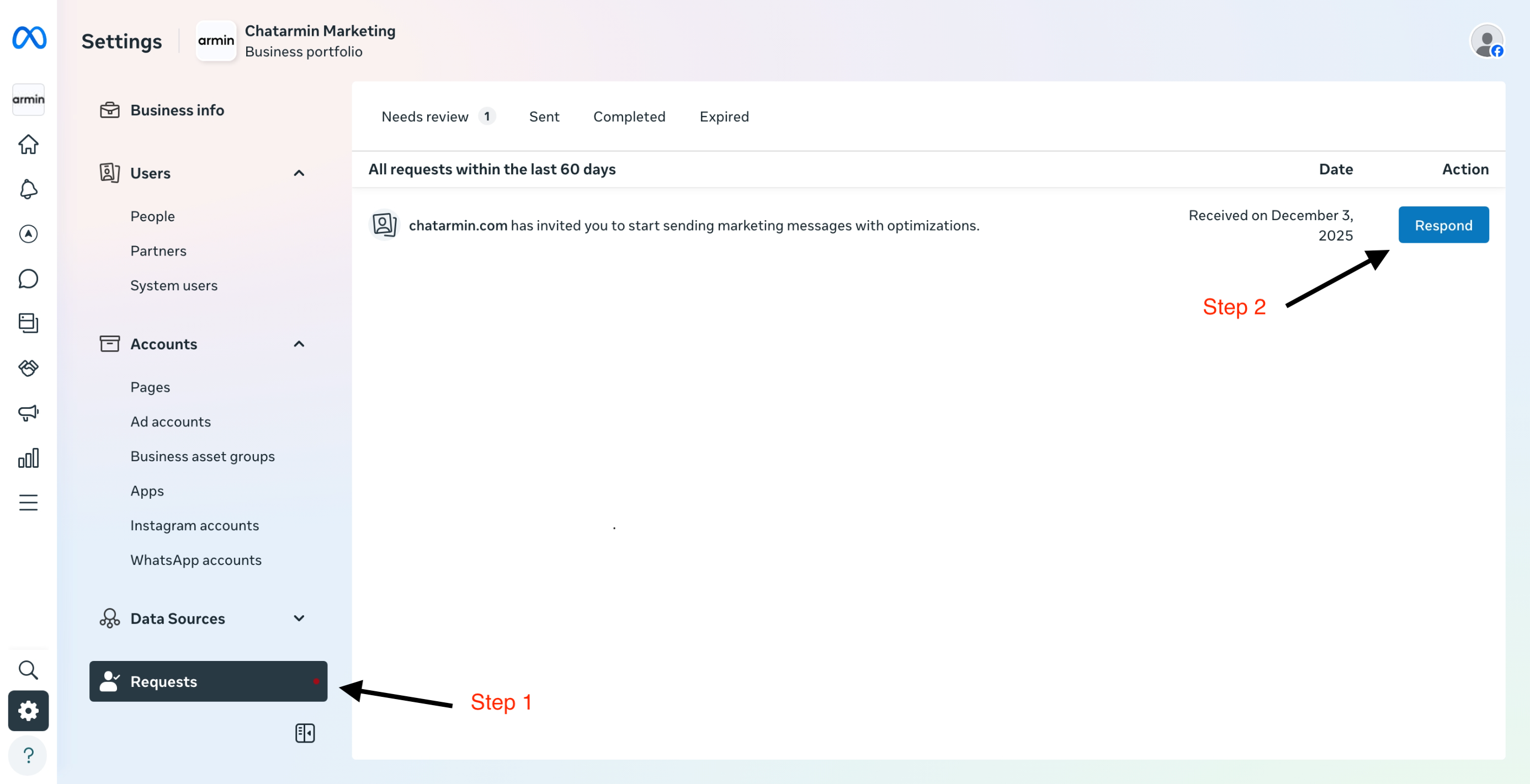
Go to Settings -> Requests
Click on the Button 'Respond'
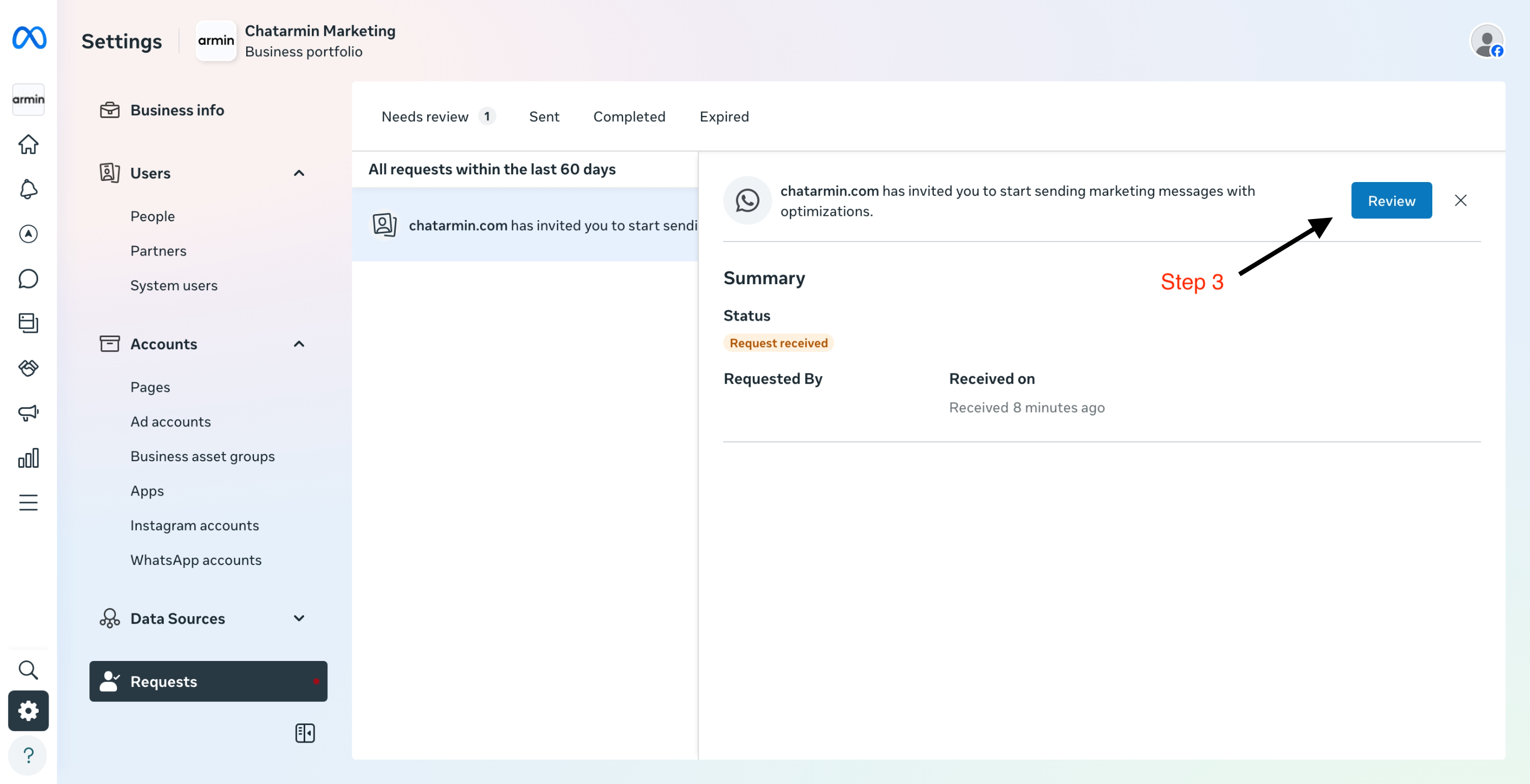
3. Click on 'Review'
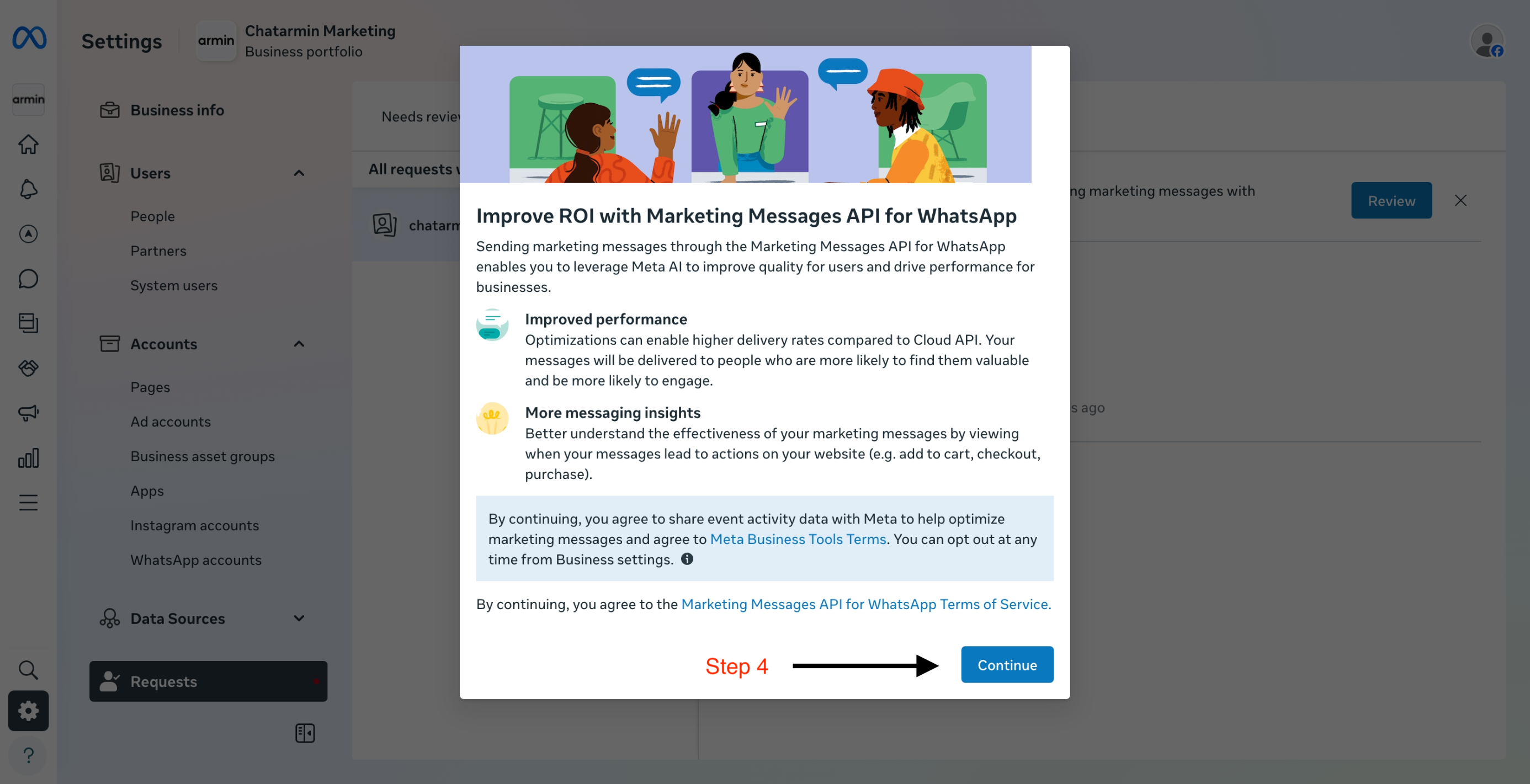
4. Click on 'Continue'
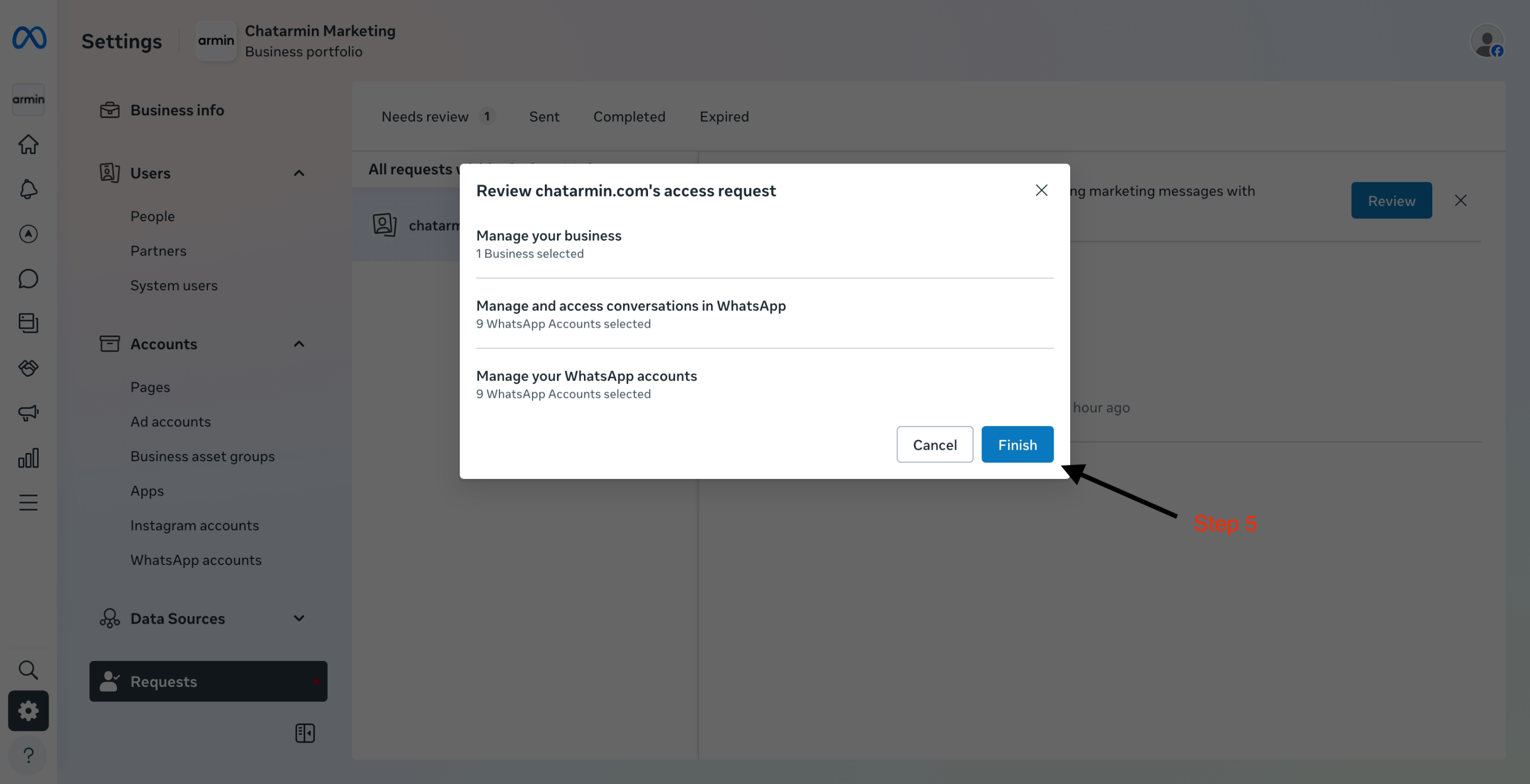
5. Finish up the request by clicking on the designated button
Good to know: You need full Admin access in your Meta Business Manager to see and respond to this request, not a limited employee role. If you're not sure what access level you have, check under Business Settings → People.
⚙️ How to set it up (for 360Dialog Users Only)
Refer to the following article, in order to enable the new Marketing Messages API: 👇
https://docs.360dialog.com/partner/messaging-and-calling/sending-marketing-messages/onboarding-and-sending-messages#self-onboard-using-whatsapp-manager
You're all set and good to go!