How to integrate Meta Pixel to Chatarmin
Video Guide
Step-by-Step Guide
First, open your Business Manager and navigate to Date Sources -> Datesets -> Select your Pixel -> Click "Open in Events Manager"
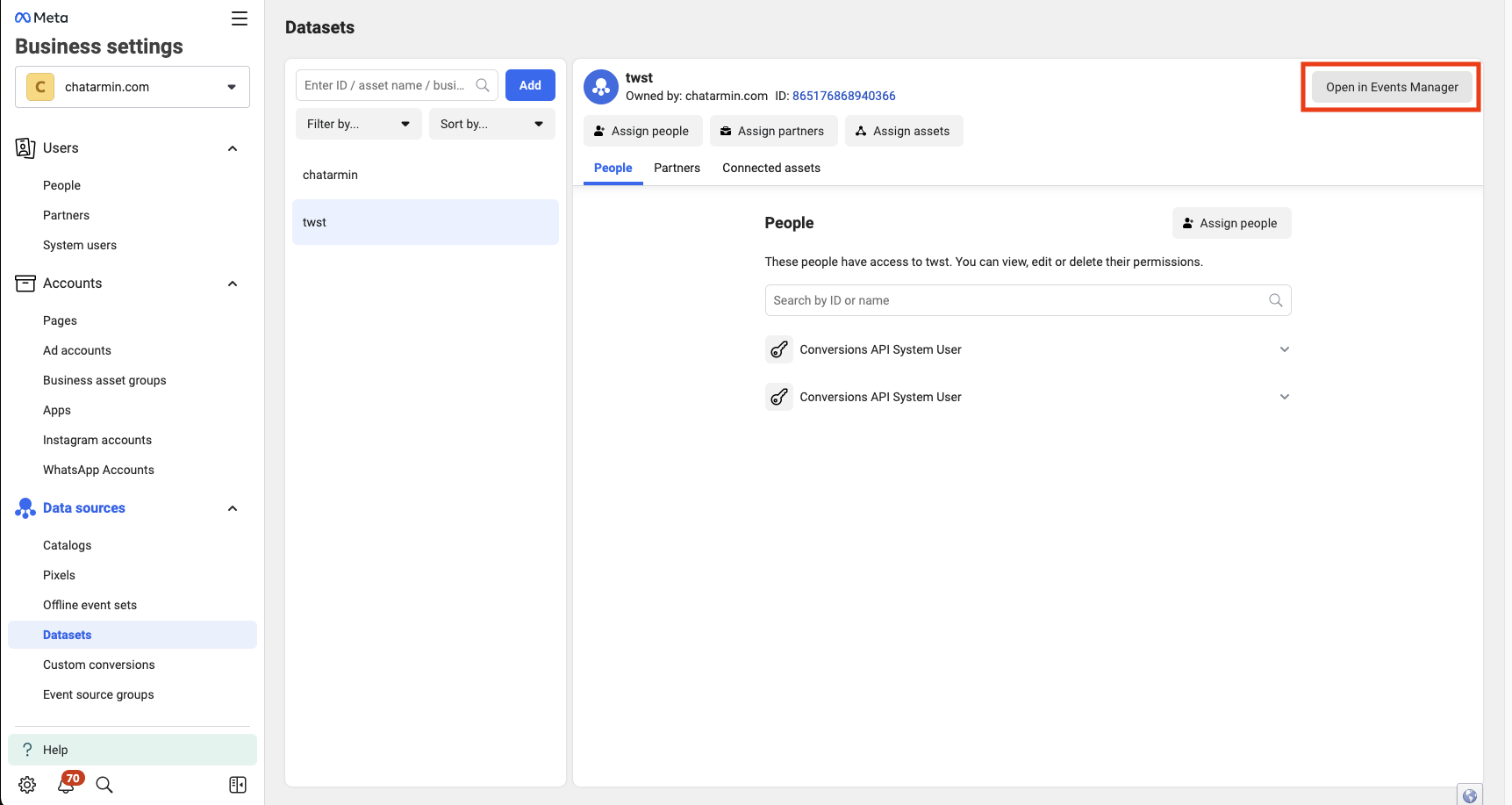
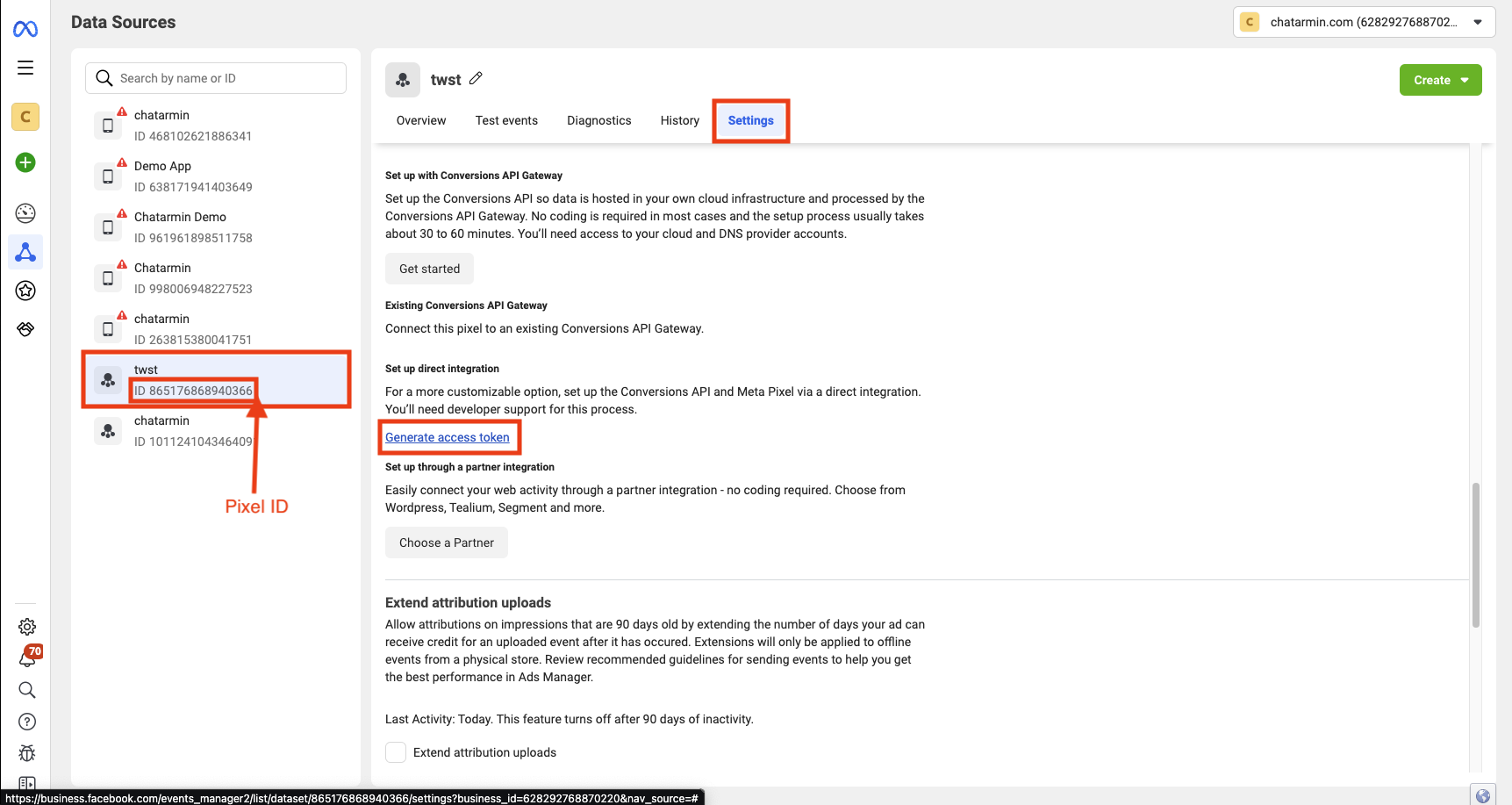
Once you are in the Events Manager, make sure you have selected the correct Pixel.
Then we can navigate to Settings -> Scroll down to "Generate Access Token" -> Copy Access Token & Pixel ID to Chatarmin
Use Pixel Action in Flows
Now navigate into a Flow of your choice and create a new Flow Action -> Pixel -> Type in the required fields:
Event Name: The Conversion Events name, e.g: WhatsApp Welcome
Custom Properties: Here you can add custom Properties like for example "Flow Name" to your event