Segmenting with Klaviyo Lists & Segments
Segmentation with Klaviyo
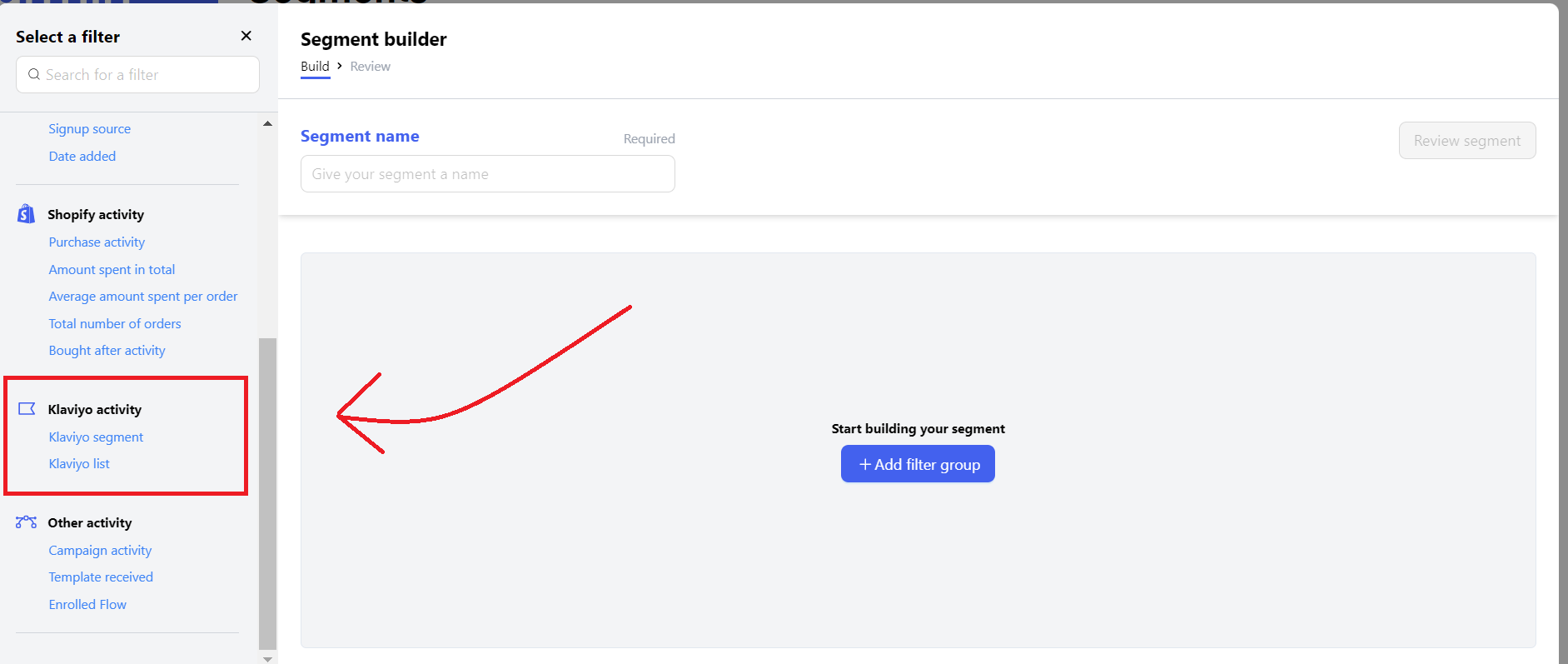
You can use the Klaviyo information, you have on your clients to create specific segments. These segments can later be used to do splits in Flows via If/Else splits or to send campaigns to specific user cohorts. This way you can create a List or Segment or use an existing one inside of Klaviyo with your existing data and fetch the Segment in Chatarmin.
How Klaviyo Sync Works
When you select a Klaviyo List or Segment in Chatarmin, Chatarmin pulls the profiles from Klaviyo via the Klaviyo API. There is one important limitation to be aware of:
⚠️ Klaviyo allows a maximum of 100 profiles per API call. This means that the larger your Klaviyo segment, the longer the sync will take inside Chatarmin.
Segment Size | Expected Behavior |
|---|---|
Small (< 5,000 profiles) | Syncs quickly |
Medium (5,000–50,000 profiles) | Takes a few minutes |
Large (50,000–300,000+ profiles) | Can take a very long time or time out |
If your segment appears to not load or shows no results, the most likely cause is that the segment is too large to sync efficiently via the Klaviyo API.
Building a "WhatsApp Only" Segment — Best Practice
A common use case is excluding contacts who are already on your email list, so that you only send WhatsApp campaigns to contacts who have opted in to WhatsApp exclusively.
❌ The approach that doesn't work well:
Trying to exclude a large Klaviyo email list (e.g. 300,000 email subscribers) directly inside Chatarmin. Due to the API limit above, this sync will take extremely long or fail silently.
✅ The recommended approach:
Since Chatarmin automatically syncs WhatsApp opt-ins back to Klaviyo, your WhatsApp subscriber data already lives in Klaviyo. This means you can build the segment there — where it's much more efficient — and then pull the result (a much smaller list) into Chatarmin.
Step-by-step:
Go to Klaviyo → Lists & Segments and create a new Segment
Use the condition: "Has property: WhatsApp Opt-In = true" (this data is synced by Chatarmin automatically)
Add any additional exclusion conditions directly in Klaviyo (e.g. exclude email subscribers, inactive contacts, etc.)
Save the segment in Klaviyo — it will now only contain contacts who are WhatsApp opted-in
In Chatarmin, go to Audience → Segments and select this Klaviyo segment to include it in your campaign
💡 Why this works better: Instead of pulling 300,000 profiles into Chatarmin and filtering there, you're doing the filtering in Klaviyo first. The resulting "WA Only" segment will be significantly smaller and syncs quickly.
Troubleshooting
My Klaviyo segment is not loading / showing no contacts
The most likely cause is that the segment is too large. Try the following:
Check the segment size in Klaviyo first
If it has more than ~50,000 profiles, use the approach described above and build a pre-filtered segment directly in Klaviyo
Reload the Chatarmin page and wait — large syncs can take several minutes
I built a segment in Klaviyo but it doesn't appear in Chatarmin
Make sure your Klaviyo API key is connected in Chatarmin under Settings → Integrations → Klaviyo
Try logging out and back in to Chatarmin
Try a different browser (Chrome is recommended)