Shopify - Creating a dynamic Discount code and using it in Chatarmin
🚨 Can only be used in Flows and with Shopify connected
For campaigns, we recommend using our Voucher Pools!
How to use dynamic Discount Codes in Flows
In Shopify: Discounts->create Discount->Amount off Order
In Chatarmin you can then directly transform it into a Dynamic Discount code by setting a variable inside of a Template and giving it the property “Discount Codes”. When you denominate the Variable you can switch it from static to dynamic and optionally choose an expiration date.
Here is a Video showcasing the whole Walk-through!
Source: Q3 2024
🚨 ATTENTION: "-" is not possible in Coupon Code Button:
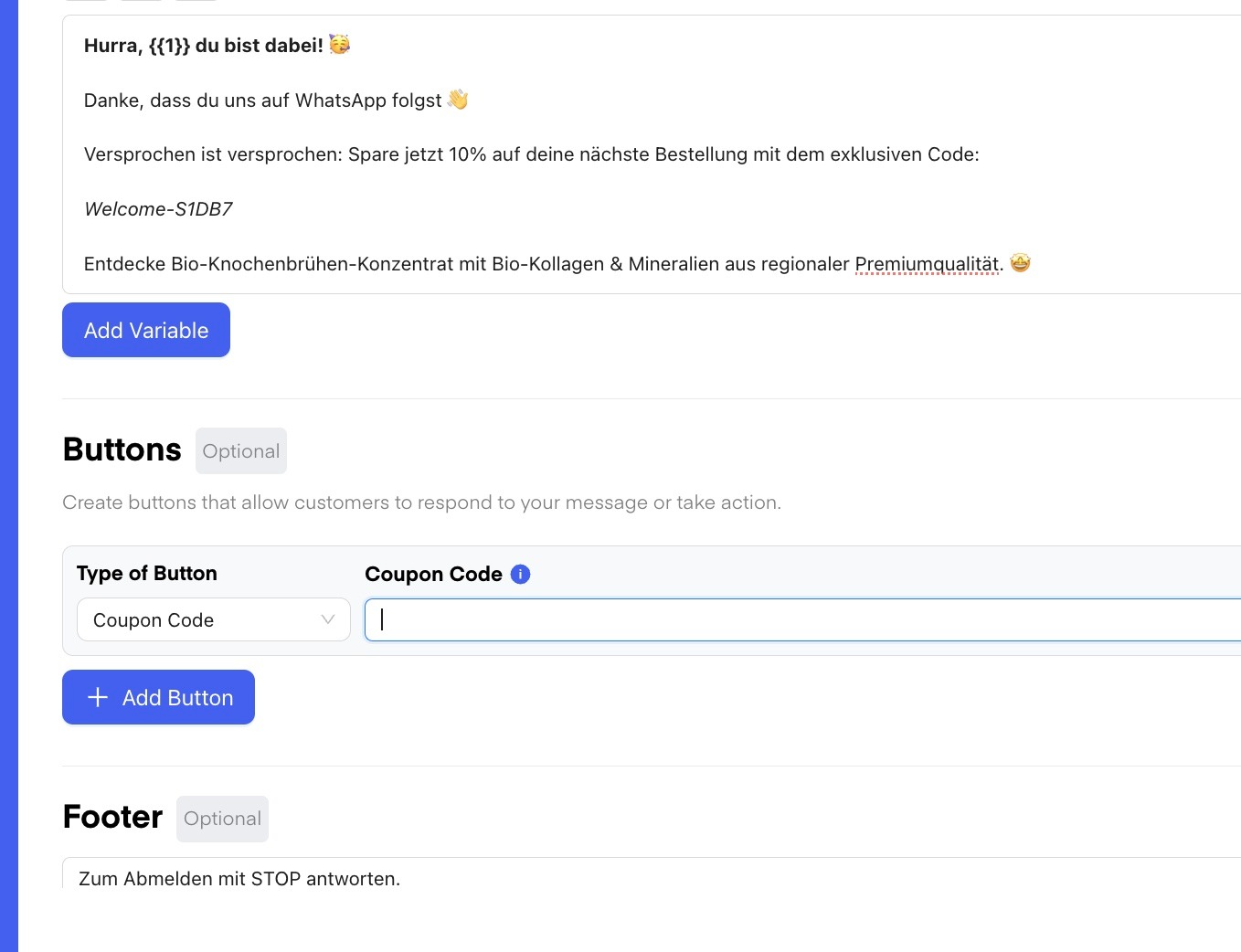
..so despite this being a valid discount code, we cannot use it for c&p action in coupon code button in templates for campaigns or flows..
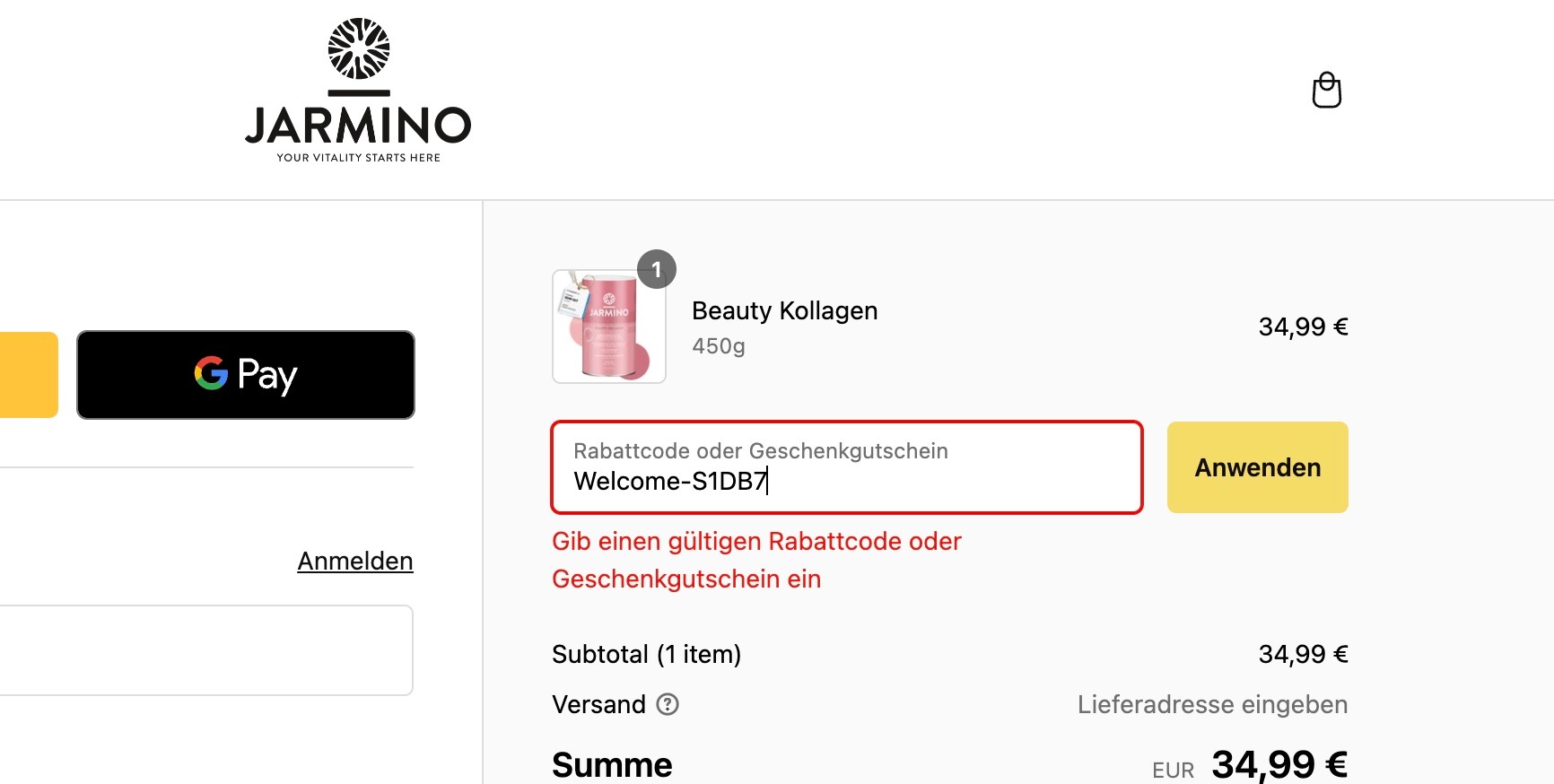
...so please work with directly embedded discount-codes in URLs!
