Choose & Change Your WhatsApp Display Name
🛠️ How to Choose or Change Your WhatsApp Display Name in Facebook Business Manager
If you haven’t set a display name yet, want to update your current one, or if your existing display name was rejected or blocked by Meta, you can easily manage this through Facebook Business Manager. Just follow the steps below:
✅ Step-by-Step Guide
1. Go to Facebook Business Manager
Open this link to access your WhatsApp Manager Account:
https://business.facebook.com/latest/settings/
2. Navigate to WhatsApp Accounts
In the left-hand sidebar, click on “WhatsApp Accounts".
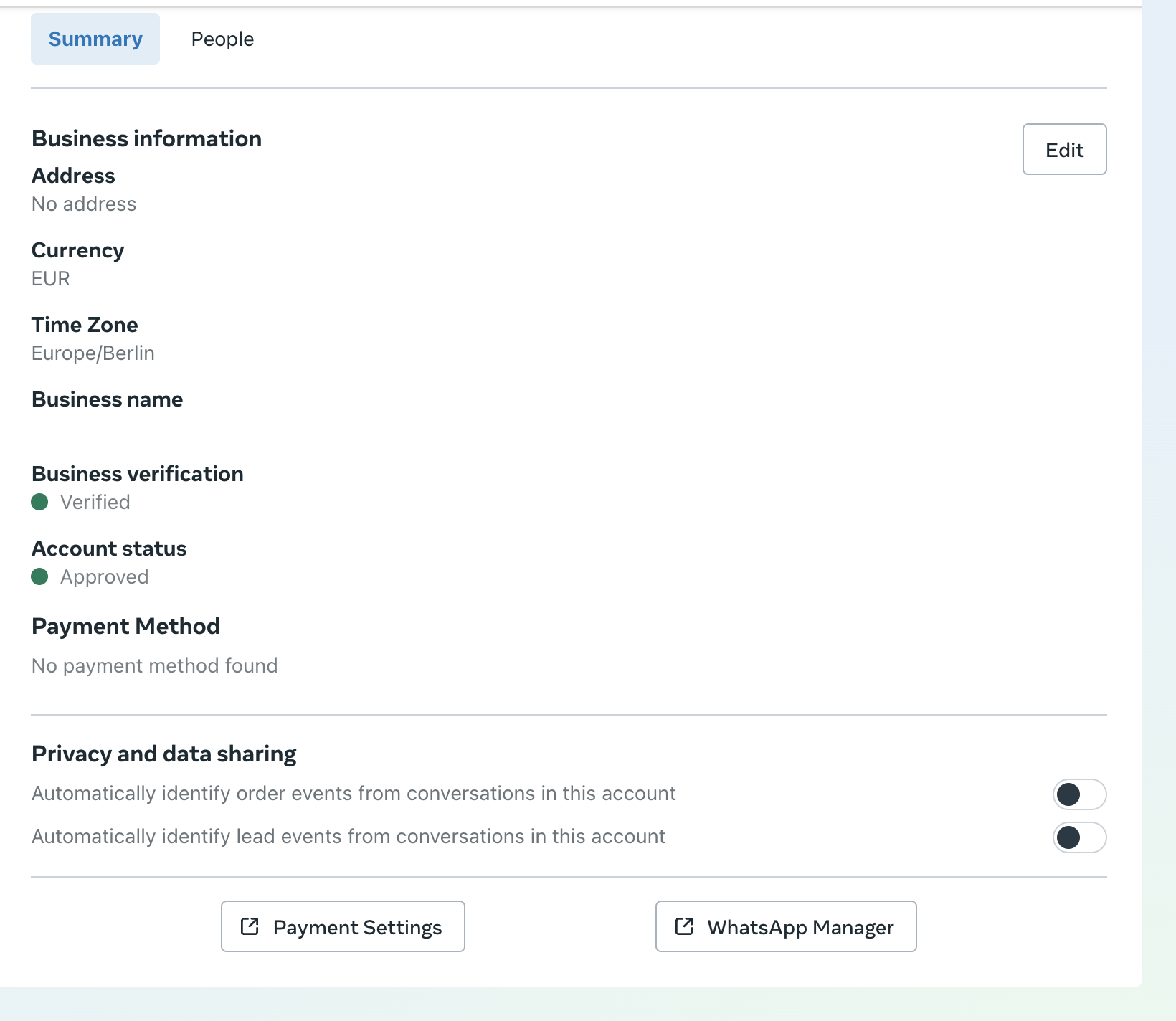
3. Open WhatsApp Manager
After selecting your WhatsApp Account, click on “WhatsApp Manager” to manage settings for your connected numbers.
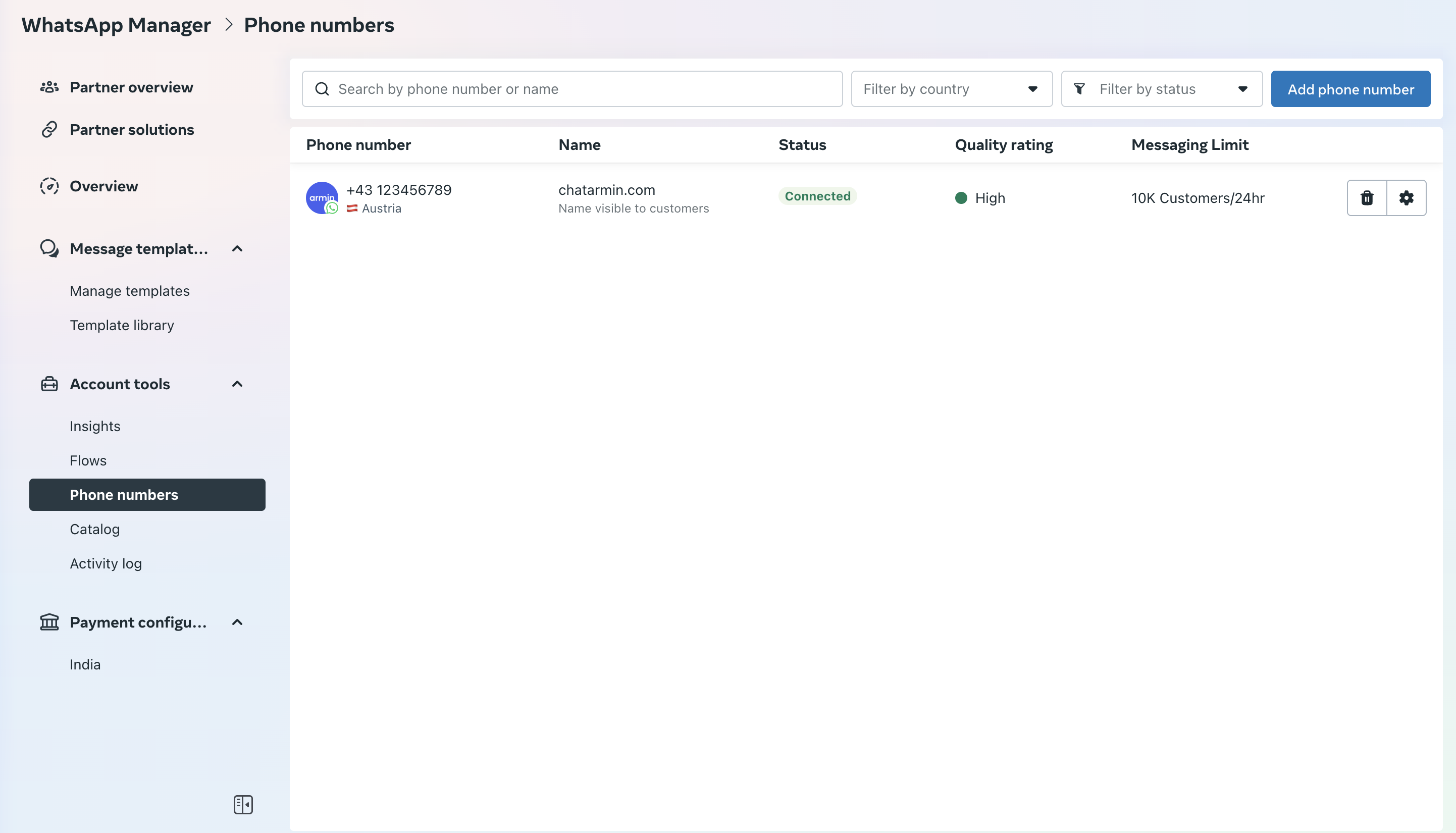
4. Select Your Phone Number
You’ll see a list of phone numbers linked to your account. Click on the number for which you want to update the display name.
5. Open the Profile Tab
Once inside the phone number settings, go to the “Profile” section.
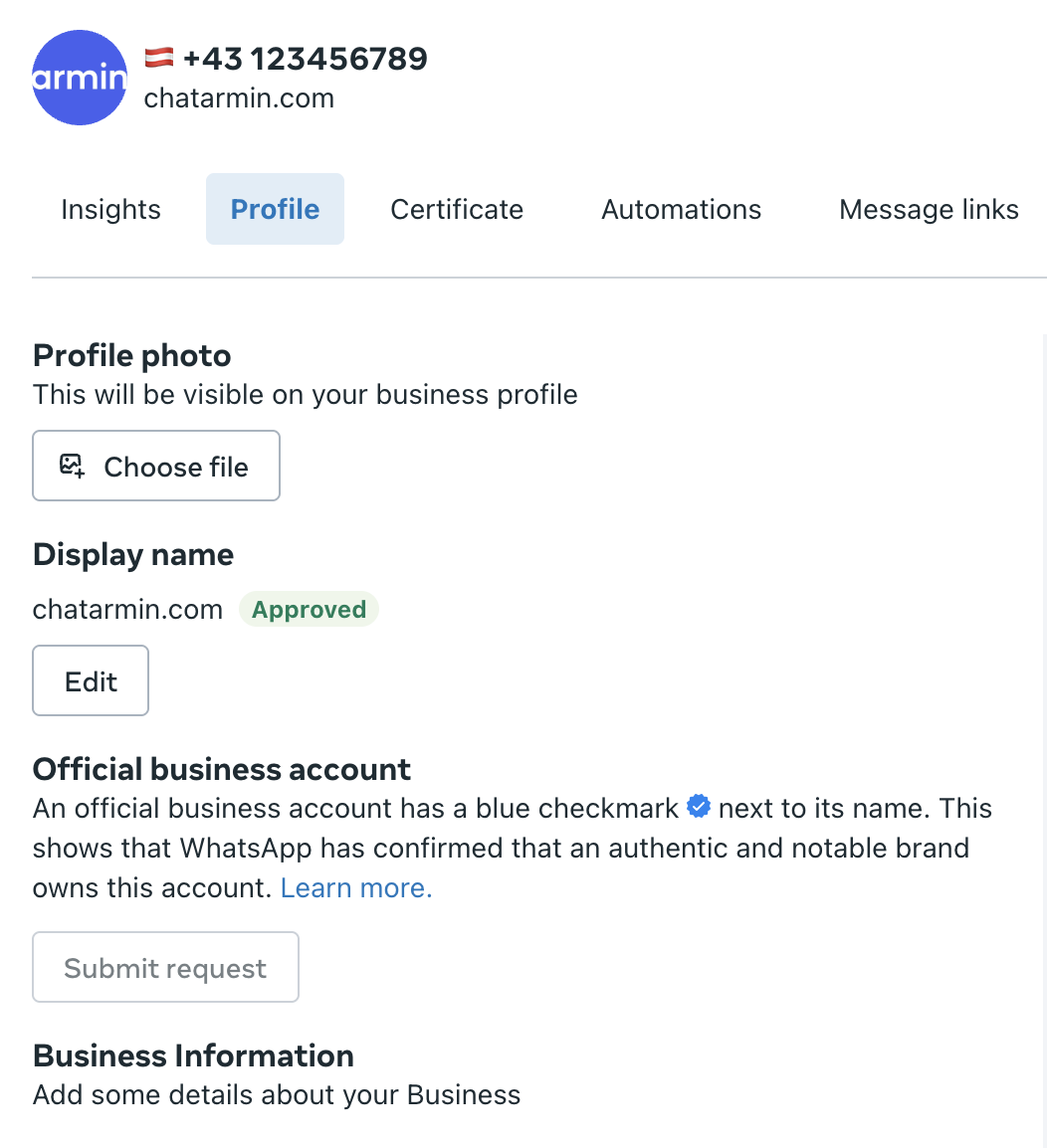
6. Click “Edit Display Name”
Here’s what you can do in this section:
If no display name is set yet, add a new one.
If your current name was rejected or blocked, you can submit a new version.
You can also update your existing display name at any time if needed.

⚠️ Important: Follow Meta's Naming Guidelines
Before submitting, make sure your chosen display name follows Meta’s official naming policy: Meta Display Name Guidelines
⏳ Approval Timeline
Once submitted, Meta typically reviews display names around 1 business day.
You can track the status in the Profile tab of your WhatsApp number in Business Manager.