
📲 Chatstart QR Code
With a Chatstart QR code, you can trigger a specific flow instantly - just place it wherever your audience can scan it, from packaging to screens to print.
🔧 How to generate a Chatstart QR code:
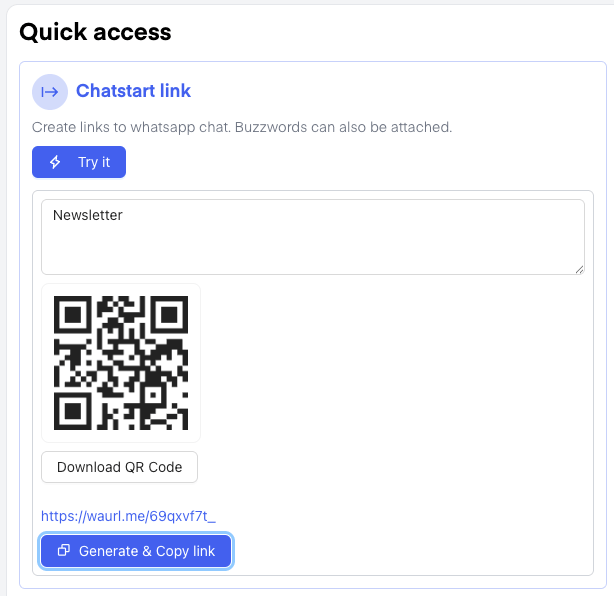
- Open your Chatarmin Dashboard.
- Navigate to the Chatstart Link section in the menu.
- Click on Try it to start the process.
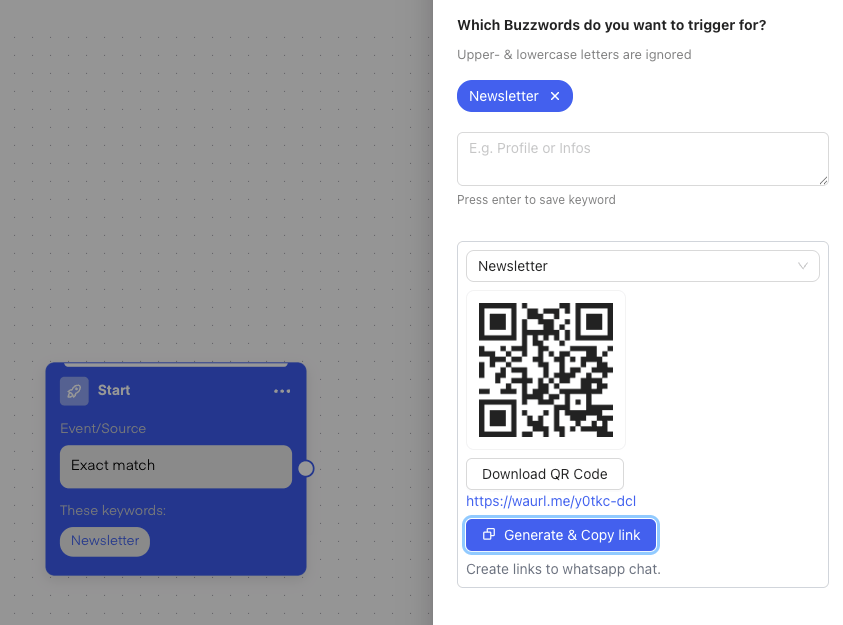
- Enter a buzzword based on the flow you want to trigger (e.g., “Welcome”, “Newsletter”,…)
- The system will instantly create a QR code for that buzzword.
- Click “Download QR Code” to save it.
You can now use it anywhere - print it or place it wherever it can be scanned.
💬 Embed The Chatstart Widget on your website
🚨 Check out the following YouTube Guide on how to implement the Chatstart Widget (German) or just follow the steps below:- Go to your Chatarmin Dashboard.
- Navigate to the Chatstart Widget section.
- Click Customize to set up your widget.
- You’ll receive an HTML embed code - place this code into your website unter theme.liquid in Shopify (just before the closing
</body>tag).
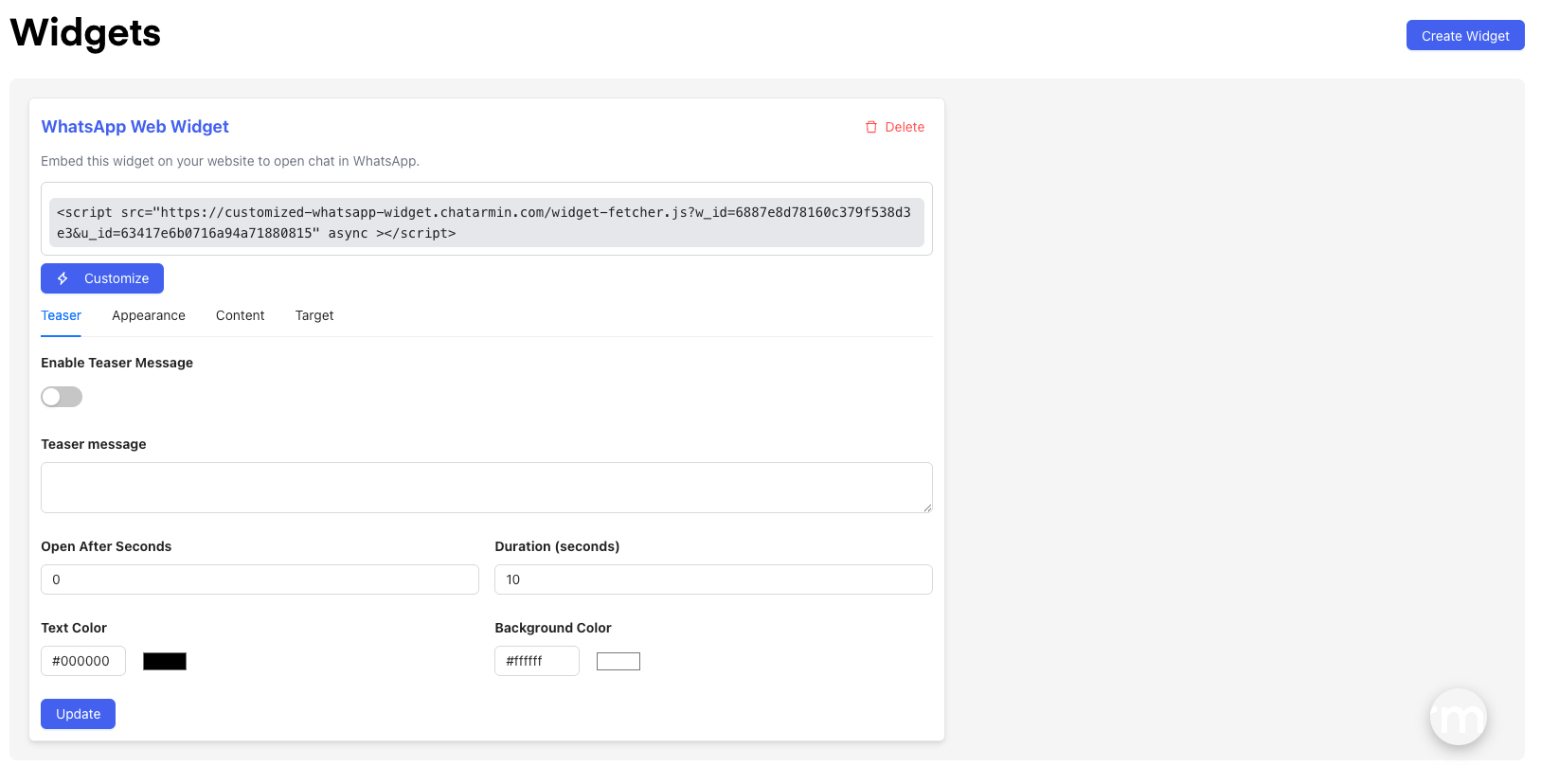
- Change the buzzword it triggers
- Set the color, size, icon/image and language
- Add a teaser message to encourage more clicks
In the bottom right of the widget setup screen, you can also test the widget to see exactly how it will look and behave.
📍 Use Cases for QR Codes & Chatstart Widgets
You can use Chatstart QR codes and widgets anywhere people can scan or click—online, offline, or in hybrid environments.
- On websites: Embed the widget or display QR codes to guide visitors into flows effortlessly.
- In emails: Add QR codes to newsletters or campaigns to boost engagement.
- On printed materials: Print QR codes on invoices, flyers, packaging, or business cards for easy scanning.
- At events and physical locations: Use QR codes on badges, posters, or stands to trigger interactive experiences.
- On social media: Share QR codes in posts or stories to drive traffic to your flows instantly.
- and more…