
Messaging Limits
Messaging limits are the maximum number of business-initiated conversations (conversations opened as a result of sending a marketing, utility, or authentication template to a WhatsApp user) a business phone number can open in a 24-hour moving period. Business phone numbers are initially limited to 250 business-initiated conversations in a 24-hour moving period, but this limit can be increased to 1K or more.

Increasing Your Limit
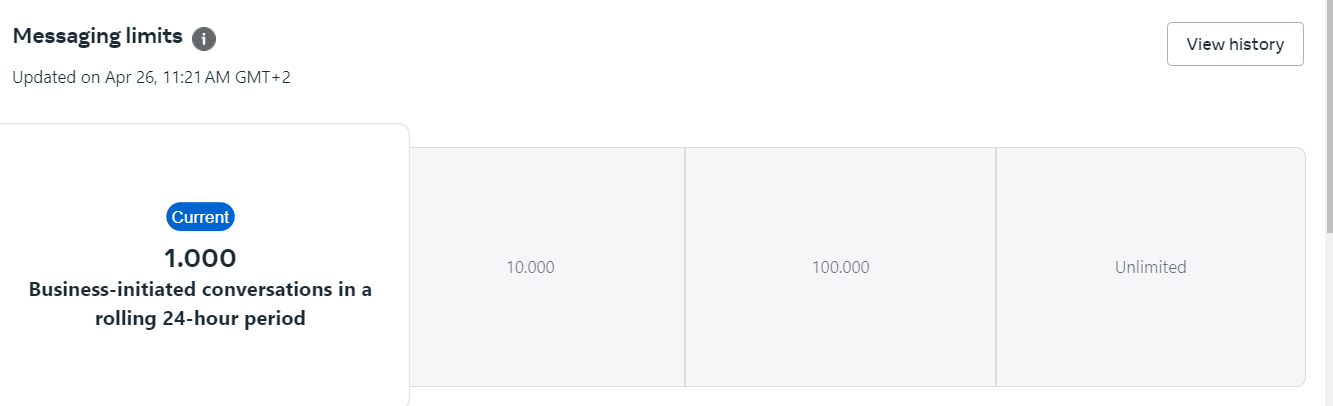
If your business phone number has a connected status, you can increase its messaging limit by either completing business verification, or opening 1,000 or more business-initiated conversations in a 30-day moving period, using templates with a high-quality rating. Messaging limits can be increased to the following limits:
- 1K business-initiated conversations
- 10K business-initiated conversations
- 100K business-initiated conversations
-
An unlimited number of business-initiated conversations
Automatic Scaling
Once you have reached the 1K business-initiated conversations limit, each time you open a business-initiated conversation, we will determine if your limit should be increased according to the following criteria:
- your business phone number is connected
- your business phone number quality rating is Medium or High
- in the last 7 days, your business phone number has been used to open X or more business-initiated conversations, where X is the business phone number’s current messaging limit, divided by 2
Checking Your Limit
You can check your current messaging limits in the WhatsApp Manager > Account tools > Insights panel. The panel only shows your current limit if it has increased from the default.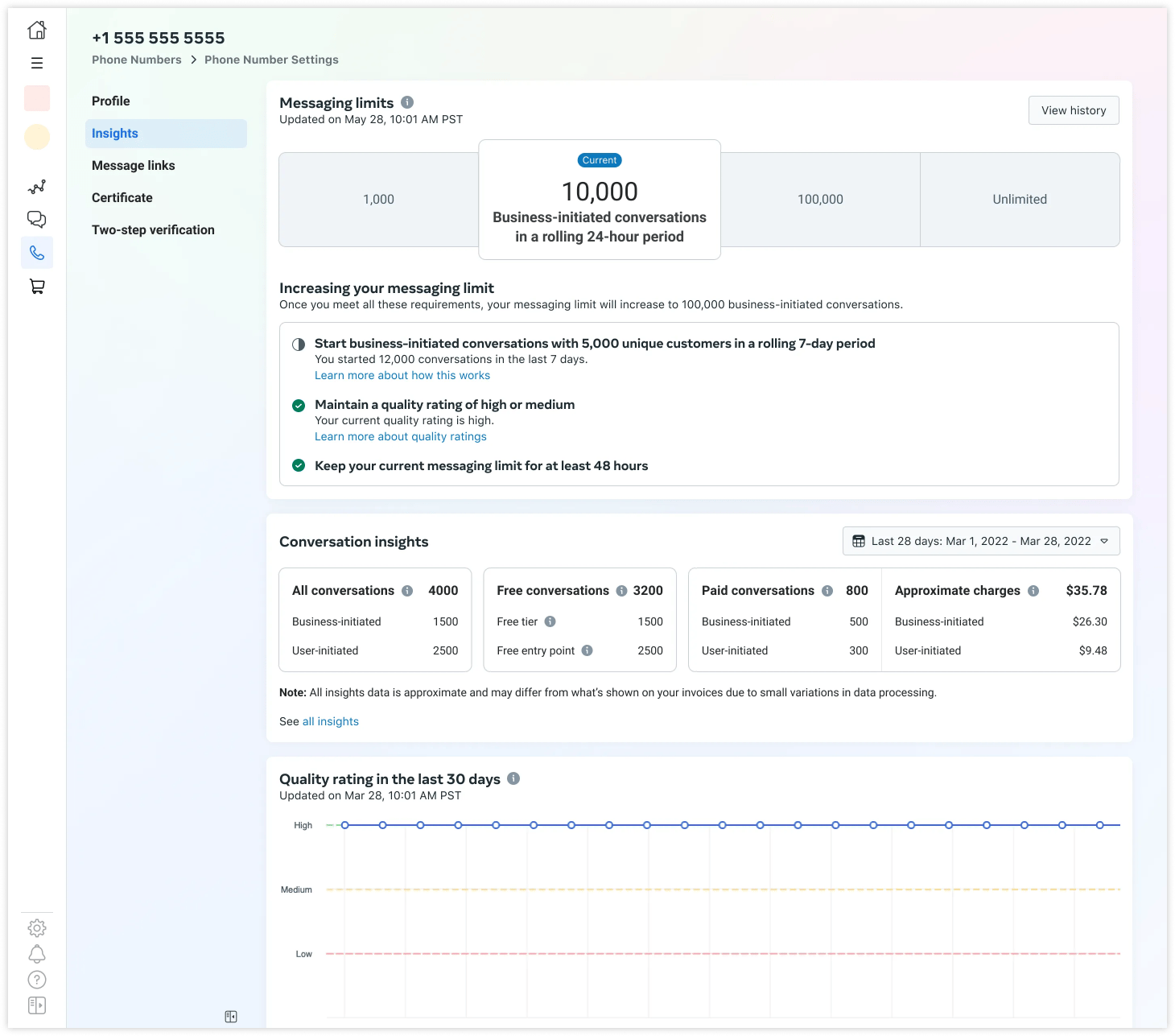
How to maintain high quality?
- Check your WhatsApp Business Account Quality Rating here in your WhatsApp Manager within the Meta Business Portfolio
(ex “Business Suite” ex “FB Business Manager”) - Make sure messages follow the WhatsApp Business Policy and Commerce Policy.
- Only send messages to users who have opted into receiving messages from your business.
- Make the messages highly personalized and useful to users. Avoid sending open-ended welcome or introductory messages.
- Be mindful of messaging frequency; avoid sending customers too many messages a day. Be thoughtful of informational messages, optimizing for content and length.
Campaign Send Limits Q&A
How many messages can be sent per minute?
- Default 70/second -> On special request at META (this requires the Blue Tick + highest level of the messaging limit) also 300/second
- Update 032024: From 1 to 50,000 it takes about 25 minutes. We are currently optimizing to get it to 15 minutes.
- Exactly, until the campaign starts. But you can also pause it if it is already being sent
- Basically, META does this directly, so they pause the campaign/template if there is negative feedback, that’s how it is with us too, yes.