Step 1: Import and Tagging
Begin by importing your contacts into the Chatarmin database. Assign tags to segment users based on previous interactions or behaviors. This ensures your re-engagement efforts target the right audience.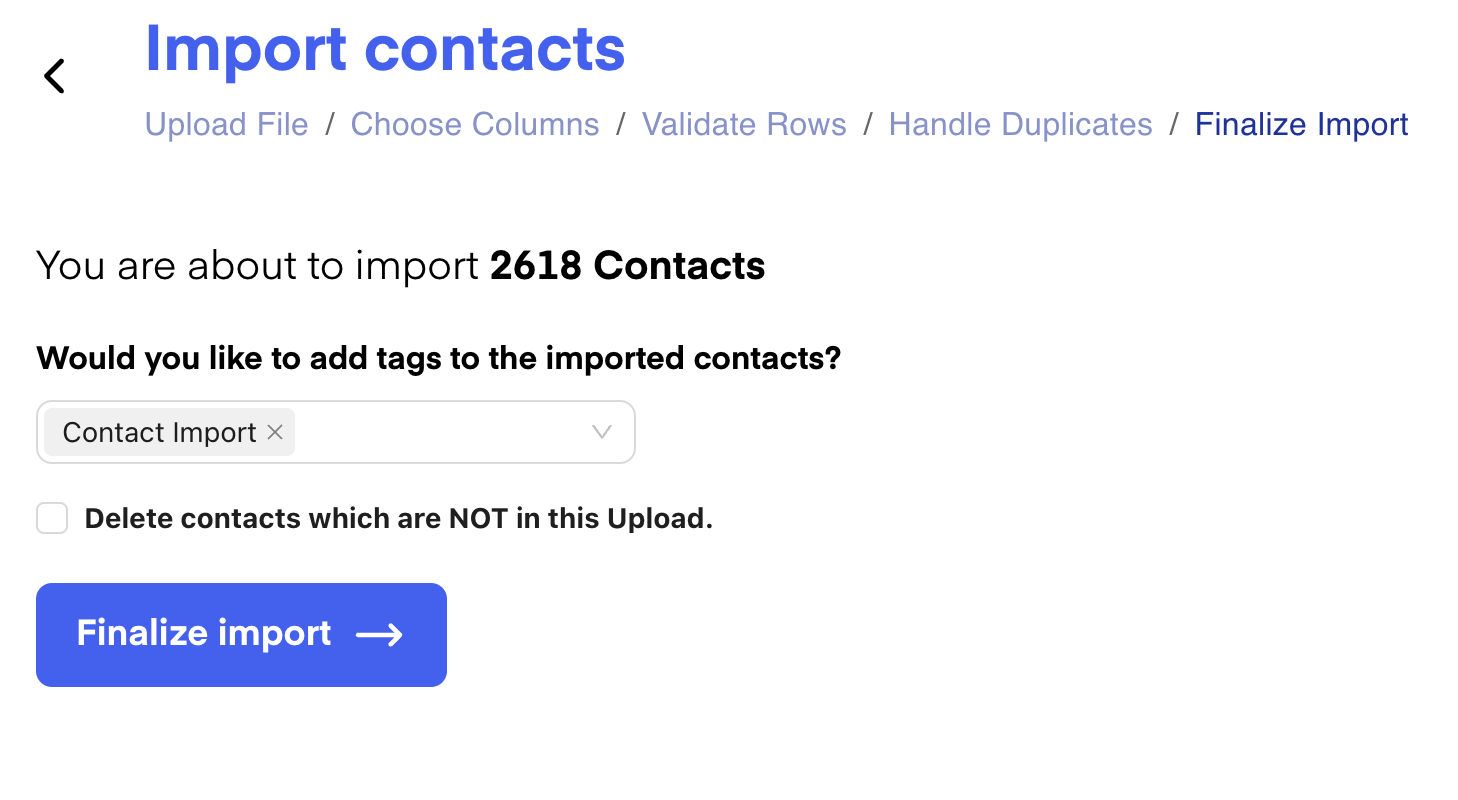
Step 2: Build a Re-Engagement Flow
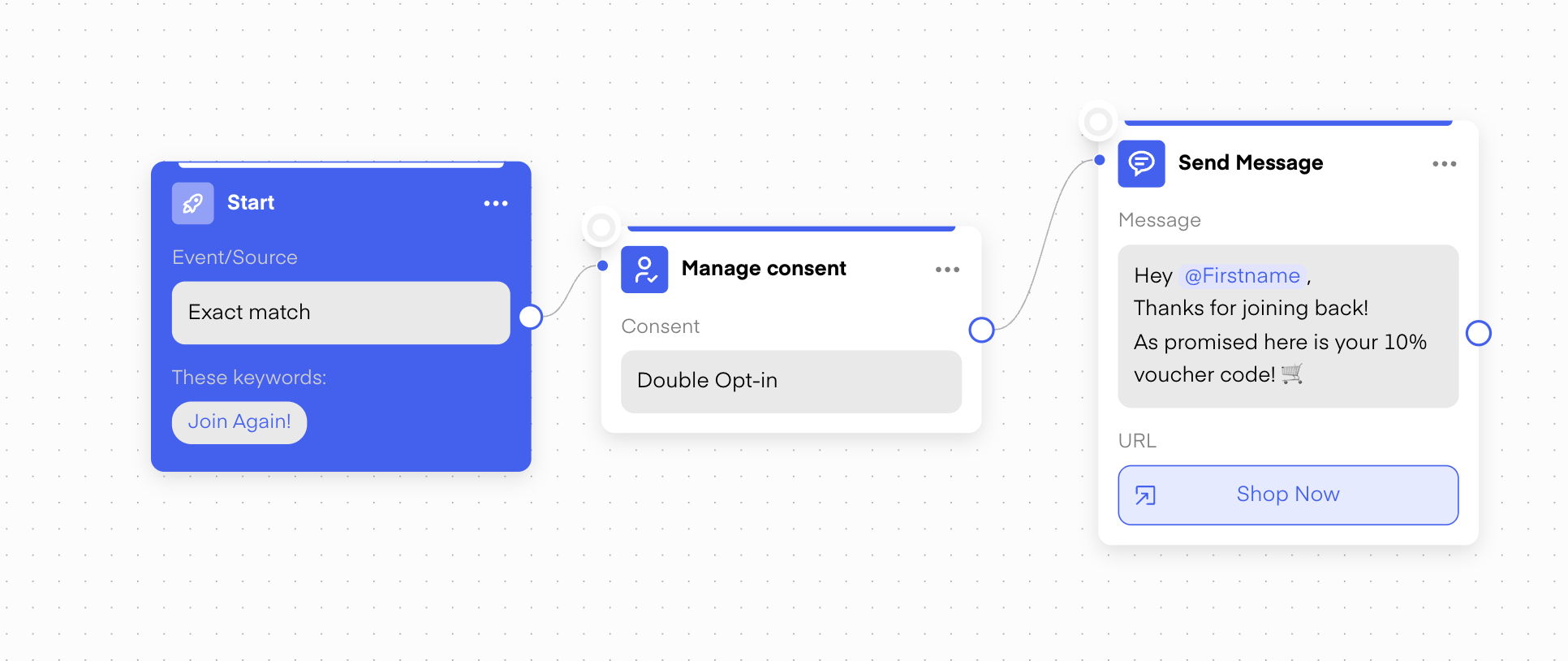
Creating a dedicated reactivation flow is crucial. Focus on these three elements:- Buzzword: Define a unique buzzword and use it consistently across your campaign. This helps track engagement and ensures recognition.
- Double Opt-In (DOI): Assign a DOI to confirm user consent and maintain compliance.
- Success Message: Craft a success message that encourages interaction. Including an incentive like a discount code significantly increases the chance of conversion.
Step 3: Create the Template
Design the template that will be sent to the selected audience. Including an incentive upfront increases the likelihood that inactive customers will take action.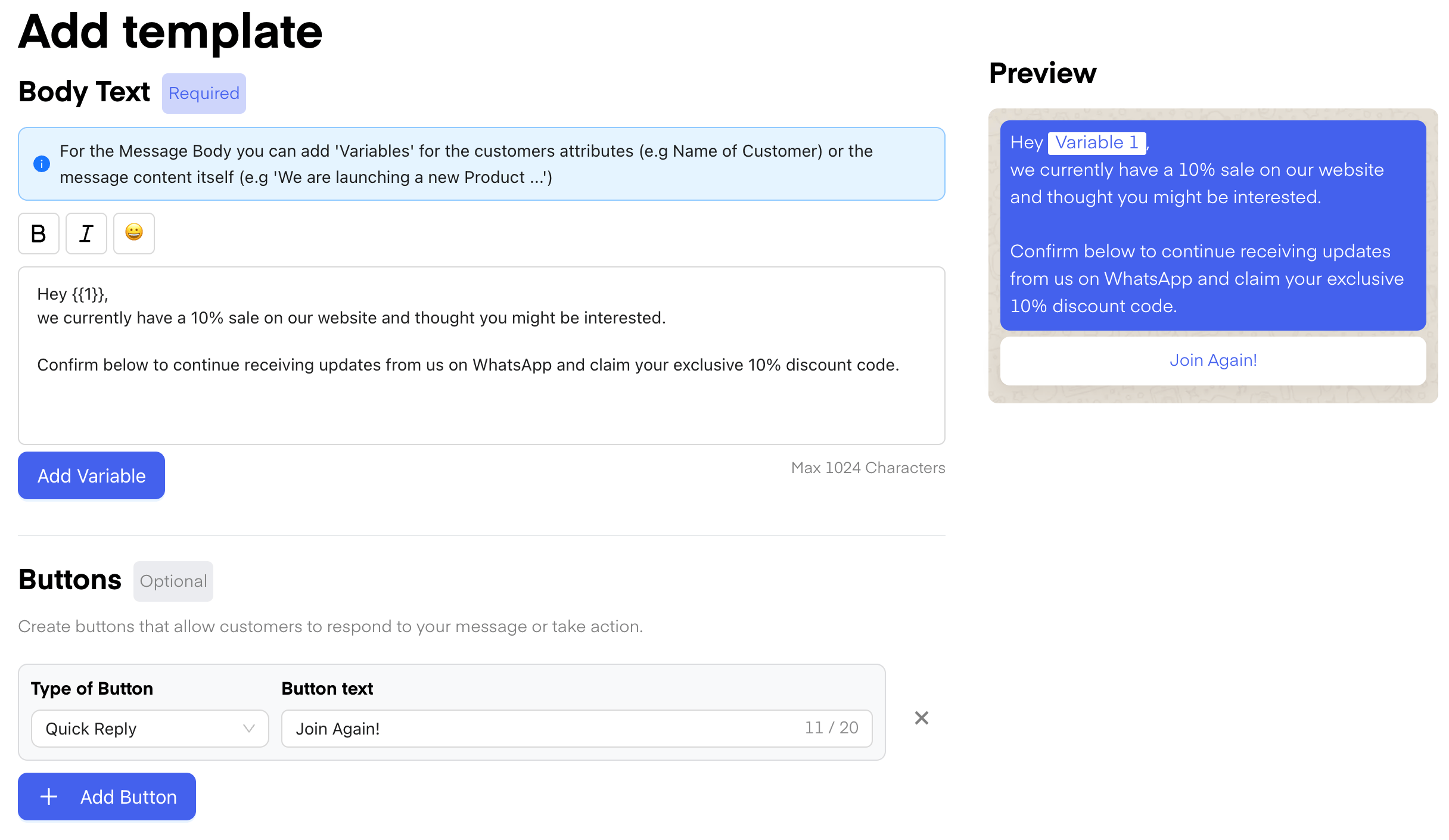
Step 4: Campaign Planning and Sending
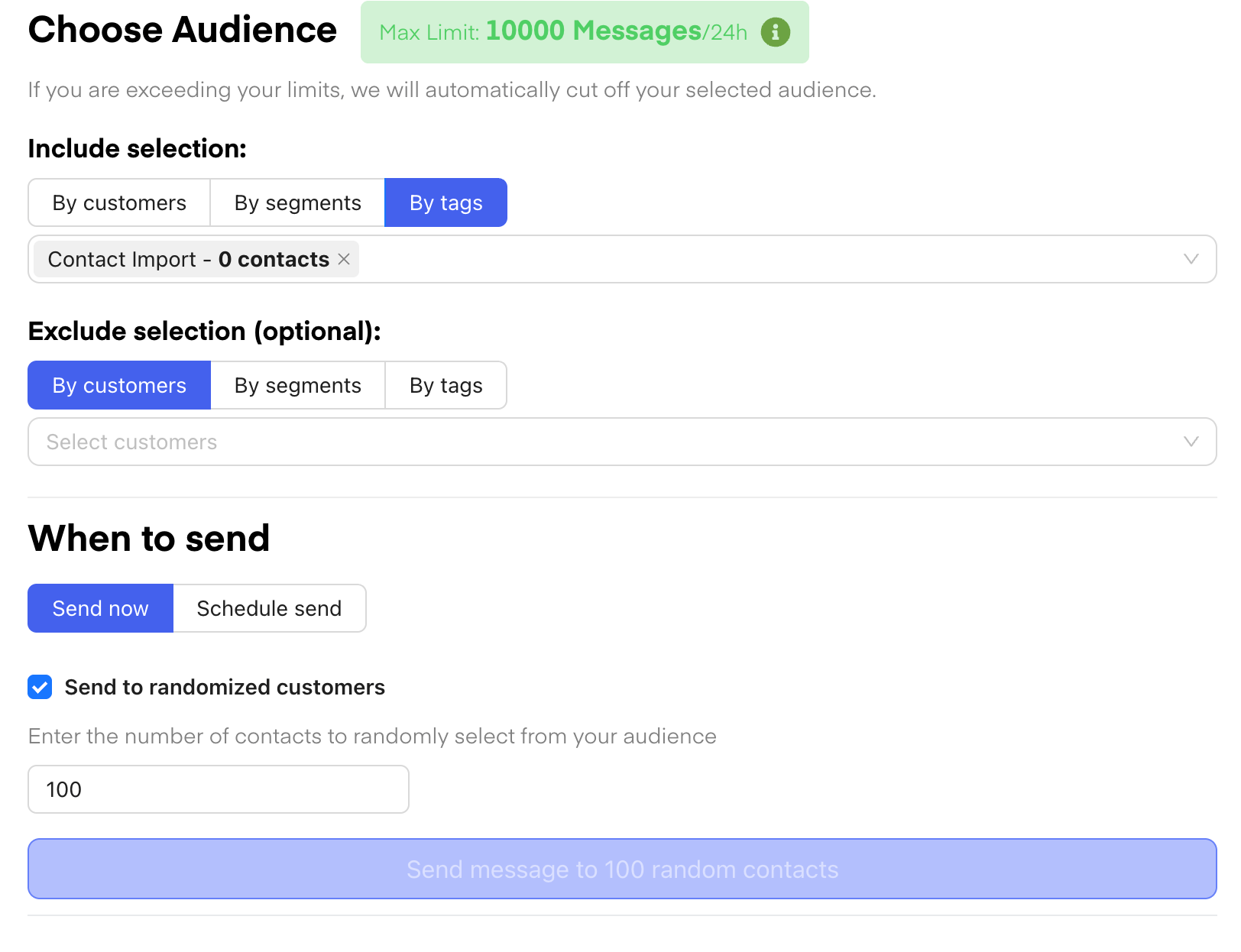
Plan the campaign carefully. Start with small batches to minimize the risk of being flagged as spam. The batch size should reflect your customer base size - smaller numbers are safer initially.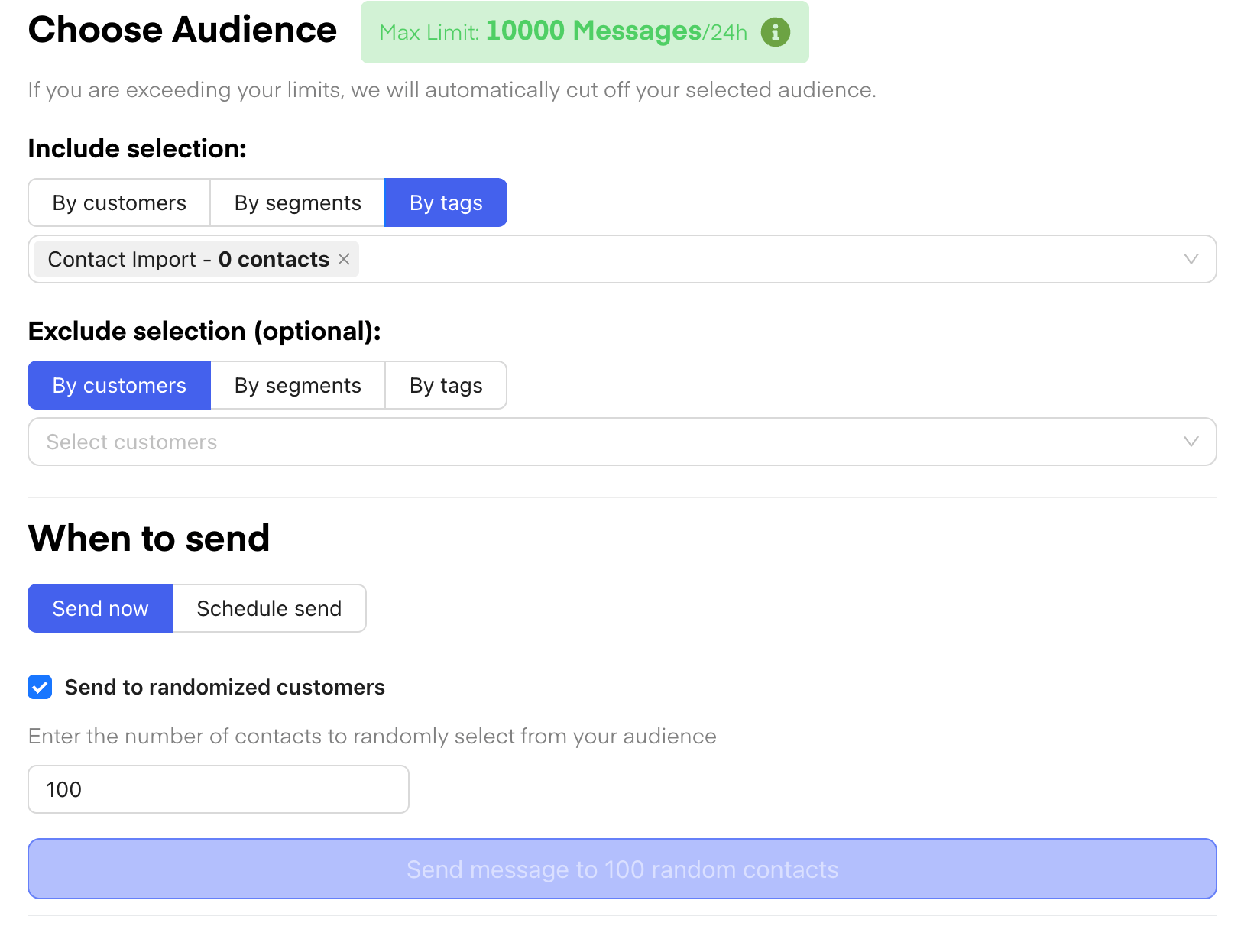
Step 5: Measure and Iterate
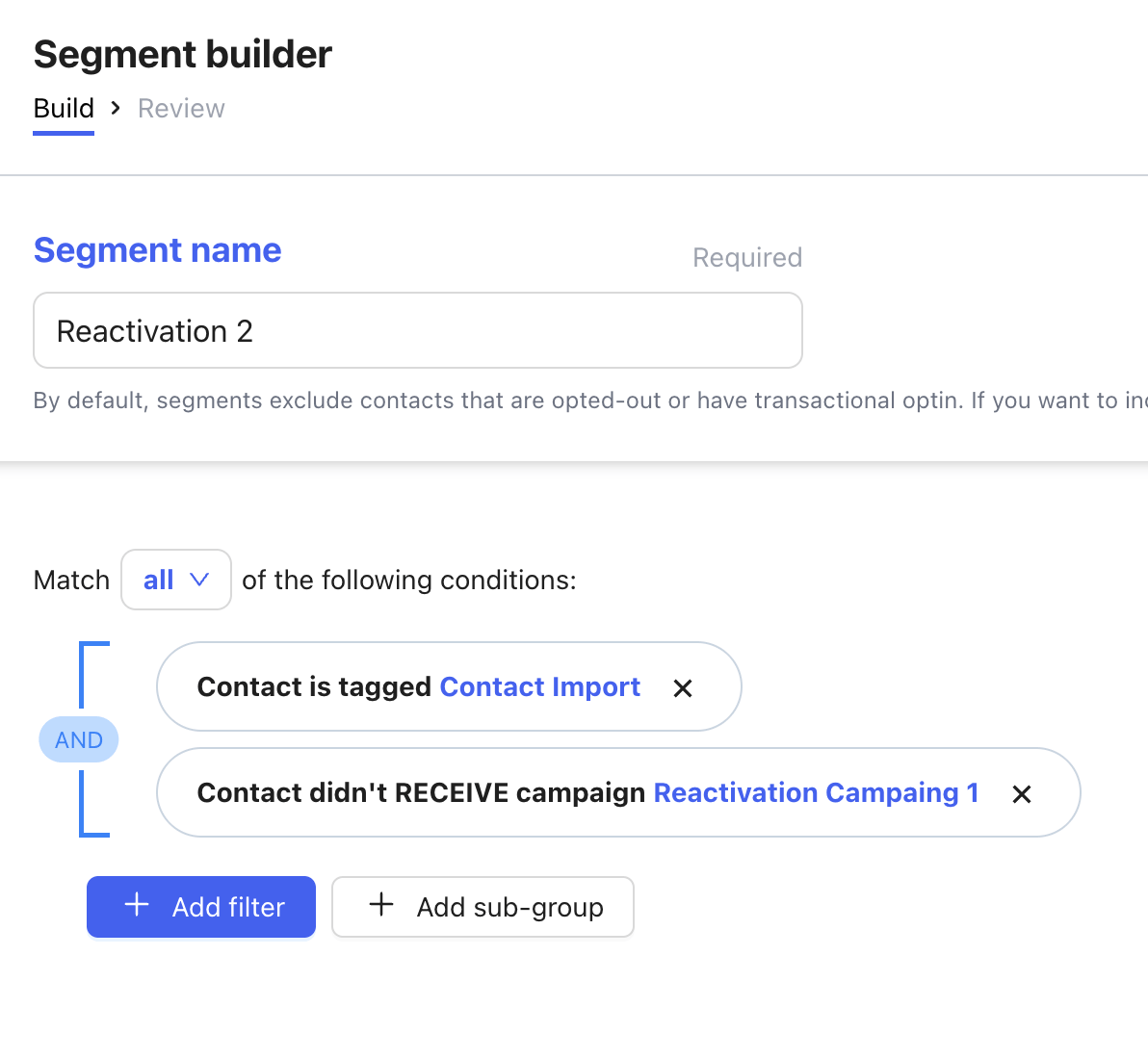
After sending, monitor conversions to evaluate campaign effectiveness. Track which customers engaged and create segments to exclude these recipients from future campaigns. This ensures targeted re-engagement for those who haven’t yet responded. Create a segment with clients that did not receive the campaign yet: