
Creating your Klaviyo Segment for Export
First of all, navigate to Lists & Segments in Klaviyo. Then, create a new Segment. You can now filter out all the profiles who have a Phone Number set: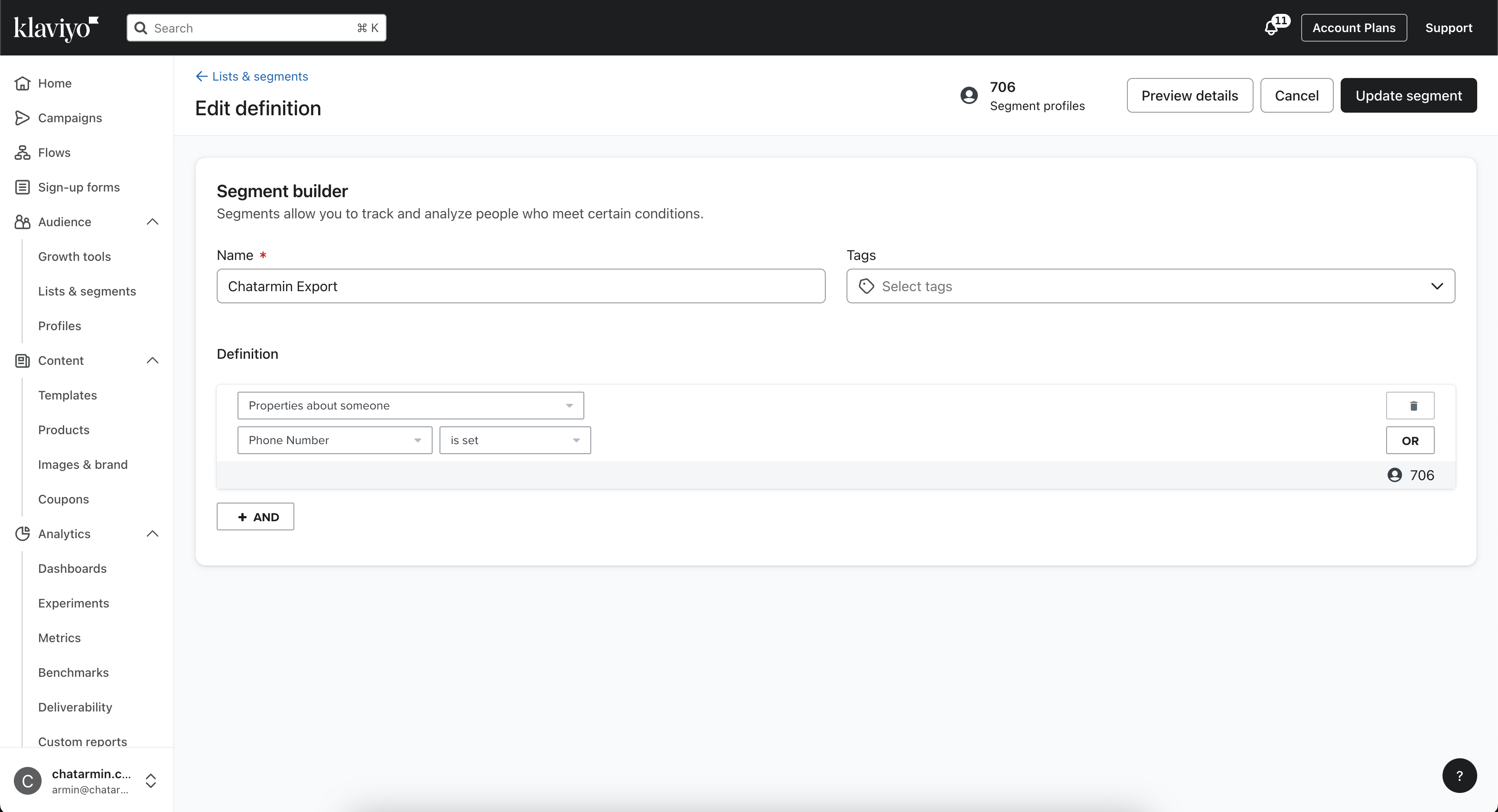
Export Segment to CSV
Once you have created your Segment, you can now click on Manage Segment -> Export segment to CSV: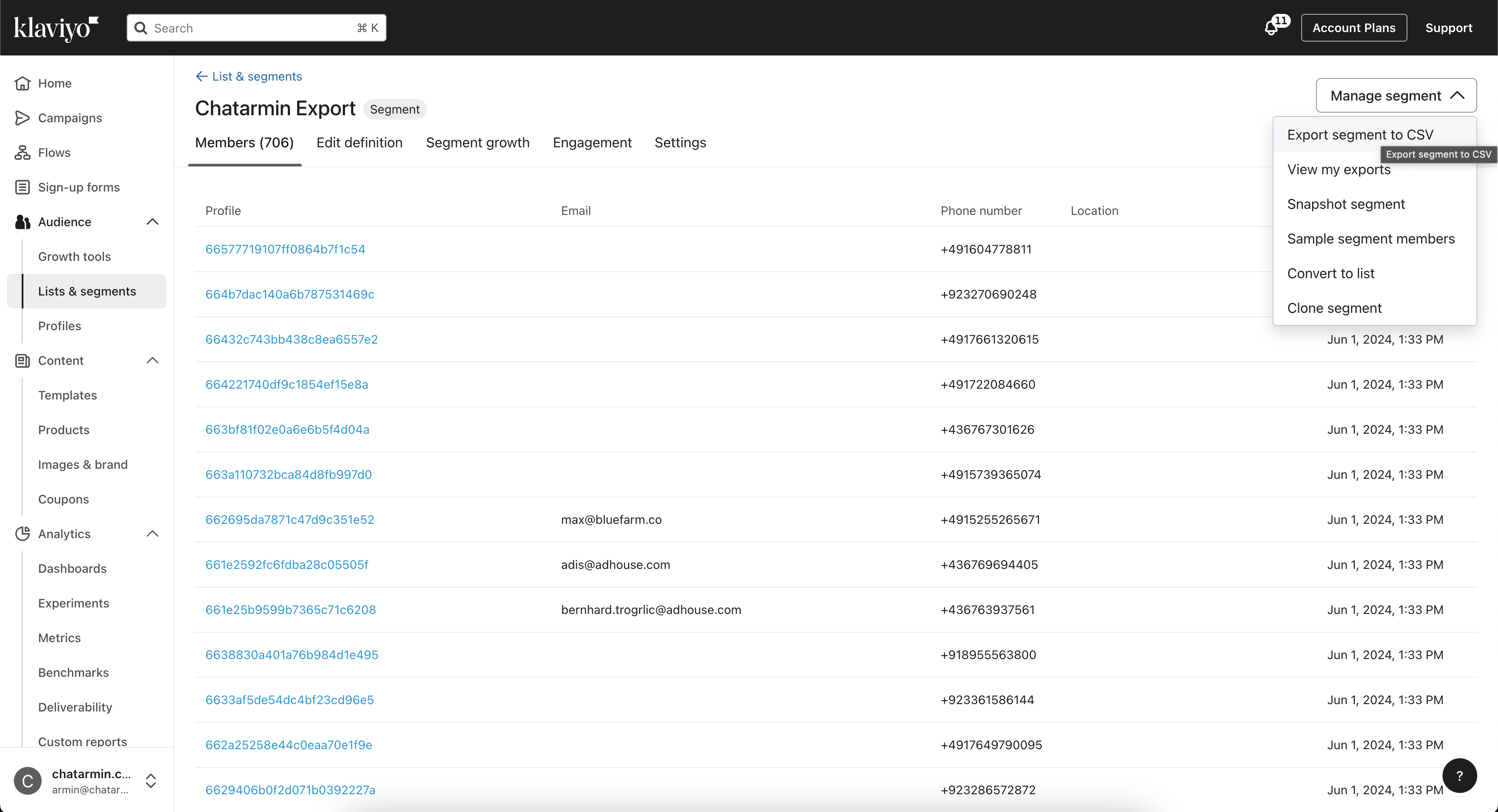
Import to Chatarmin
Now navigate to the Audience Page in Chatarmin and click on Import contacts in the top-left.- Now you will be asked to upload your CSV File
- Next match the columns from the CSV, to the correct attributes
- Upon clicking next, you will be asked to review & fix OR skip invalid rows
- If duplicates were found, select Replace or Update
- In the last step, you can now choose to add Tags to your imported contacts