
- Open the Flow Builder in Chatarmin.
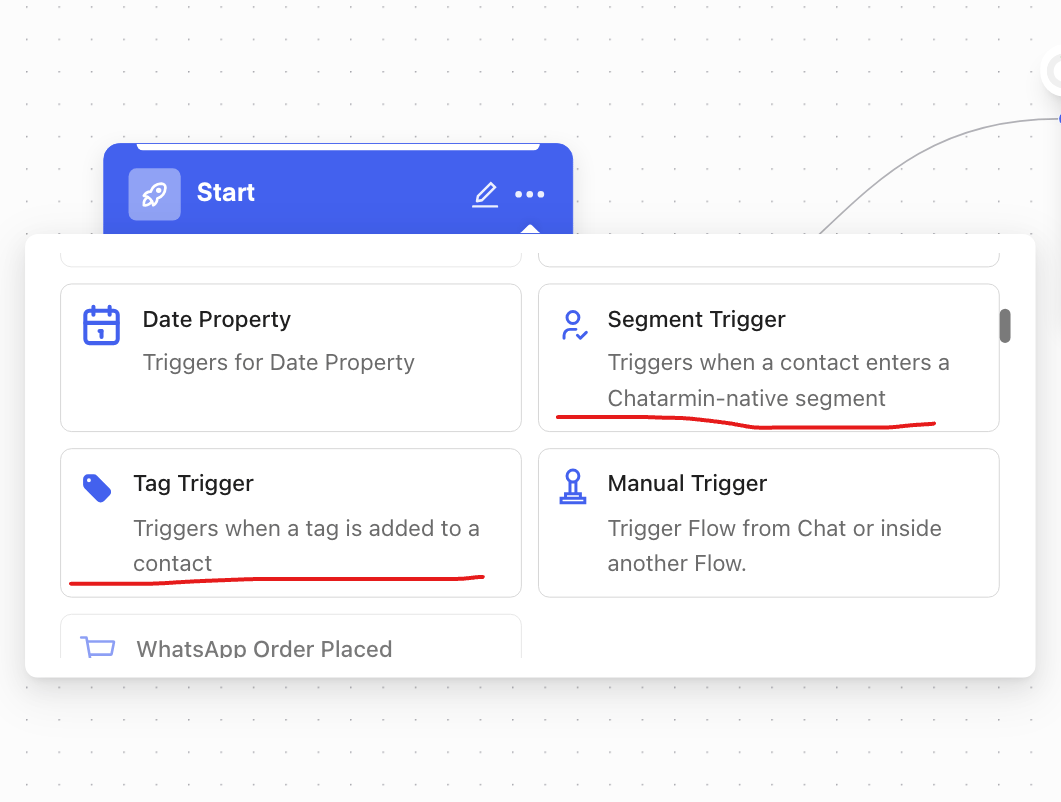
- Create a new flow and select either “Tag Trigger” or “Segment Trigger” as the trigger.
- Tag Trigger: Select the tag that, when assigned to a contact, should start the flow.
- Segment Trigger: Select the desired segment.
- Set up the desired message steps and activate the flow.
- Automatic re-engagement for a specific segment (e.g., “Passive Recipients”).
- Targeted campaigns that are triggered as soon as a contact is assigned a specific tag (e.g., VIP, Prospect).
- Addition to existing trigger types such as ArminCX ticket status or POST API.
- For segments based on external API filters (e.g., Klaviyo, Emarsys for Shopify)—these are currently not supported for technical reasons to avoid rate-limiting issues.
- For one-time, manual actions—use a different, appropriate trigger type instead.
- Contacts already in the segment when you activate the flow do not receive it.
- Only contacts who join the segment after the flow is active enter the flow.
- It does not matter whether you create the segment or the flow first—the same rule applies once the flow is active.
- Chatarmin checks segment membership about every 10 minutes and starts the flow for newly added contacts.
- If a contact leaves the segment and joins again later, the flow runs for them again.