Shopify WhatsApp Flows


Feel free to watch this basic tutorial on how to build your first:
  • order widget (thank you page) shipping info WhatsApp flow
  • abandoned checkout flow
  • (welcome and optout flow)
*Source: Chatarmin, Q1, 2024
*
This video guide on how to build your first WhatsApp flows helps you get started with Shopify flows through Chatarmin’s Shopify WhatsApp integration.
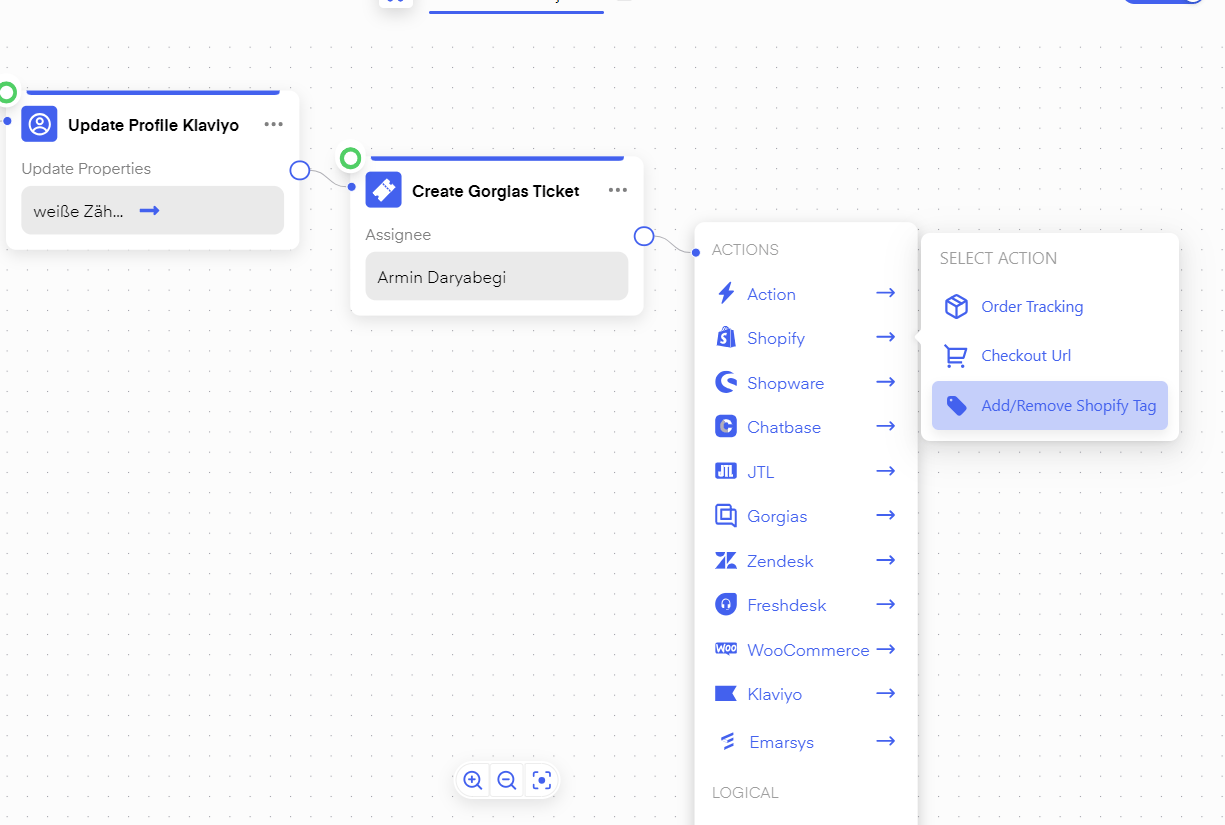
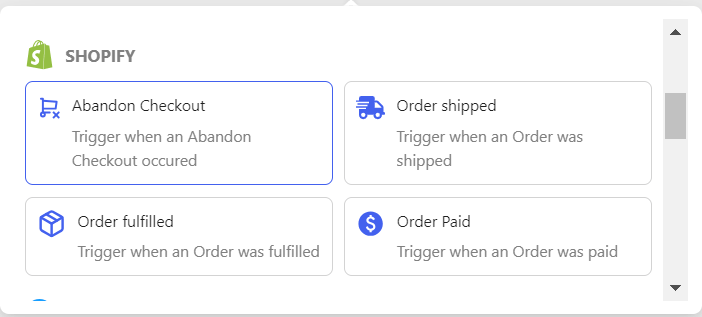
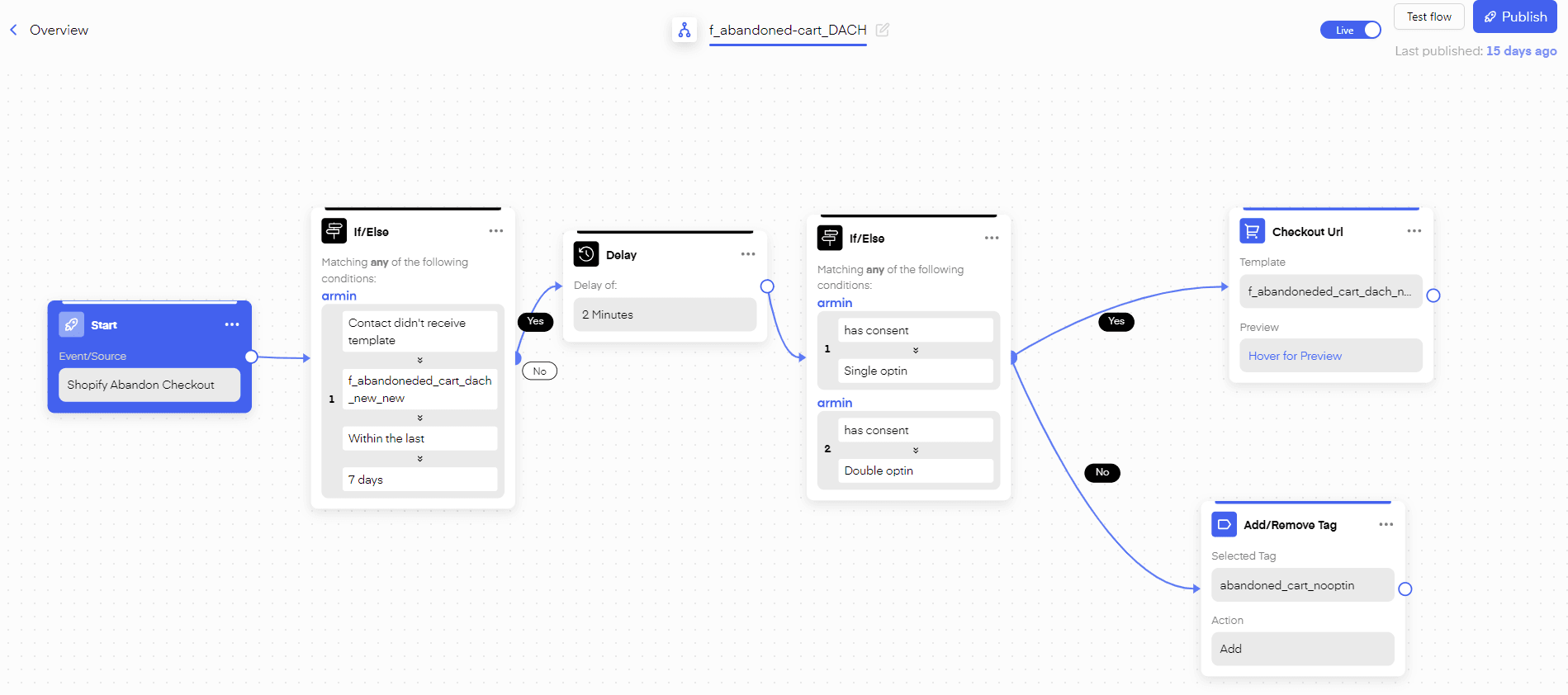
You can also use your Shopify Information inside of flows: For instance, you can give your “Shopify Accounts” specific “Tags” depending on user behavior inside Chatarmin Flows. Chatarmin help center image You can also use Shopify Actions to trigger specific Flows. These triggers include: Abandon Checkout, Order shipped, Order Fulfiller, and Order Paid. For example, you can trigger a client on a paid order and send a 14-day delayed message about whether the client was happy with his order and ask for a review on rating platforms such as Trustpilot. Chatarmin help center image Here you can see an example of an “Abandoned cart flow”: build your abandoned cart whatsapp automation with chatarmin Here are some results of our clients having this exact “Abandoned Cart Flow” live: Chatarmin help center image Chatarmin help center image