
Chatarmin Getcircuit Integration
Using getcircuit to optimize your last-mile-delivery, you can choose between SMS and WhatsApp. However, SMS is not a fitting channel to serve your customer during his user journey. So, you will want to offer your client last-mile-delivery-updates, via WhatsApp. Here is how our Chatarmin-developer Samee explains the unique Chatarmin-getcircuit-integration:
Source: Chatarmin, Q3 2024
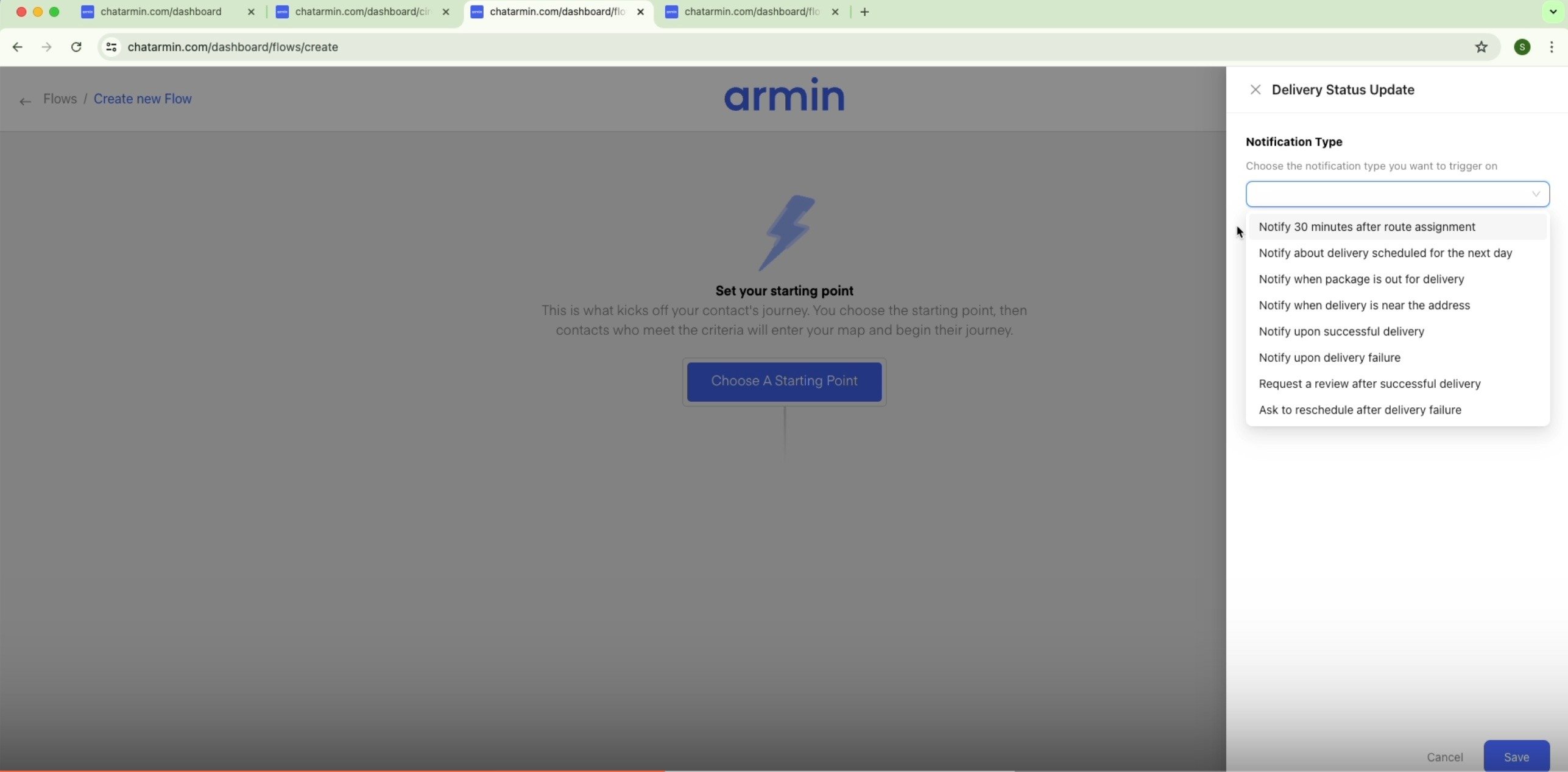
You can trigger WhatsApp journeys based on the following Getcircuit endpoints:
- 30 minutes after route assignment
- delivery schedule about next day
- package is out for delivery
- delivery is near the address
- successful delivery
- delivery failure
- request review after successful delivery
- ask to reschedule after failed delivery
Get started: Integrate Chatarmin with getcircuit
- Find the circuit API-key in the integrations page on your getcircuit account
- Connect it with Chatarmin here
- Make sure to enable the webhook and feel free to test it
Build your first Chatarmin flow based on getcircuit triggers
-
Choose your flow-trigger out of the wide range of getcircuit-endpoints provided
-
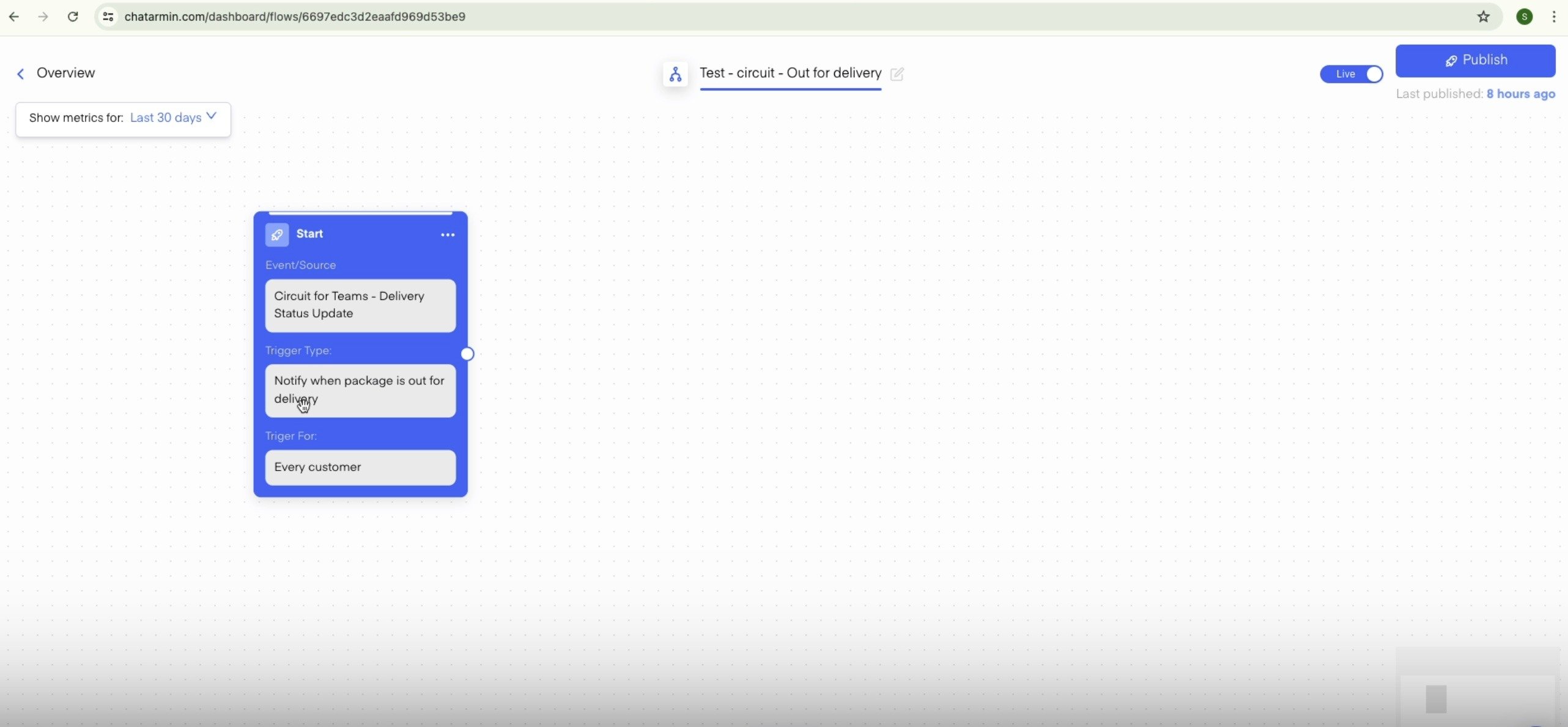
Choose your flow-actions, just like always. Learn more about flows here.
-
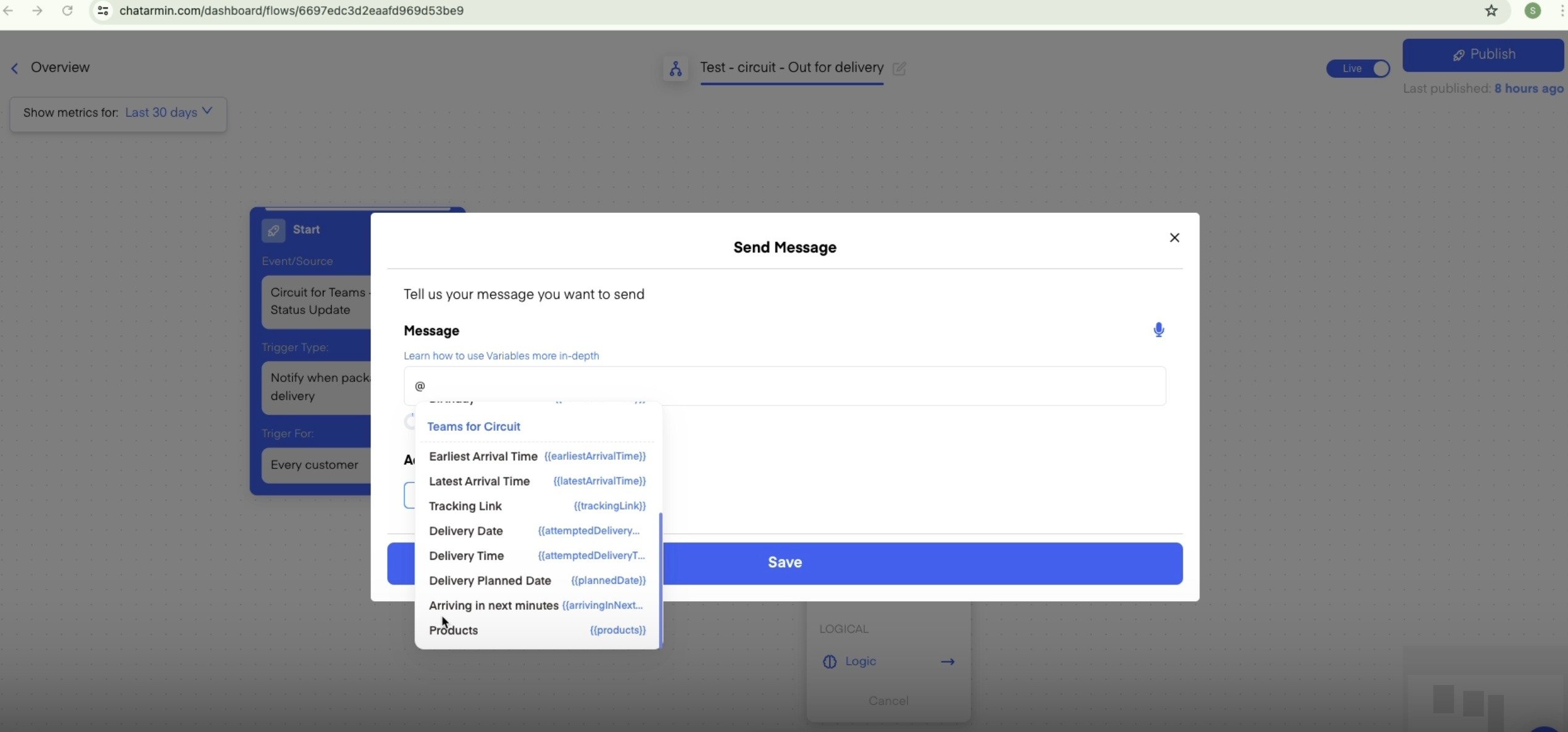
Choose getcircuit-properties in campaigns (also works for manual campaigns!)
BONUS: Watch this video to dive even deeper into the Chatarmin Getcircuit Integration: