Video on Coupon Code Buttons
Feel free to watch that video to get you started on Coupon Code Buttons:
Source: Chatarmin, Q1, 2024
Create Template with Coupon Code Button
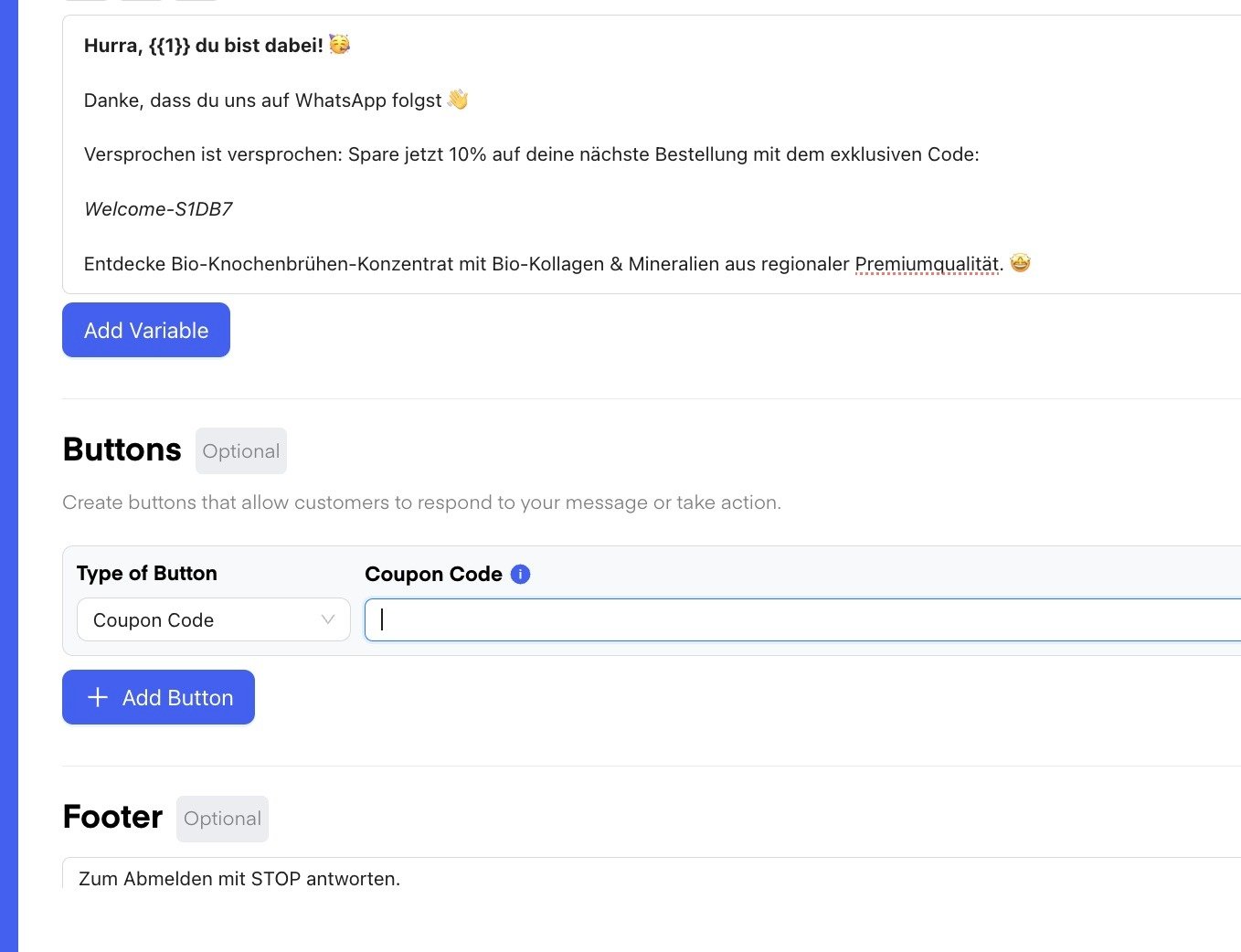
Simply create a Template with a Button and choose the Button type to be “Coupon Code”. For the Coupon Code, you can now specify a static Code which can also be changed when using the Template in Flows or Campaigns Once the Template is approved, we can use itUse the Coupon Code Template
Simply choose the Template and specify a Variable/Text for the Coupon Code: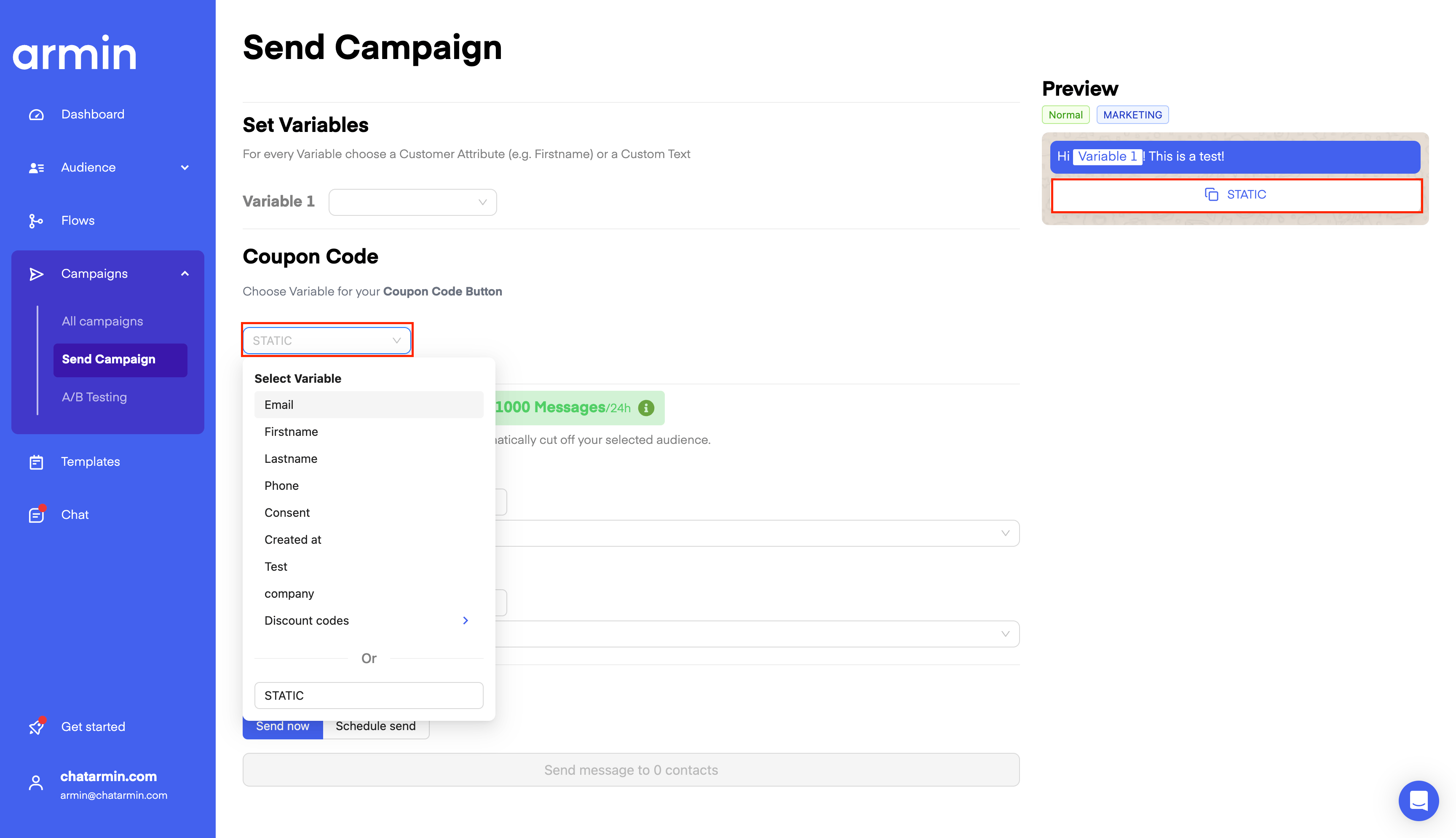
BONUS: Watch this video to understand Coupon Discount Buttons & Button Variety in WhatsApp Templates even better:
Source: Chatarmin, Q1, 2024
EXPIRY / Extra Information: It is not possible for us to automatically expire the code(s), because you are importing bulk discount codes, most likely, from your shop-system such as Shopify. This would have to be set in the store when they expire.
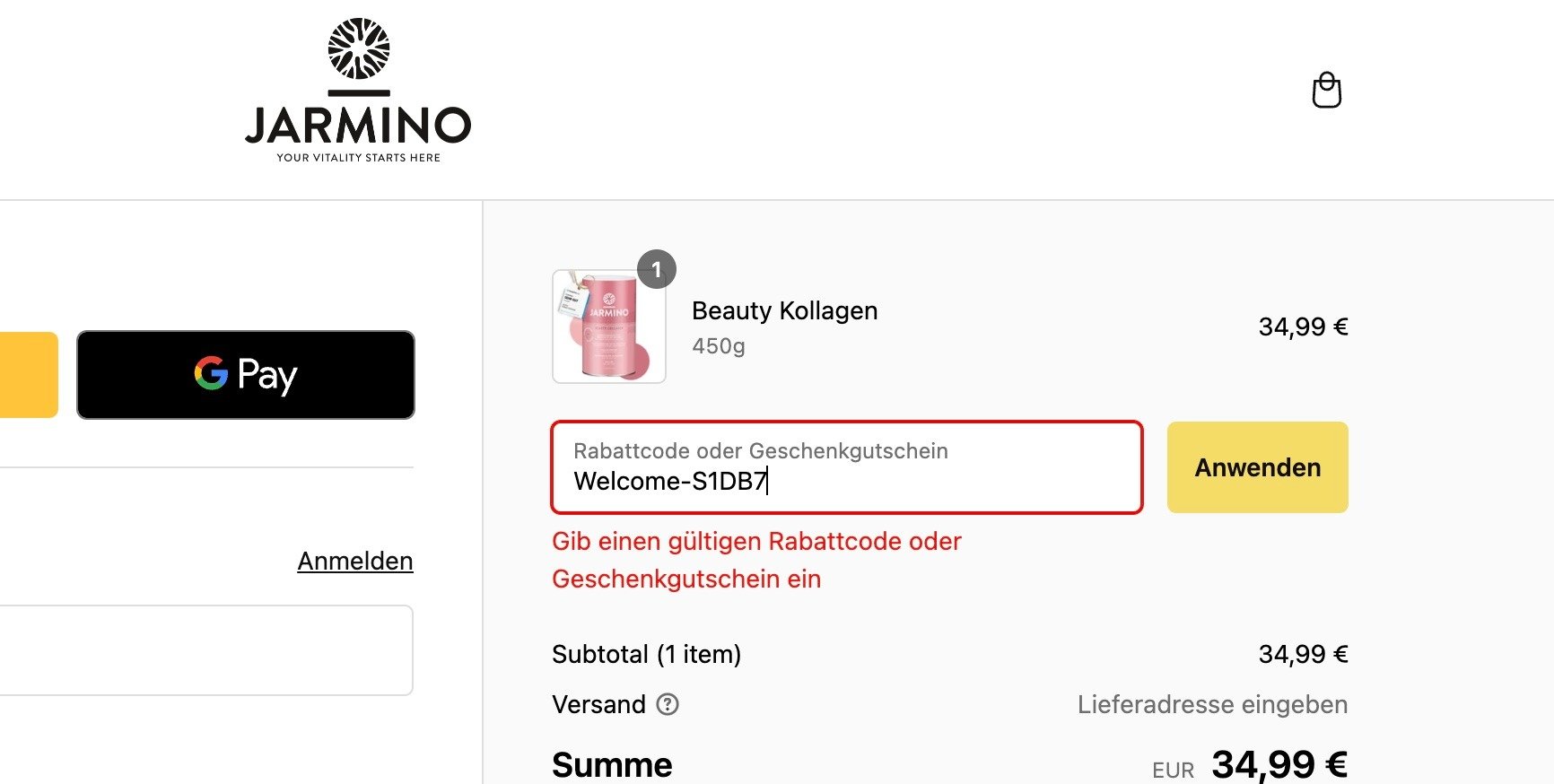
🚨 ATTENTION: ”-” is not possible in Coupon Code Button: