
Video Guide
Step-by-Step Guide
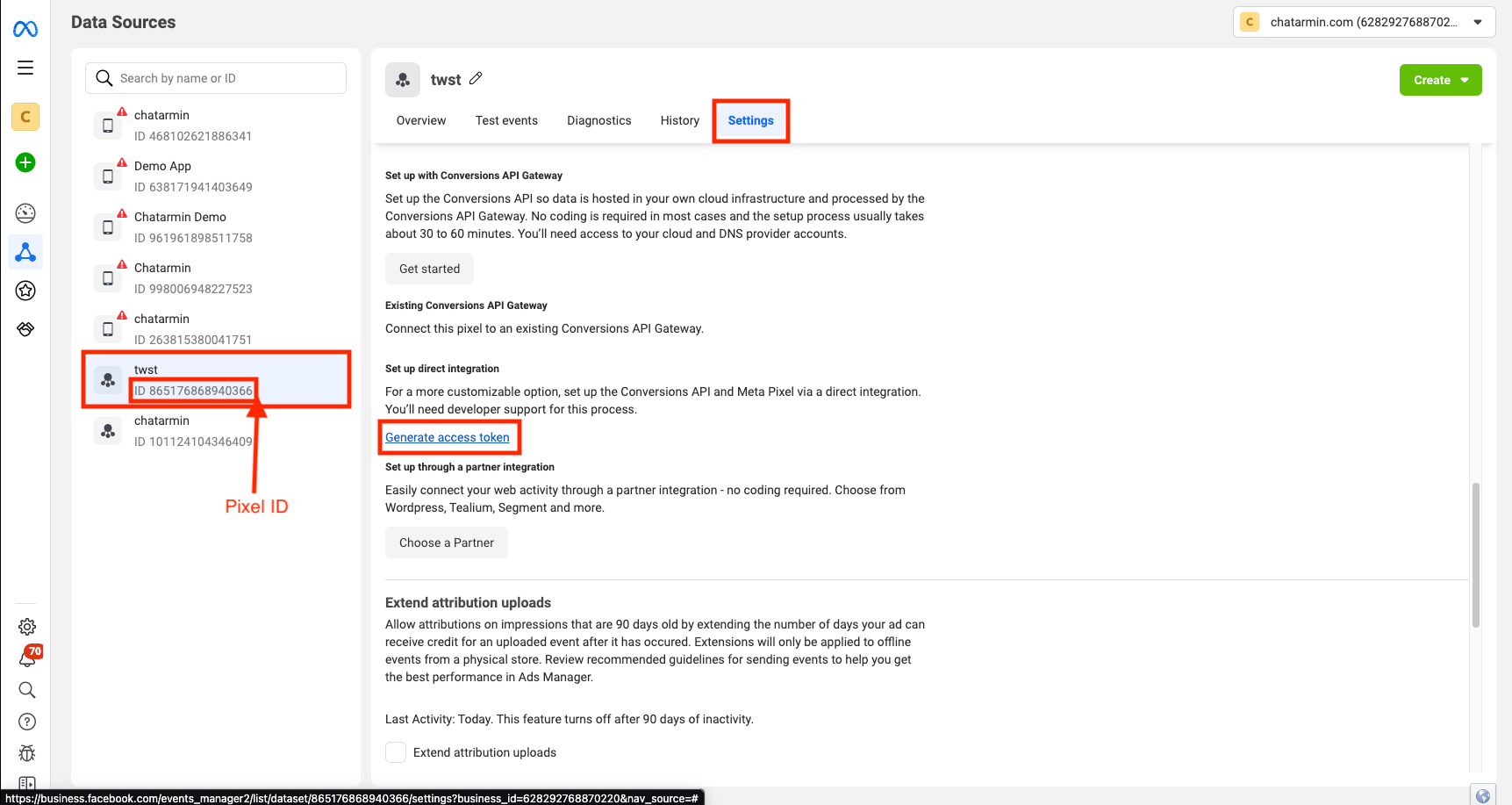
First, open your Business Manager and navigate to Date Sources -> Datesets -> Select your Pixel -> Click “Open in Events Manager”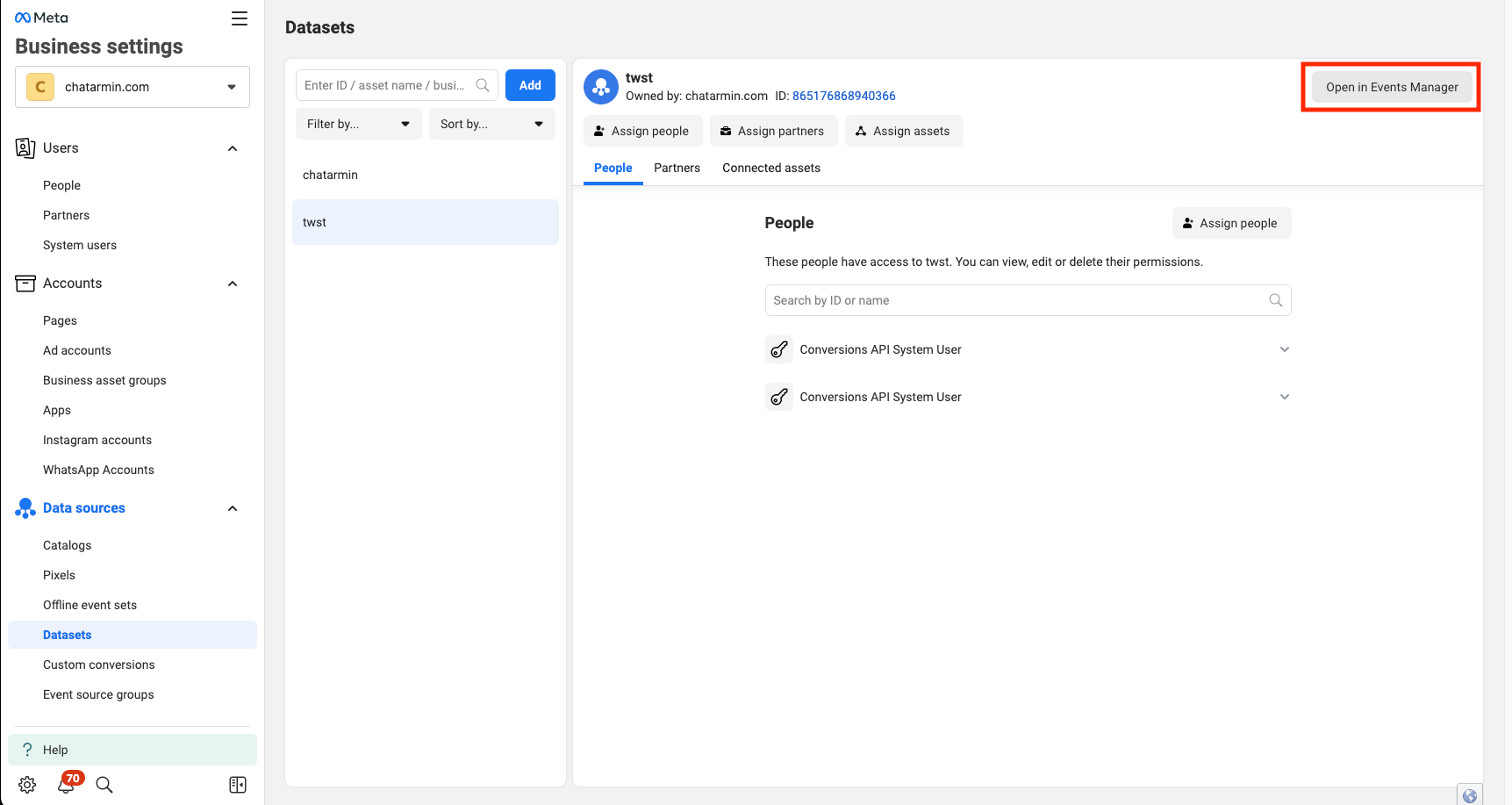
Use Pixel Action in Flows
Now navigate into a Flow of your choice and create a new Flow Action -> Pixel -> Type in the required fields:- Event Name: The Conversion Events name, e.g: WhatsApp Welcome
- Custom Properties: Here you can add custom Properties like for example “Flow Name” to your event