
How to Connect Freshchat with Chatarmin
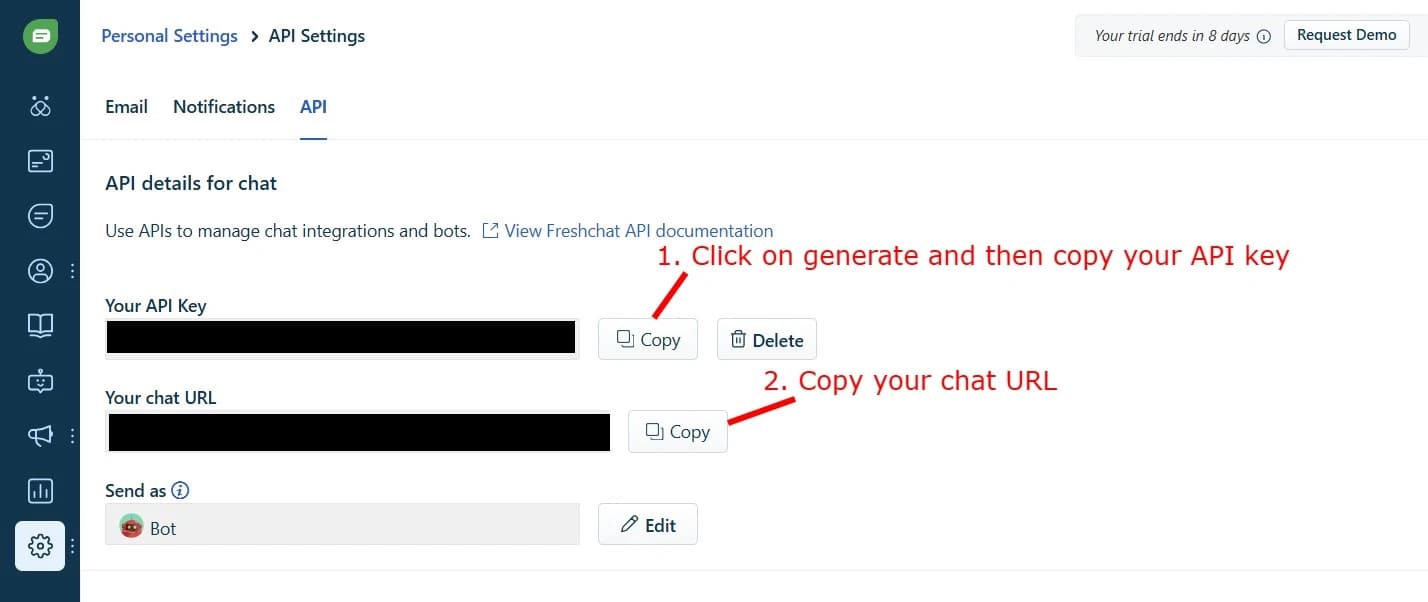
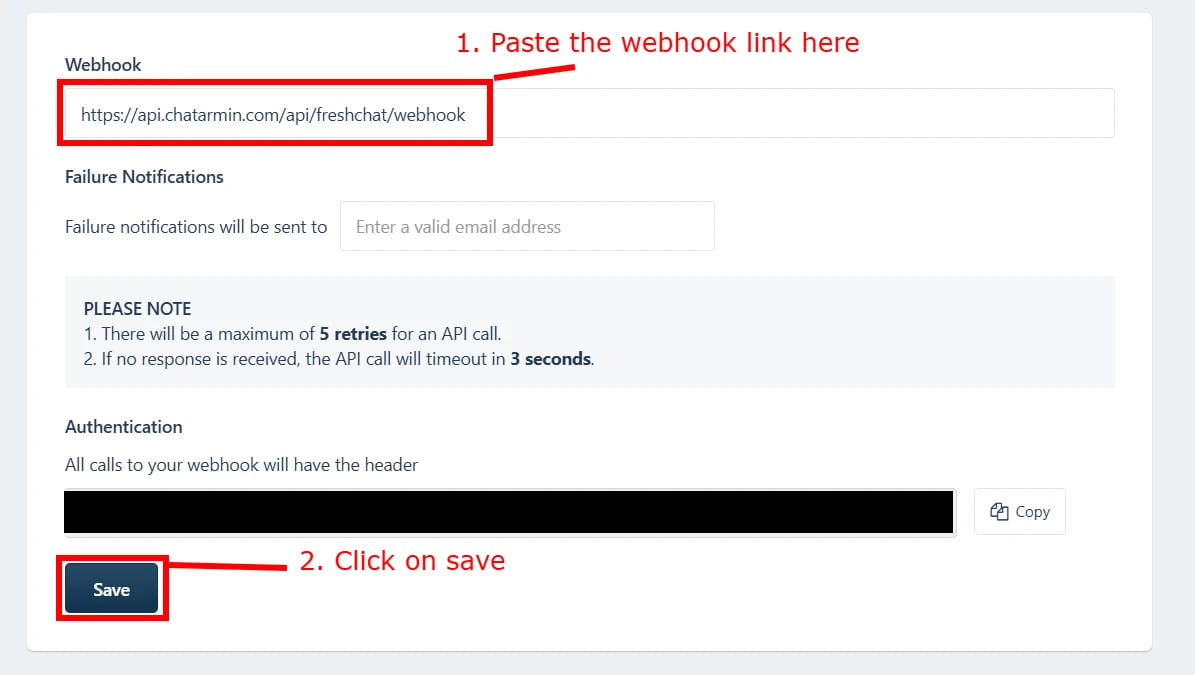
For a detailed guide and connection setup, visit: https://chatarmin.com/dashboard/freshchat/connect In your Freshchat dashboard, go to Admin Settings, then Marketplace and Integrations > API Settings to get your API Key and Chat URL. Copy both and paste them into the appropriate fields in Chatarmin.
Installing the Chatarmin Add-on in Freshchat
To fully activate the Chatarmin integration inside Freshchat, you’ll need to install our Chatarmin add-on. If you didn’t get the Add-On Zip-file from our team, simply contact us. Follow these simple steps: Here’s a quick video showing how to add and install the Chatarmin add-on in Freshchat: