
WhatsApp Segment Creation and WhatsApp Segmentation Strategy
You want to build segments, if “tags” are not a satisfying way to segment your clients base for flows and campaigns, anymore. Generally, you can make use of “and”/“or” logics, as well as filter-groups, to bulk-segment your audience based on your needs. Watch this video-guide on how to make use of Chatarmin’s WhatsApp Segmenting Feature:
Source: Chatarmin, Q1 2024
Creating a new Segment
Here’s how to create a WhatsApp-segment:
-
Start by clicking “Create Segment” on the top right corner.
-
Give your Segment a name to find it easier afterward, e.g. when you want to send out a campaign to this specific Segment or use it inside a Flow with an IF/ELSE split.
-
Click “Add filter group”
-
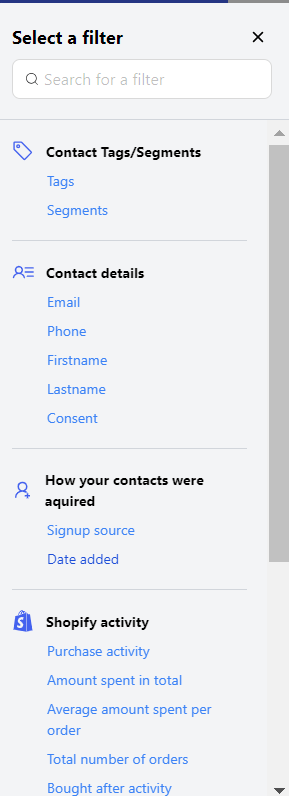
You can now choose one or multiple filters from the sidebar on the left to include inside of your Segment.
-
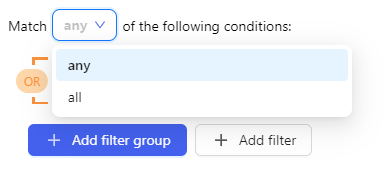
You can then choose to match “any” or “all” conditions. If you choose “any” a lead will be included in the segment if he/she matches one or more of the given conditions. If you chose “all” the lead will only be included if he/she matches all of the given conditions.
-
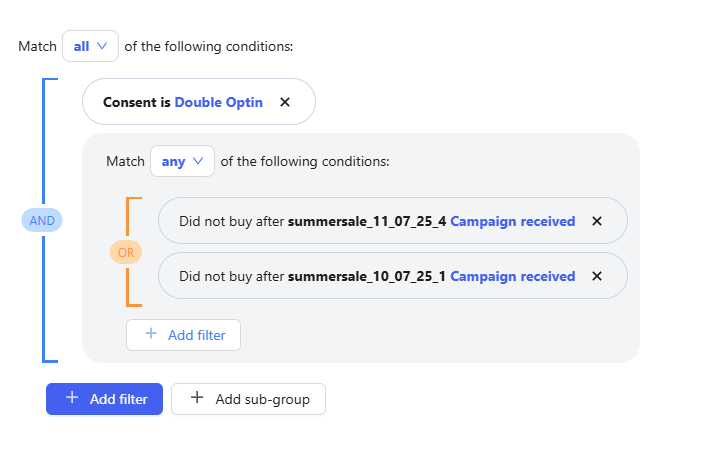
It’s important to pay close attention to the setup of Groups and Subgroups. In most cases, a double opt-in is expected, along with an AND filter.
Within this additional filter, you can define specific conditions — for example, whether all of them must apply or if at least one is enough. You can choose between AND and OR logic, depending on how strict or flexible your segmentation should be.
-
Once done with creating your segment you can click “Review Segment”
-
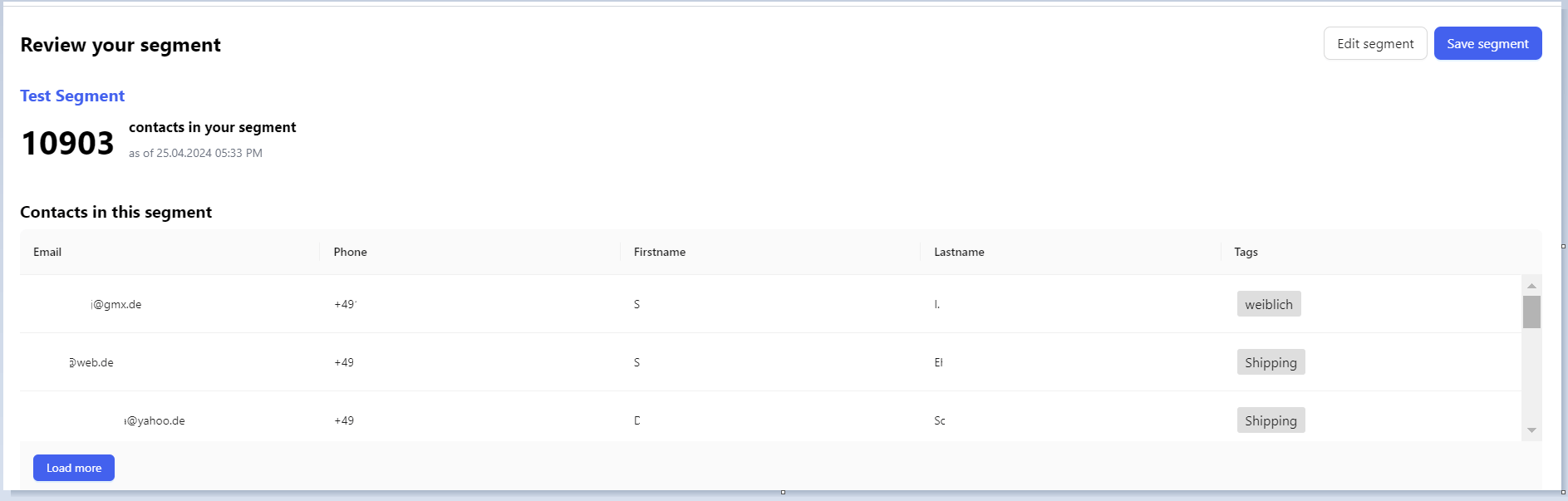
You can click “Save Segment” to finalize your segment or “Edit Segment” if you want to include or exclude more conditions.
Campaign engagement filters
Use Campaign filters when you want a segment based on how contacts interacted with past campaigns—not only whether they received or clicked a specific list. You can pick one or more campaigns, set a time range (All time, Within the last, or Between), and choose a condition such as Contact did CLICK any of these campaigns or Contact did RECEIVE all of these campaigns. Two conditions also let you set a minimum number of campaigns:
After you choose one of these conditions, enter at least N campaigns (minimum 1). Combine with your time range when you only want recent engagement—for example, contacts who clicked at least 3 campaigns in the last 90 days.