> ## Documentation Index
> Fetch the complete documentation index at: https://help.chatarmin.com/llms.txt
> Use this file to discover all available pages before exploring further.
# Email activation campaign
> Chatarmin guide: Email activation campaign
In which ways can I build and/or grow my WhatsApp audience? How can I grow my list and gain more subscribers? In this article, we will share **10 ways** for you to **build and grow your WhatsApp audience and WhatsApp subscriber base**.
**Find here: 🤓**
* [Full WhatsApp-Marketing-Guide (DE)](https://drive.google.com/file/d/1u83vjzg3i5Pi5l7J8ca_wVo8qUXaX7lZ/view?usp=sharing)
* [Full WhatsApp-Marketing-Guide (EN)](https://drive.google.com/file/d/1Y5Z81jbyR7UM7mLNhfsf86uX7Hh3CeEL/view?usp=sharing)
Now, how do these strategies, mapped out in the WhatsApp-Marketing-Guide, look like in practice?
***
# 1. Email activation campaign
***
Send out an email newsletter to your list, adding a CTA including a click-to-chatstart-link that you can create in your Chatarmin-dashboard. Thus, funnel leads into your buzzword flow, aiming to
* do lead-enrichment
* get more information from the lead
* opt the lead in, or out
* sync the lead to your shop-system and CRM-system
Here is the step-by-step-guide:
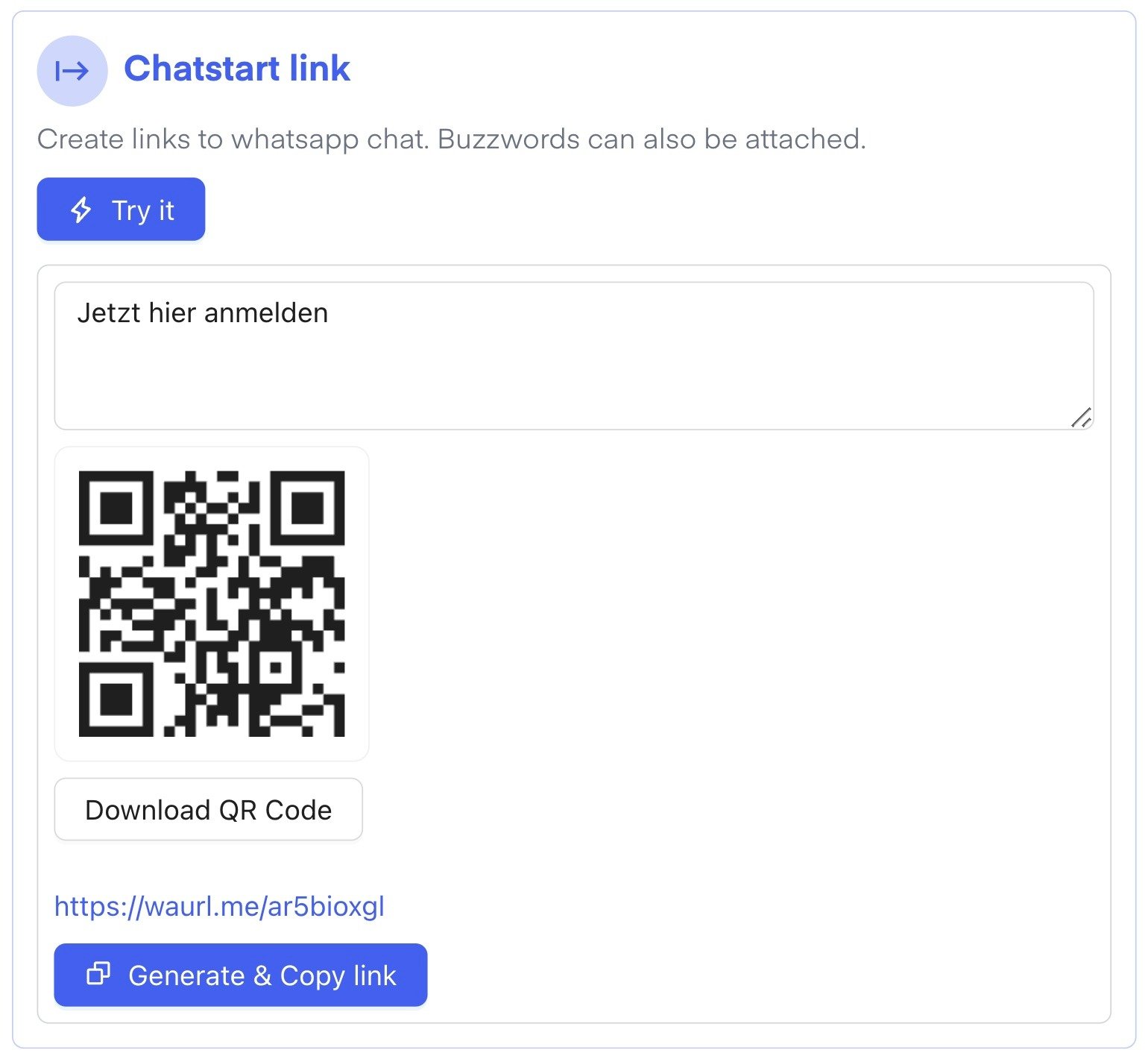
1. Create a chatstart-link in your [Chatarmin-dashboard](https://chatarmin.com/dashboard), defining a buzzword
 2. [Create flow](https://chatarmin.com/dashboard/flows/create)
3. Choose the buzzword as your flow-start-trigger (contains/exact match)
2. [Create flow](https://chatarmin.com/dashboard/flows/create)
3. Choose the buzzword as your flow-start-trigger (contains/exact match)
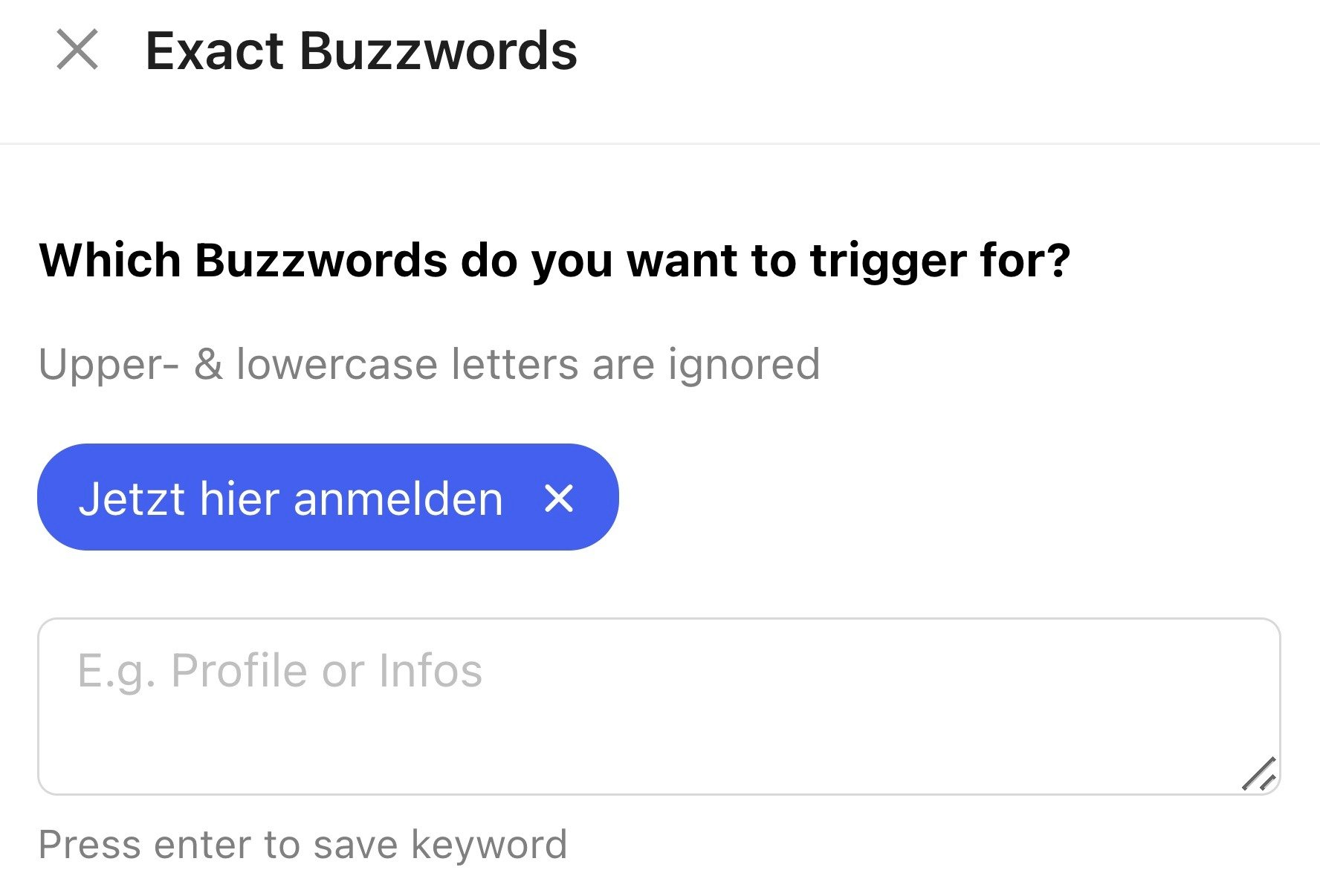
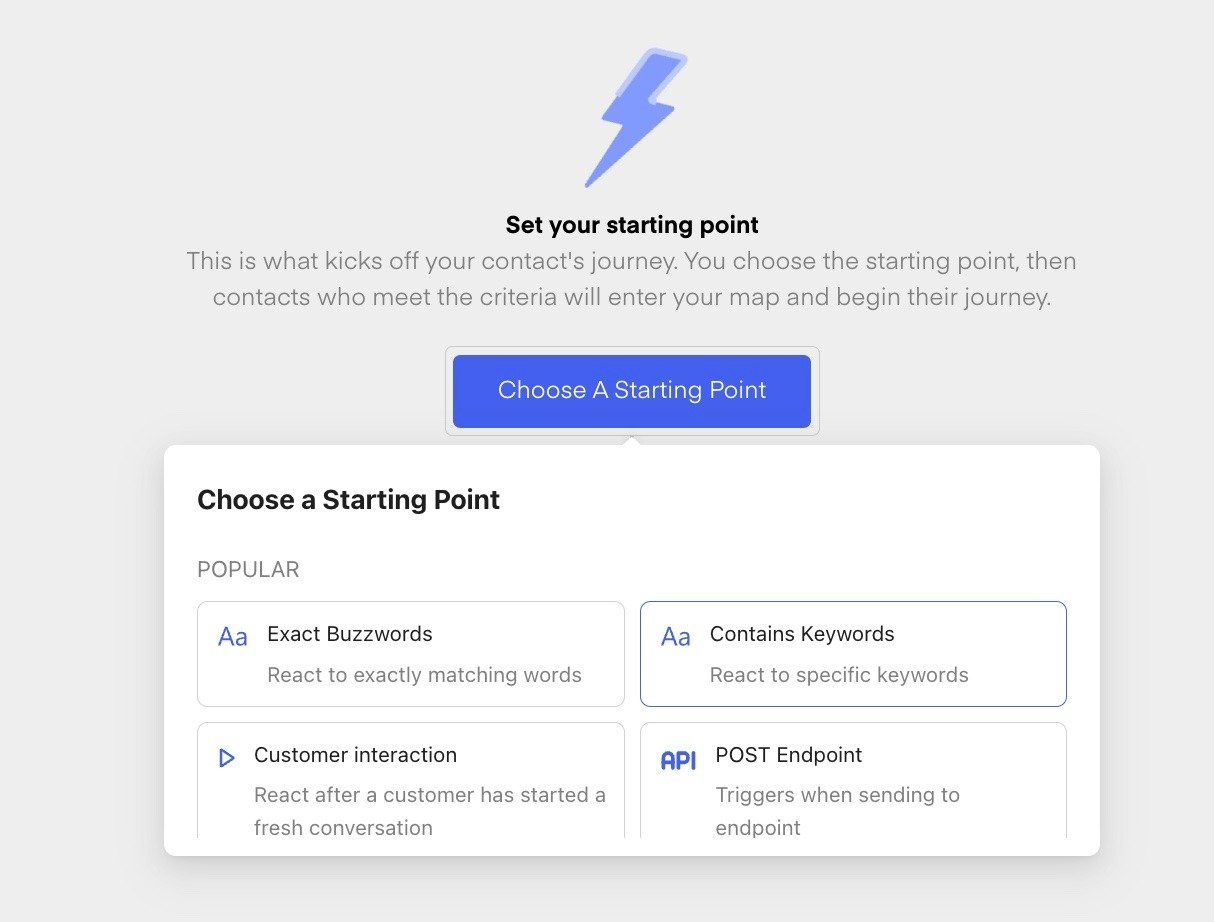 4. Define the exact buzzword
 5. Build your flow, your leads are funneled into
6. Push it live
7. Test it
8. Send out the email newsletter, containing the chatstart-link in a CTA
***🚨 Attention:*** The better the list, and the better your offer, the more "email leads will be activated". Make sure you offer some kind of benefit for people to enter your WhatsApp-chat, here's a few ideas:
* VIP Community
* Early Access
* Behind-the-scenes-insights
* Support & Service
* Giveaways
* Special Deals & Offers
* and many many more you can think of.
***
## ***BONUS: Send your variable email as a CTA within your klaviyo (email CRM) CTA!***
***
1. Create a "Contains Buzzword CTA"
2. Make sure you add to the end of the buzzword, a #\{\{ email }} brackets
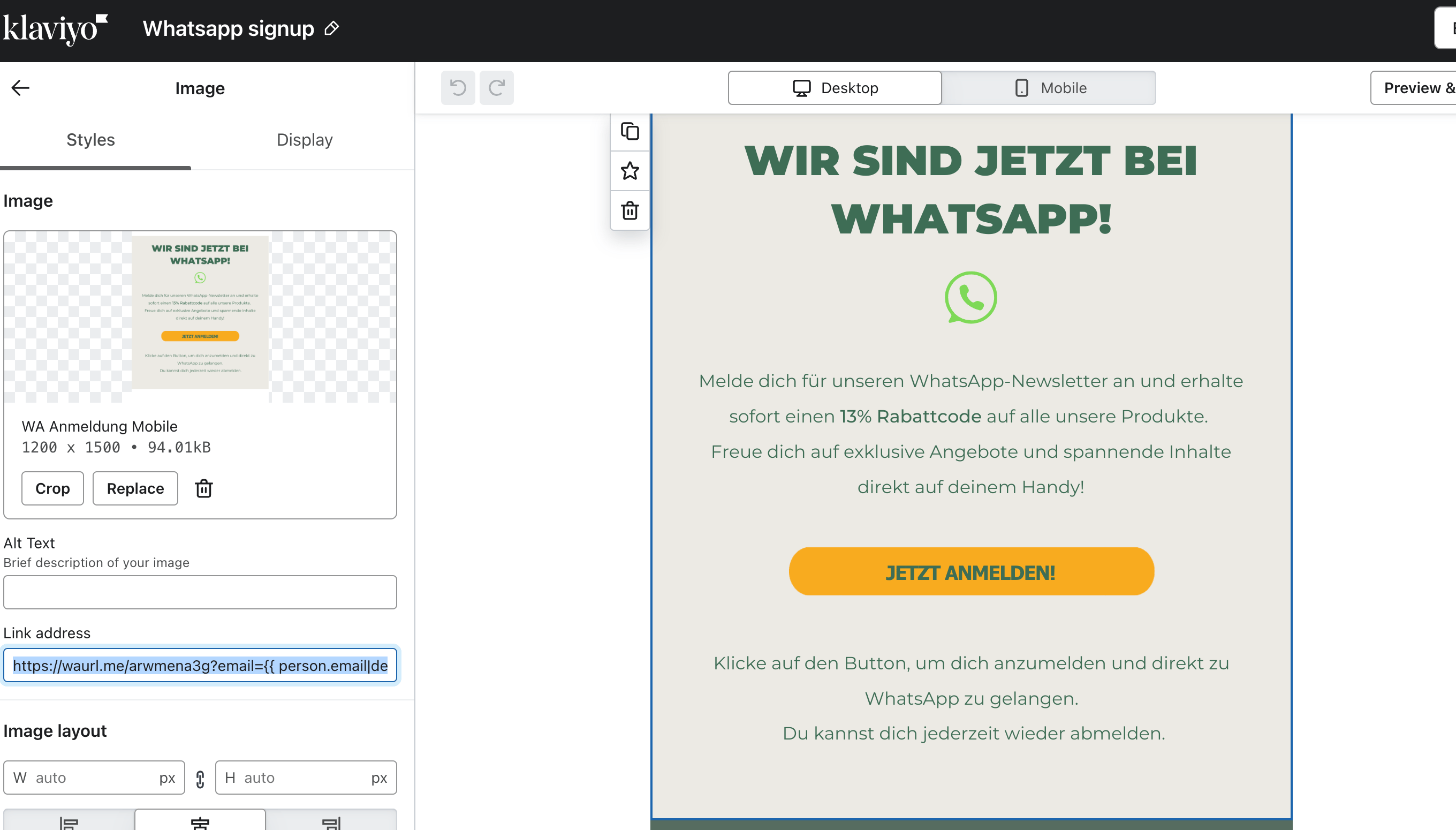
3. Make sure you add the Chatstart-link to your klaviyo-campaign\
[https://waurl.me/arwmena3g?email=#\{\{](https://waurl.me/arwmena3g?email=#%7B%7B) person.email|default:'' }}
5. Build your flow, your leads are funneled into
6. Push it live
7. Test it
8. Send out the email newsletter, containing the chatstart-link in a CTA
***🚨 Attention:*** The better the list, and the better your offer, the more "email leads will be activated". Make sure you offer some kind of benefit for people to enter your WhatsApp-chat, here's a few ideas:
* VIP Community
* Early Access
* Behind-the-scenes-insights
* Support & Service
* Giveaways
* Special Deals & Offers
* and many many more you can think of.
***
## ***BONUS: Send your variable email as a CTA within your klaviyo (email CRM) CTA!***
***
1. Create a "Contains Buzzword CTA"
2. Make sure you add to the end of the buzzword, a #\{\{ email }} brackets
3. Make sure you add the Chatstart-link to your klaviyo-campaign\
[https://waurl.me/arwmena3g?email=#\{\{](https://waurl.me/arwmena3g?email=#%7B%7B) person.email|default:'' }}
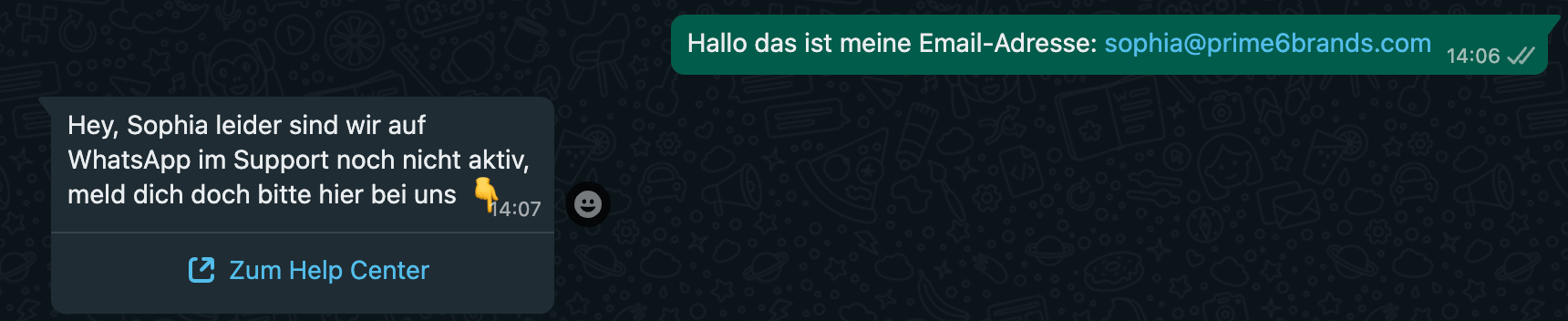
 * Test the campaign, when clicking the CTA, this is what should happen:
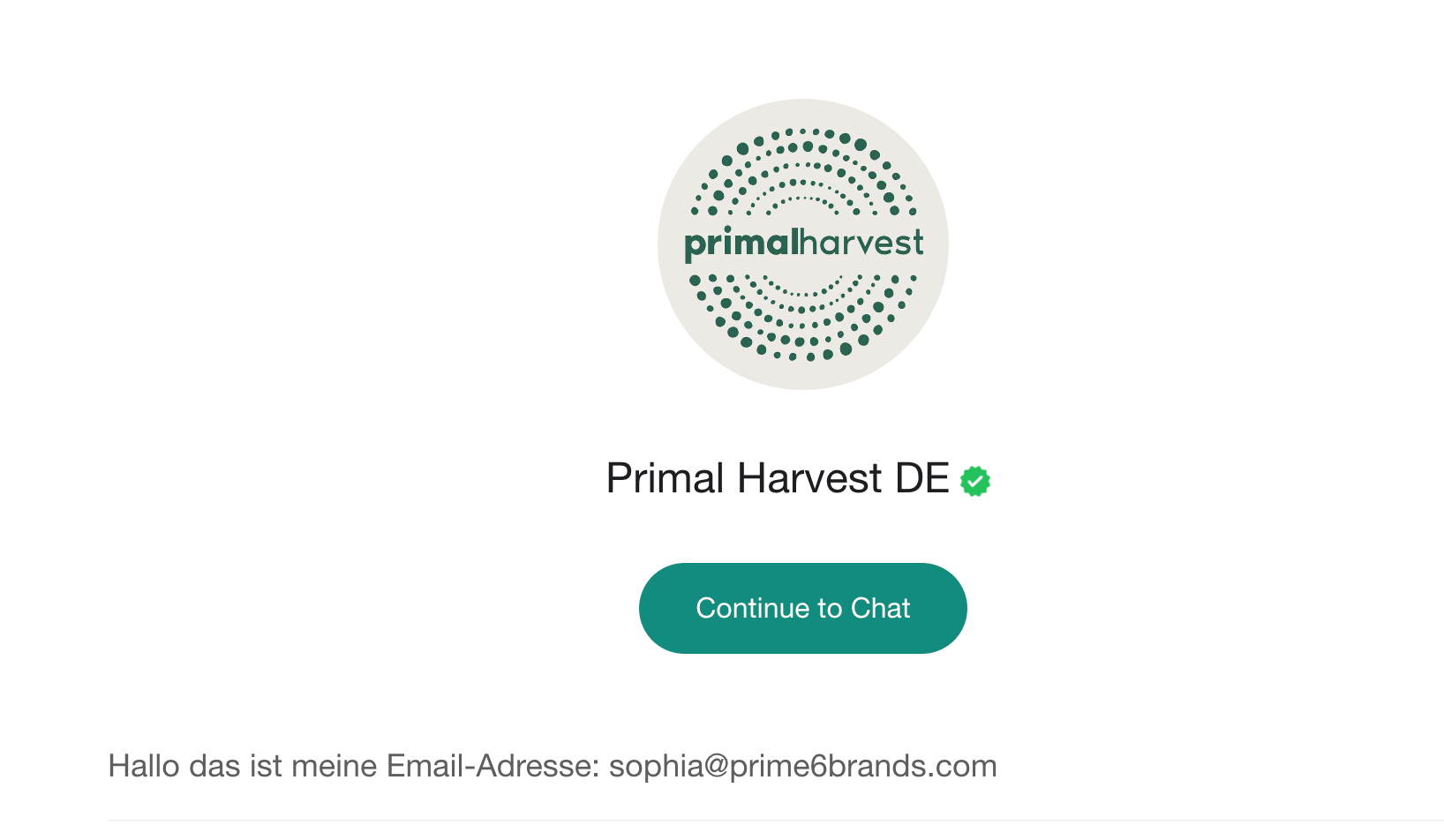 * When clicking on the CTA, your email should be sent, alongside the buzzword, that serves as a "contains" trigger for your buzzword-flow.
* Trigger your WhatsApp-Flow, accordingly
* When clicking on the CTA, your email should be sent, alongside the buzzword, that serves as a "contains" trigger for your buzzword-flow.
* Trigger your WhatsApp-Flow, accordingly
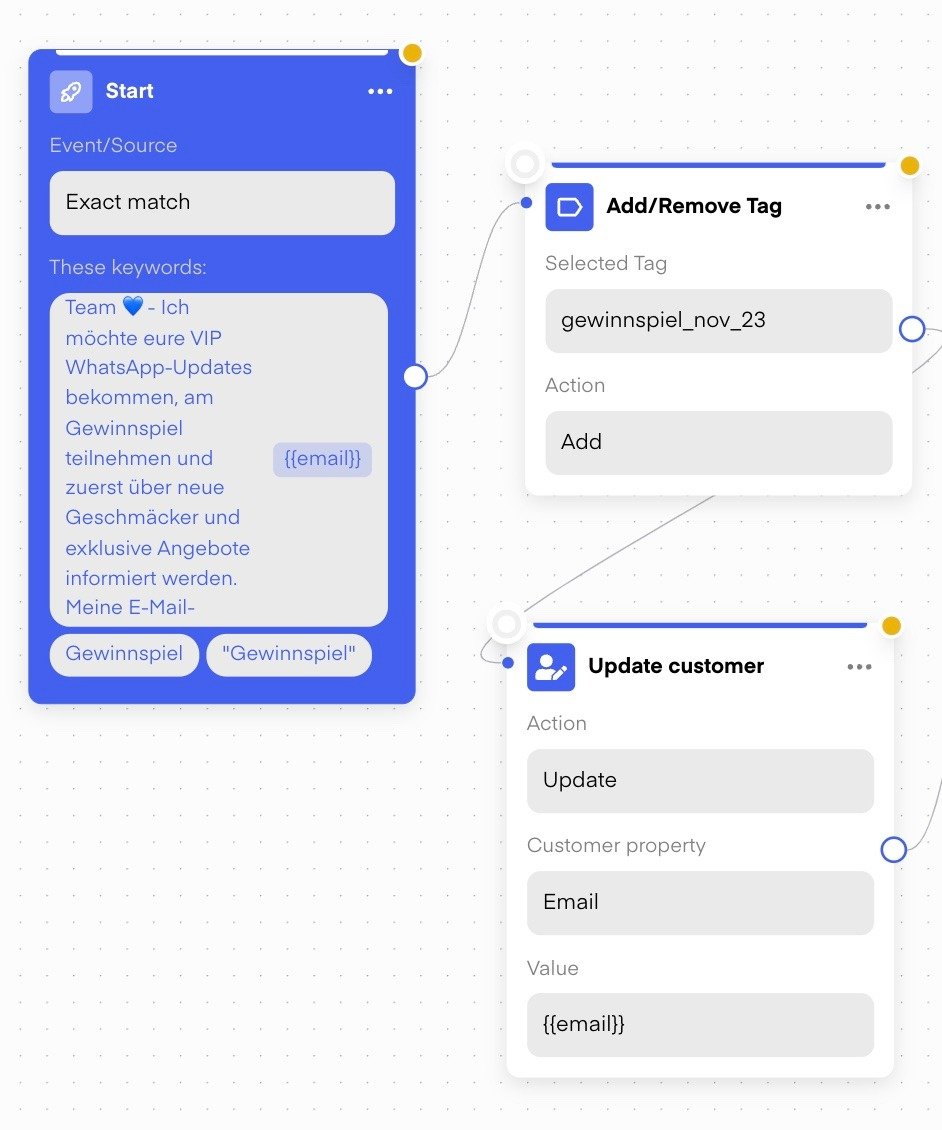
 * make sure you save the sent-email in the profile of the user
 ***
***BONUS-VIDEO: 🎬 Here is how you can directly embed your variable email, in order to communicate it directly via CTA, and add it to your Chatarmin account:***
*Source: Chatarmin, Q1, 2024*
***
## **Step-by-step-guide for a Best-Practice-example** **of a WhatsApp-activation-campaign:**
***
**1)** [**Create your template**](https://chatarmin.com/dashboard/templates) with the respective messaging, and assets:
***
***BONUS-VIDEO: 🎬 Here is how you can directly embed your variable email, in order to communicate it directly via CTA, and add it to your Chatarmin account:***
*Source: Chatarmin, Q1, 2024*
***
## **Step-by-step-guide for a Best-Practice-example** **of a WhatsApp-activation-campaign:**
***
**1)** [**Create your template**](https://chatarmin.com/dashboard/templates) with the respective messaging, and assets:
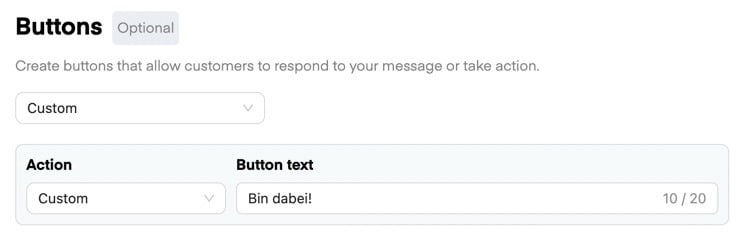
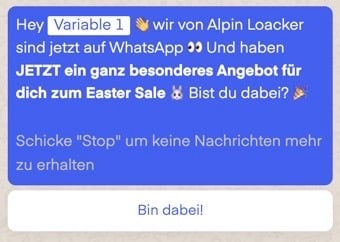 **2)** Include **optin (and optout) buttons (CTAs):**
 **3)** Create your **Optin-Buzzword-Flow**
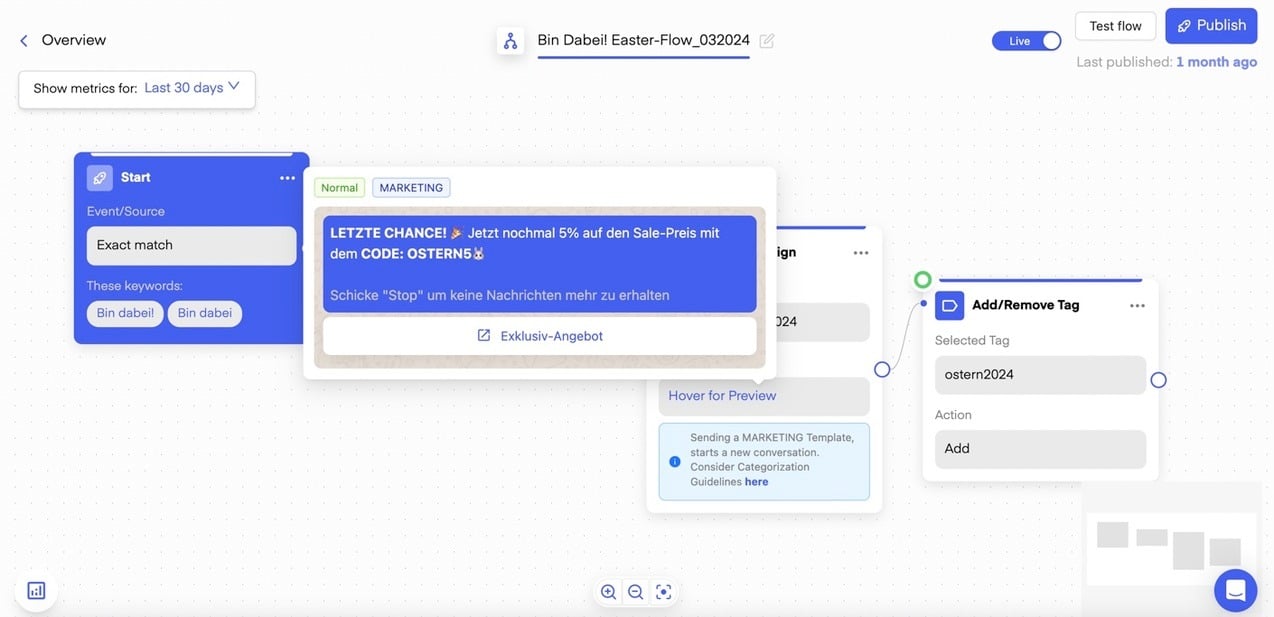 ***
***Tip!*** Test both your campaign as well as flow, before targeting your audience. When all is fine, start including a small segment of a fresh cohort of your existing clients, so you don't mess up your WABA abruptly.
Don't forget including the "custom buttons" (which are technically message-sends) for optin and optout, as well as pushing your buzzword-flow live.
***
## Activation Campaign KPI's
***
Those **activation-campaign-KPI's** are what you should strive your, when using the strategy of an "activation campaign" to activate your existing-clients-base via a one-time-WhatsApp-campaign:
* **>75% Opening Rate**
* **\<15% Unsubscriptions**
* **40-70% Double-Optin-Rate** ("Acceptance" or "Activation")
Contact our Chatbot for more questions!
***
## Bonus: Extra-In-Depth Email-Activation-Strategy
***
***
***Tip!*** Test both your campaign as well as flow, before targeting your audience. When all is fine, start including a small segment of a fresh cohort of your existing clients, so you don't mess up your WABA abruptly.
Don't forget including the "custom buttons" (which are technically message-sends) for optin and optout, as well as pushing your buzzword-flow live.
***
## Activation Campaign KPI's
***
Those **activation-campaign-KPI's** are what you should strive your, when using the strategy of an "activation campaign" to activate your existing-clients-base via a one-time-WhatsApp-campaign:
* **>75% Opening Rate**
* **\<15% Unsubscriptions**
* **40-70% Double-Optin-Rate** ("Acceptance" or "Activation")
Contact our Chatbot for more questions!
***
## Bonus: Extra-In-Depth Email-Activation-Strategy
***
 Send out a one-time **E-Mail Newsletter** to **your E-Mail Subscribers**, communicating that you are now on WhatsApp and they can join for exclusive updates. Add a CTA: Chatstart Link and/or QR-Code in your email, to channel your email-subscribers directly into the WhatsApp-chat with your organization:
## **Option 1: Email Activation, Starter Strategy**
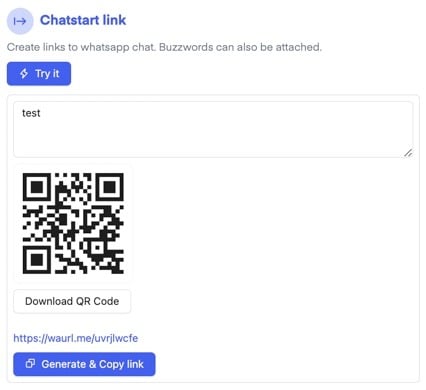
1. Create a Chatstart-Link with our [WhatsApp-Chatstart-Link-Generator](https://chatarmin.com/whatsapp-link-generator), or using the Chatstart-Link-feature in your [Chatarmin Dashboard](https://chatarmin.com/dashboard).
Send out a one-time **E-Mail Newsletter** to **your E-Mail Subscribers**, communicating that you are now on WhatsApp and they can join for exclusive updates. Add a CTA: Chatstart Link and/or QR-Code in your email, to channel your email-subscribers directly into the WhatsApp-chat with your organization:
## **Option 1: Email Activation, Starter Strategy**
1. Create a Chatstart-Link with our [WhatsApp-Chatstart-Link-Generator](https://chatarmin.com/whatsapp-link-generator), or using the Chatstart-Link-feature in your [Chatarmin Dashboard](https://chatarmin.com/dashboard).
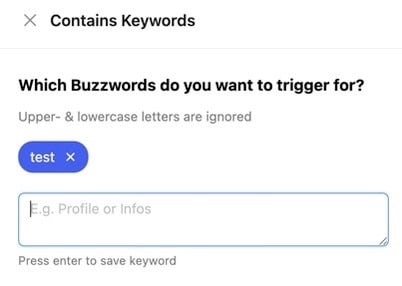
 2. Make sure to use a **buzzword-flow**:
3. The buzzword that you embed, leads into the **according buzzword-flow** you create for it:
2. Make sure to use a **buzzword-flow**:
3. The buzzword that you embed, leads into the **according buzzword-flow** you create for it:
 4. **Build the flow** and make sure to **publish** it!
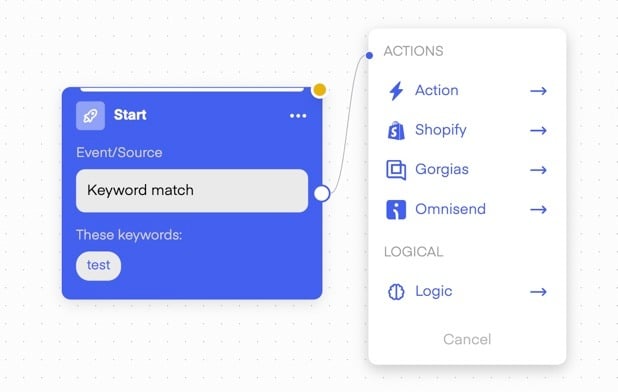 Everyone, who clicks on the chatstart-link in your email-campaign, will be funneled into a welcome-flow which is a buzzword-flow! Make sure to embed a "manage consent" and "double optin" action, so you keep track of your activated users!
## **Option 2: Email Activation, Advanced Strategy**
Follow all the action-steps above, but add a sauce of CRM-magic! **Make sure you embed the klaviyo-email-adress of your users within the buzzword-flow**, so they send it to your WABA with one click! The email address of your klaviyo-lead is automatically embedded in the chatstart-link, so you don't have to ask for the email adresses of your fresh optins! This is how you do it:
*Source: Chatarmin, Q3 2024*
Copy the **Chatstart-Link** into the Welcome Flow and embed it into a button inside of the E-Mail such as **"Join now!"**.
Teasering the incentive you give in the **"Welcome flow"** is recommended here. You can also include it in any future E-Mail Newsletters you are sending.
***🚨 PRO TIP:*** *In the triggered flow, you'll embed a campaign armed with a CTA: Rather use a direct discount link such as* [*https://alpensattel.de/discount/wa10*](https://alpensattel.de/discount/wa10) *in order to save one step in the user journey and have your clients apply the whatsapp-discount-code directly without any additional input in checkout!*
***
***
Everyone, who clicks on the chatstart-link in your email-campaign, will be funneled into a welcome-flow which is a buzzword-flow! Make sure to embed a "manage consent" and "double optin" action, so you keep track of your activated users!
## **Option 2: Email Activation, Advanced Strategy**
Follow all the action-steps above, but add a sauce of CRM-magic! **Make sure you embed the klaviyo-email-adress of your users within the buzzword-flow**, so they send it to your WABA with one click! The email address of your klaviyo-lead is automatically embedded in the chatstart-link, so you don't have to ask for the email adresses of your fresh optins! This is how you do it:
*Source: Chatarmin, Q3 2024*
Copy the **Chatstart-Link** into the Welcome Flow and embed it into a button inside of the E-Mail such as **"Join now!"**.
Teasering the incentive you give in the **"Welcome flow"** is recommended here. You can also include it in any future E-Mail Newsletters you are sending.
***🚨 PRO TIP:*** *In the triggered flow, you'll embed a campaign armed with a CTA: Rather use a direct discount link such as* [*https://alpensattel.de/discount/wa10*](https://alpensattel.de/discount/wa10) *in order to save one step in the user journey and have your clients apply the whatsapp-discount-code directly without any additional input in checkout!*
***
***