> ## Documentation Index
> Fetch the complete documentation index at: https://help.chatarmin.com/llms.txt
> Use this file to discover all available pages before exploring further.
# WhatsApp Official Business Account (Blue Checkmark) Verification
> Chatarmin guide: WhatsApp Official Business Account (Blue Checkmark) Verification
Having a verified **Official Business Account** on WhatsApp gives your brand more trust and visibility. WhatsApp will display your **business name** - along with a **blue checkmark** that confirms your business is authentic and notable.
## 🚨 Requirements
To request a blue checkmark, your business must first be **business verified** in Facebook Business Manager. 👉 [Here’s How to Verify Your Business Manager](/meta-related/how-to-verify-your-business-manager)
***
## Request Blue Checkmark
***
1. Log in to Facebook Business Manager
2. Go to Phone Numbers in WhatsApp Manager: [https://business.facebook.com/latest/whatsapp\_manager/phone\_numbers/](https://business.facebook.com/latest/whatsapp_manager/phone_numbers/)
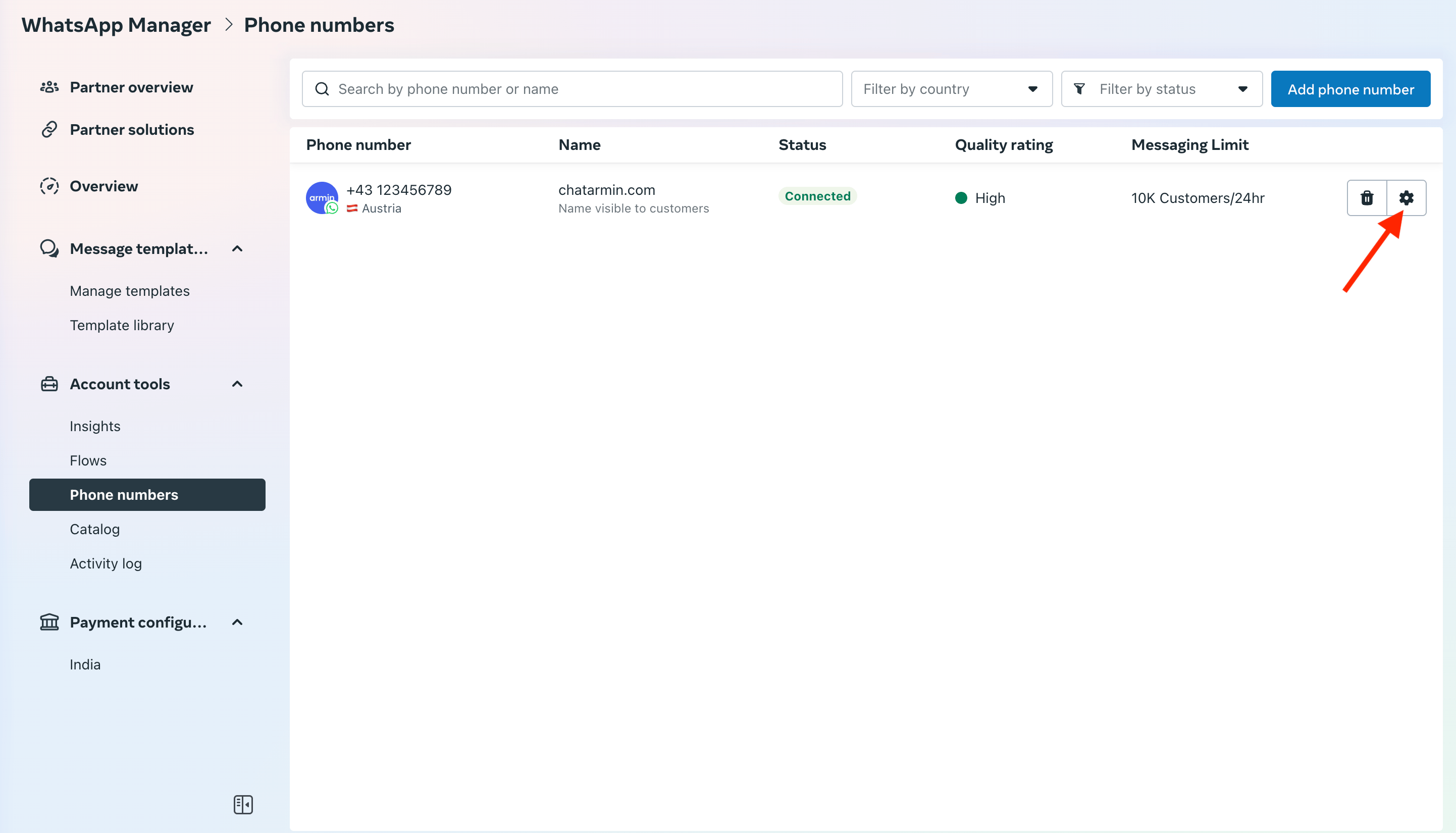 3. Select the Phone Number and click on Profile
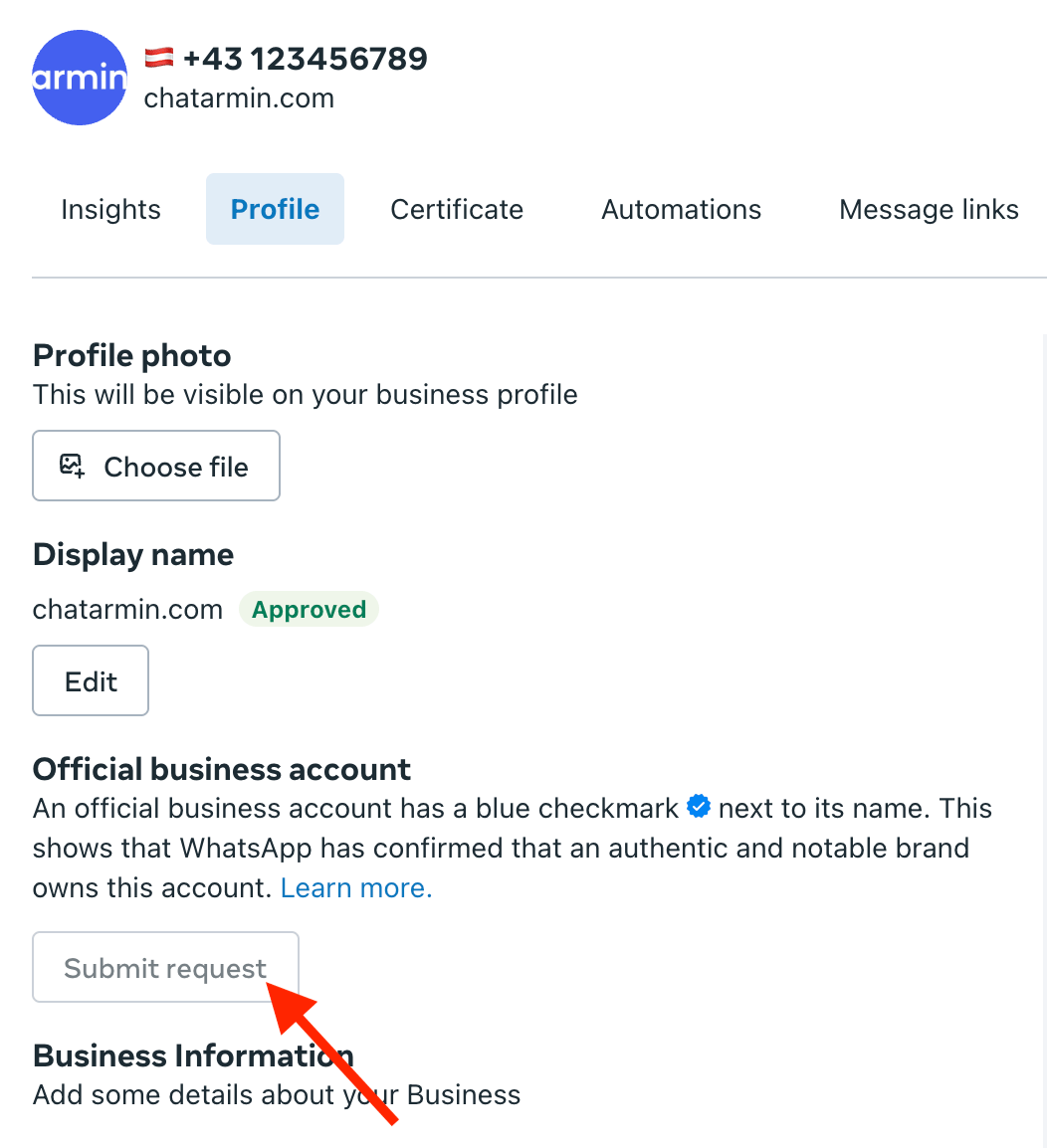
4. Scroll down to "Official business account" and click "Submit request".
3. Select the Phone Number and click on Profile
4. Scroll down to "Official business account" and click "Submit request".
 5. Fill out the form with your company's information. The more information you give the better the chance you will get verified. This may take between 24-48 hours.
🚨 ***ATTENTION:*** Was your request denied?\
This can happen if META cannot find enough **public presence** (e.g. media coverage, social relevance) or if they consider your company **not notable enough**.\
Unfortunately, there’s currently no guaranteed solution for this. You’ll need to **wait 30 days** before you can submit a new request.
***
**Alternatively here is a video of How to apply for Green/Blue Tick:**
*Source: Chatarmin, Q2 2024*
5. Fill out the form with your company's information. The more information you give the better the chance you will get verified. This may take between 24-48 hours.
🚨 ***ATTENTION:*** Was your request denied?\
This can happen if META cannot find enough **public presence** (e.g. media coverage, social relevance) or if they consider your company **not notable enough**.\
Unfortunately, there’s currently no guaranteed solution for this. You’ll need to **wait 30 days** before you can submit a new request.
***
**Alternatively here is a video of How to apply for Green/Blue Tick:**
*Source: Chatarmin, Q2 2024*