> ## Documentation Index
> Fetch the complete documentation index at: https://help.chatarmin.com/llms.txt
> Use this file to discover all available pages before exploring further.
# Zendesk Ticket Status Change Flow Trigger
> Chatarmin guide: Zendesk Ticket Status Change Flow Trigger
# Create a Flow
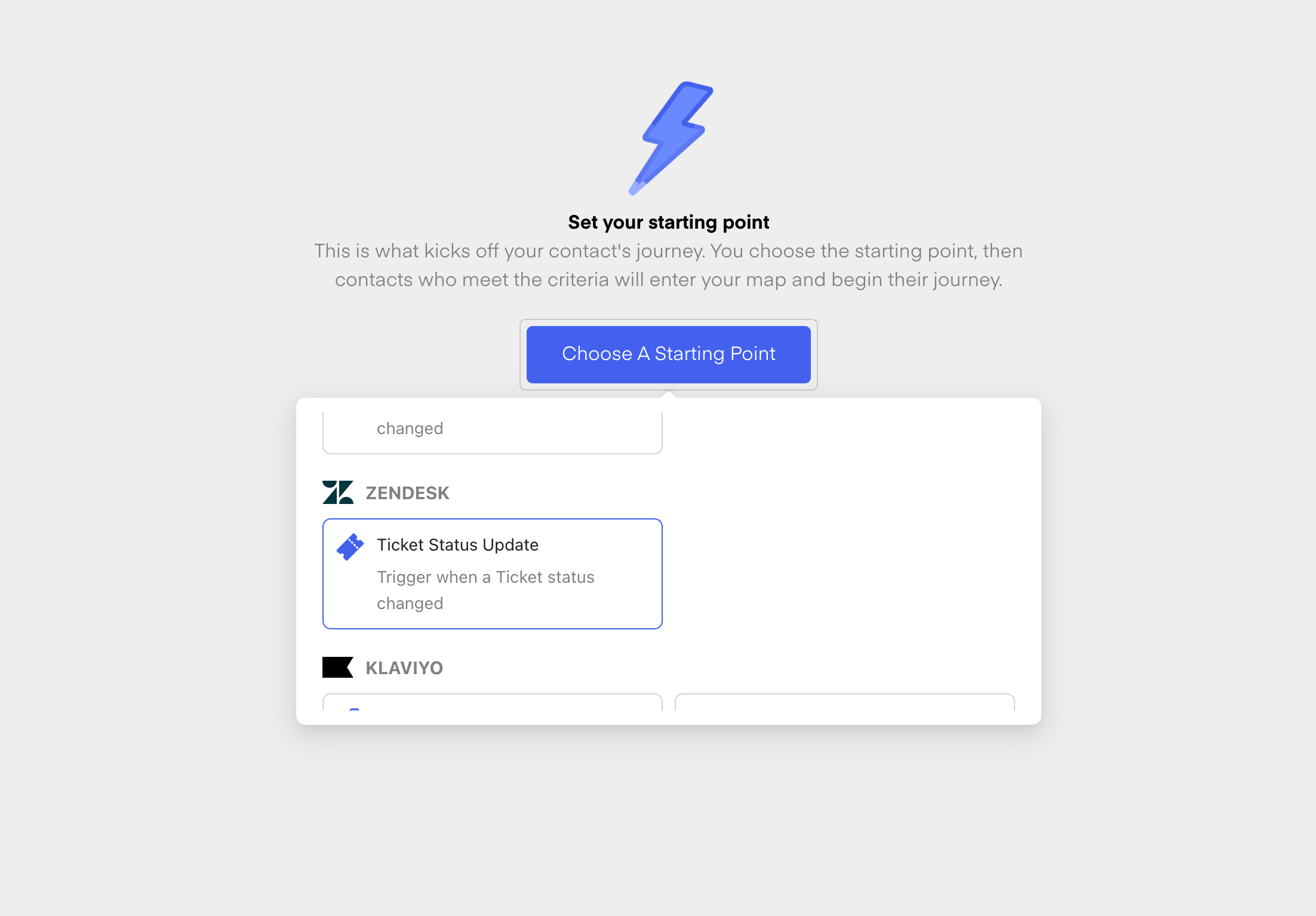
First, create a [new flow from scratch](https://chatarmin.com/dashboard/flows/create). Give your new Flow a Name and then choose the **Ticket Status Update** Trigger from Zendesk:
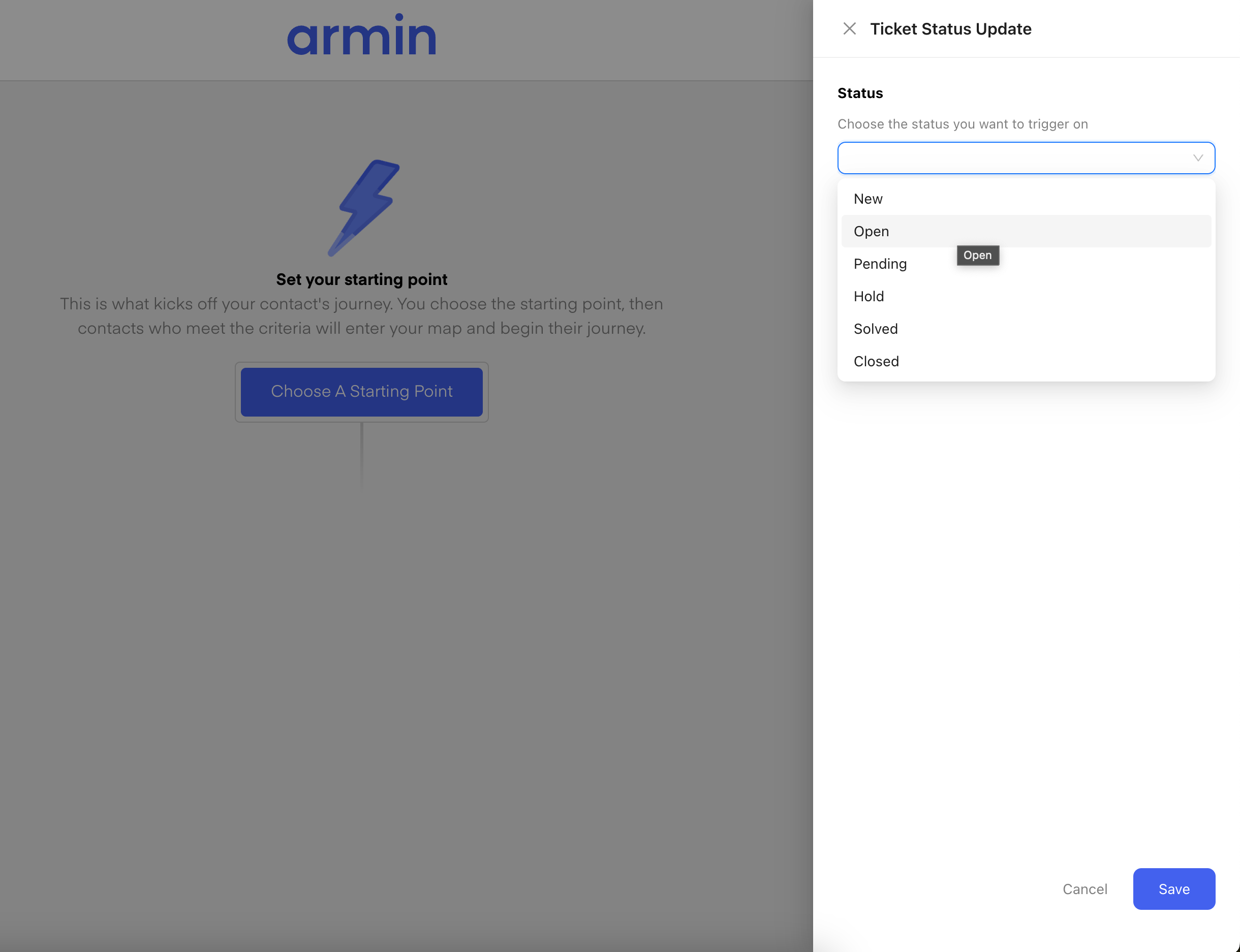
 Once you have chosen the Trigger, you can now select the **Status** you want to trigger one. Those are the different statuses:
1. **New**
2. **Open**
3. **Pending**
4. **Hold**
5. **Solved**
6. **Closed**
Once you have chosen the Trigger, you can now select the **Status** you want to trigger one. Those are the different statuses:
1. **New**
2. **Open**
3. **Pending**
4. **Hold**
5. **Solved**
6. **Closed**
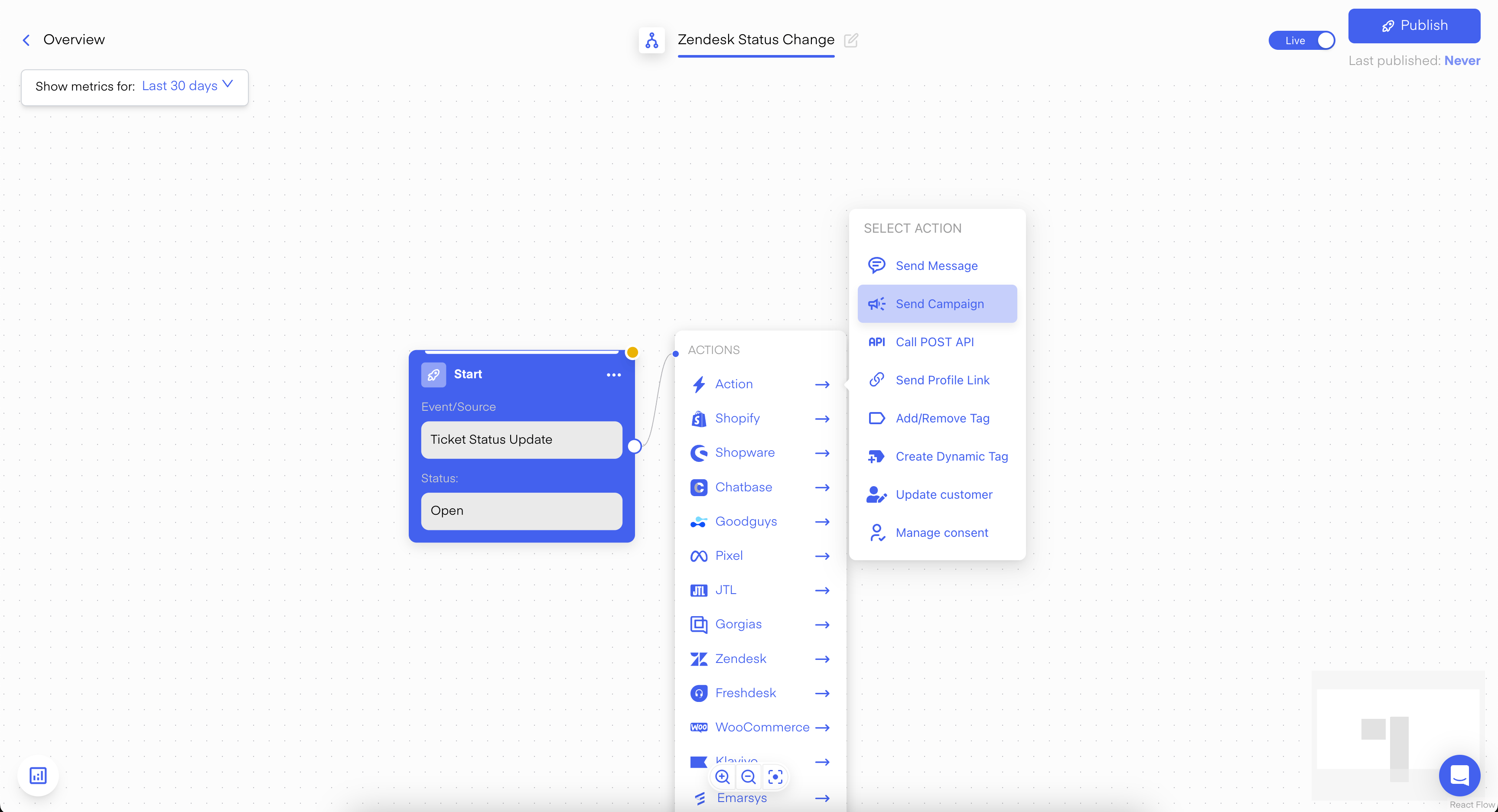
 Once you have also selected your **Status**, click on **Save.** Now you are in the Flow-Builder and you can now choose **"Send Campaign"** as the next step:
 Use this Template/Campaign for:
* Asking the customer for a review
* Converting the support lead into a marketing Opt-in lead
* Much more ...
Use this Template/Campaign for:
* Asking the customer for a review
* Converting the support lead into a marketing Opt-in lead
* Much more ...