> ## Documentation Index
> Fetch the complete documentation index at: https://help.chatarmin.com/llms.txt
> Use this file to discover all available pages before exploring further.
# WooCommerce Integration
> Chatarmin guide: WooCommerce Integration
# Installation
Follow the Guide on the [WooCommerce Chatarmin Page](https://chatarmin.com/dashboard/woocommerce/connect) to connect to WooCommerce. 🚨 Make sure to also upload the Chatarmin Plugin aswell
# Chatarmin's WooCommerce WhatsApp Integration lets you
* create abandoned checkout automations
* create postpurchase automations
* create order info tracking link automations
* create thank you page shipping info widget
* segment through WooCommerce shop activity
* and much much more
Watch a video here to grasp the power of Chatarmin's WooCommerce WhatsApp integration:
*Source: Chatarmin, Q2 2024*
***
# Revenue attribution
***
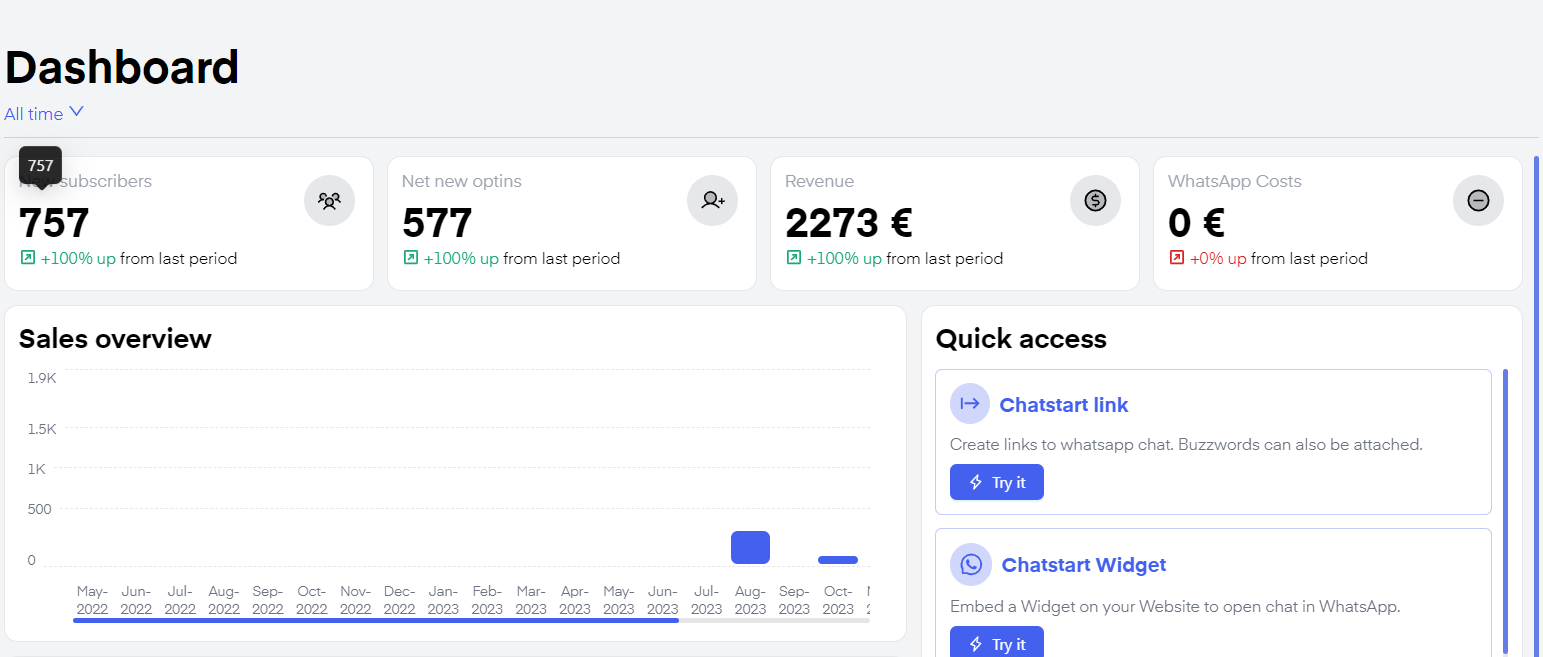 By connecting your **WooCommerce** integration, r**evenue generated by campaigns and flows is tracked automatically**. This way you have measurable **KPIs** you can use to estimate how Chatarmin is helping you increase your profit.
***
# Order Page Widget
***
You can create an [Order Page Widget](https://chatarmin.com/dashboard/woocommerce/thank-you-widget) with our **WooCommerce** integration. On one hand, you **give your customers additional quality of life improvements,** on the other hand, you are simultaneously constantly **generating leads passively** and increasing the size of your WhatsApp list.
By connecting your **WooCommerce** integration, r**evenue generated by campaigns and flows is tracked automatically**. This way you have measurable **KPIs** you can use to estimate how Chatarmin is helping you increase your profit.
***
# Order Page Widget
***
You can create an [Order Page Widget](https://chatarmin.com/dashboard/woocommerce/thank-you-widget) with our **WooCommerce** integration. On one hand, you **give your customers additional quality of life improvements,** on the other hand, you are simultaneously constantly **generating leads passively** and increasing the size of your WhatsApp list.
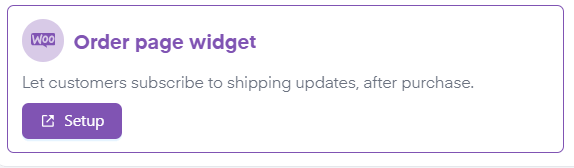 To find out how to set up your **Order Page Widget** click the[**"Setup"**](https://chatarmin.com/dashboard/woocommerce/thank-you-widget) button on the ["Dashboard"](https://chatarmin.com/dashboard) and follow the step-by-step instructions on the right-hand side.
*🚨* ***ATTENTION:*** \*How can it happen that the order numbers do not match?\
\*
To find out how to set up your **Order Page Widget** click the[**"Setup"**](https://chatarmin.com/dashboard/woocommerce/thank-you-widget) button on the ["Dashboard"](https://chatarmin.com/dashboard) and follow the step-by-step instructions on the right-hand side.
*🚨* ***ATTENTION:*** \*How can it happen that the order numbers do not match?\
\*
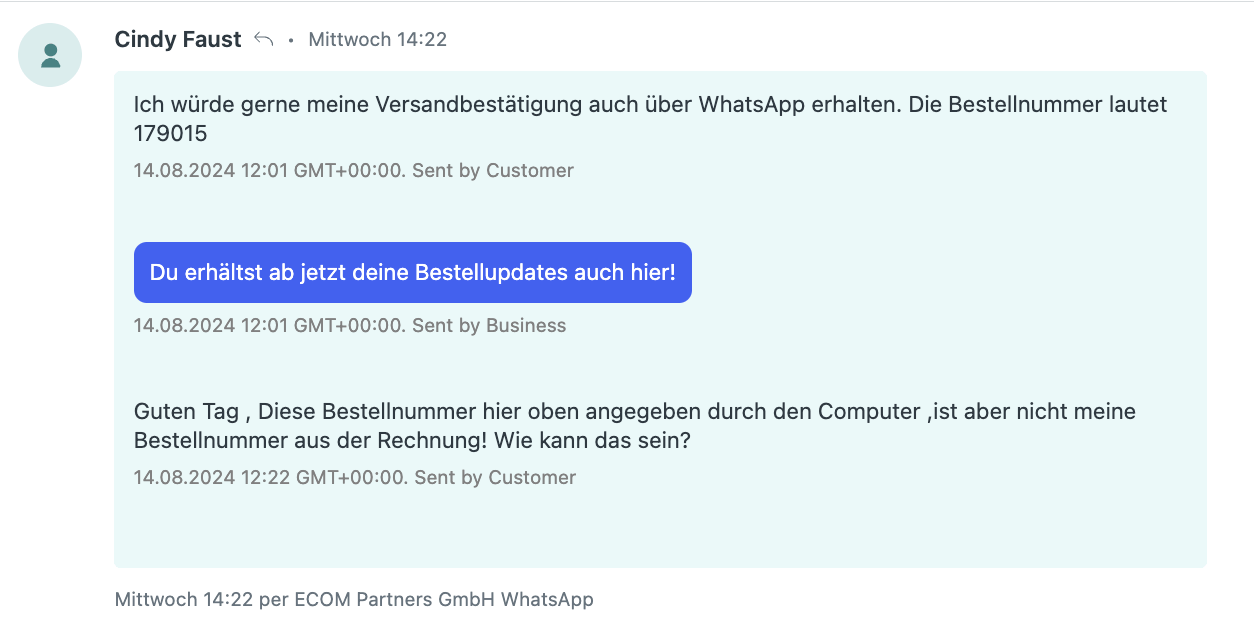 What we're using is the WooCommerce "internal ID". Unfortunately, we have to use it like this because it allows us to read the order via the WooCommerce API. There is currently no workaround for this, but we will adapt it as soon as we find a solution or when WooCommerce offers it.
***
# WooCommerce within flows
***
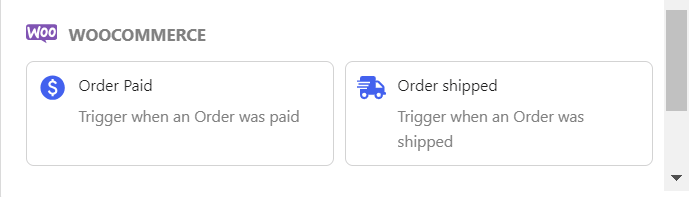
You can also use **WooCommerce Actions to trigger specific Flows**. These triggers include:
**Order shipped and Order Paid.**
For example, you can trigger a client on a **paid order** and send a 14-day delayed message about whether the client was happy with his order and ask for a review on rating platforms such as Trustpilot.
What we're using is the WooCommerce "internal ID". Unfortunately, we have to use it like this because it allows us to read the order via the WooCommerce API. There is currently no workaround for this, but we will adapt it as soon as we find a solution or when WooCommerce offers it.
***
# WooCommerce within flows
***
You can also use **WooCommerce Actions to trigger specific Flows**. These triggers include:
**Order shipped and Order Paid.**
For example, you can trigger a client on a **paid order** and send a 14-day delayed message about whether the client was happy with his order and ask for a review on rating platforms such as Trustpilot.
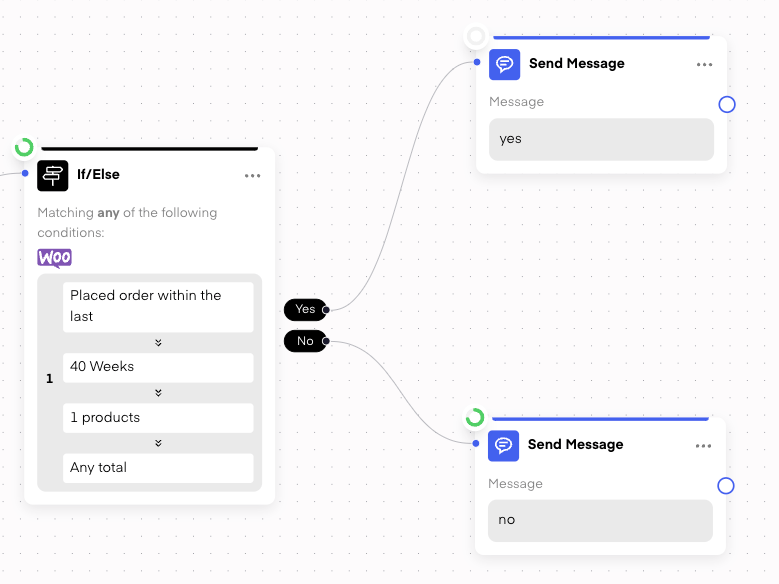
 ## If/Else for Purchase Activity
You can also check within flows, if a customer made an order:
## If/Else for Purchase Activity
You can also check within flows, if a customer made an order:
 ***
# WooCommerce Abandoned Checkout
***
In order to send Abandoned Checkout Messages on WhatsApp, check this Video below:
They **Payload Body** Example, which you can pass in WooCommerce, is the following:
```
{
"email": "#{{billing.email}}",
"phone": "#{{ billing.phone }}",
"firstname": "#{{ billing.first_name }}",
"lastname": "#{{ billing.last_name }}",
"checkoutUrl": "https:///checkout?order_id=#{{ id }}&order_key=#{{order_key}}"
}
```
***
# WooCommerce Abandoned Checkout
***
In order to send Abandoned Checkout Messages on WhatsApp, check this Video below:
They **Payload Body** Example, which you can pass in WooCommerce, is the following:
```
{
"email": "#{{billing.email}}",
"phone": "#{{ billing.phone }}",
"firstname": "#{{ billing.first_name }}",
"lastname": "#{{ billing.last_name }}",
"checkoutUrl": "https:///checkout?order_id=#{{ id }}&order_key=#{{order_key}}"
}
```