> ## Documentation Index
> Fetch the complete documentation index at: https://help.chatarmin.com/llms.txt
> Use this file to discover all available pages before exploring further.
# Klaviyo Integration
> Chatarmin guide: Klaviyo Integration
***
# Chatarmin Klaviyo Integration
***
By connecting your Klaviyo integration, chatarmin automatically syncs contacts and activity with your Klaviyo account.
**Find a video guide on our most important Klaviyo-integration-features:**
* cold leadgen, lead enrichment, and klaviyo pairing
* klaviyo property enrichment and list subscription
* klaviyo segmenting for if/else-splits in flows and campaign-segmenting
* klaviyo events and inflow-webhooks as WhatsApp-flow-triggers
here:
*Source: Chatarmin, Q1, 2024*
***
## Updating Klaviyo properties via a Chatarmin Flow
***
Here's how you can add properties to your Klaviyo account. We can automatically add properties to a Klaviyo account depending on the user's behavior. Depending on which branch of the flow the user goes through we can Update the Klaviyo profile with a property we determine.
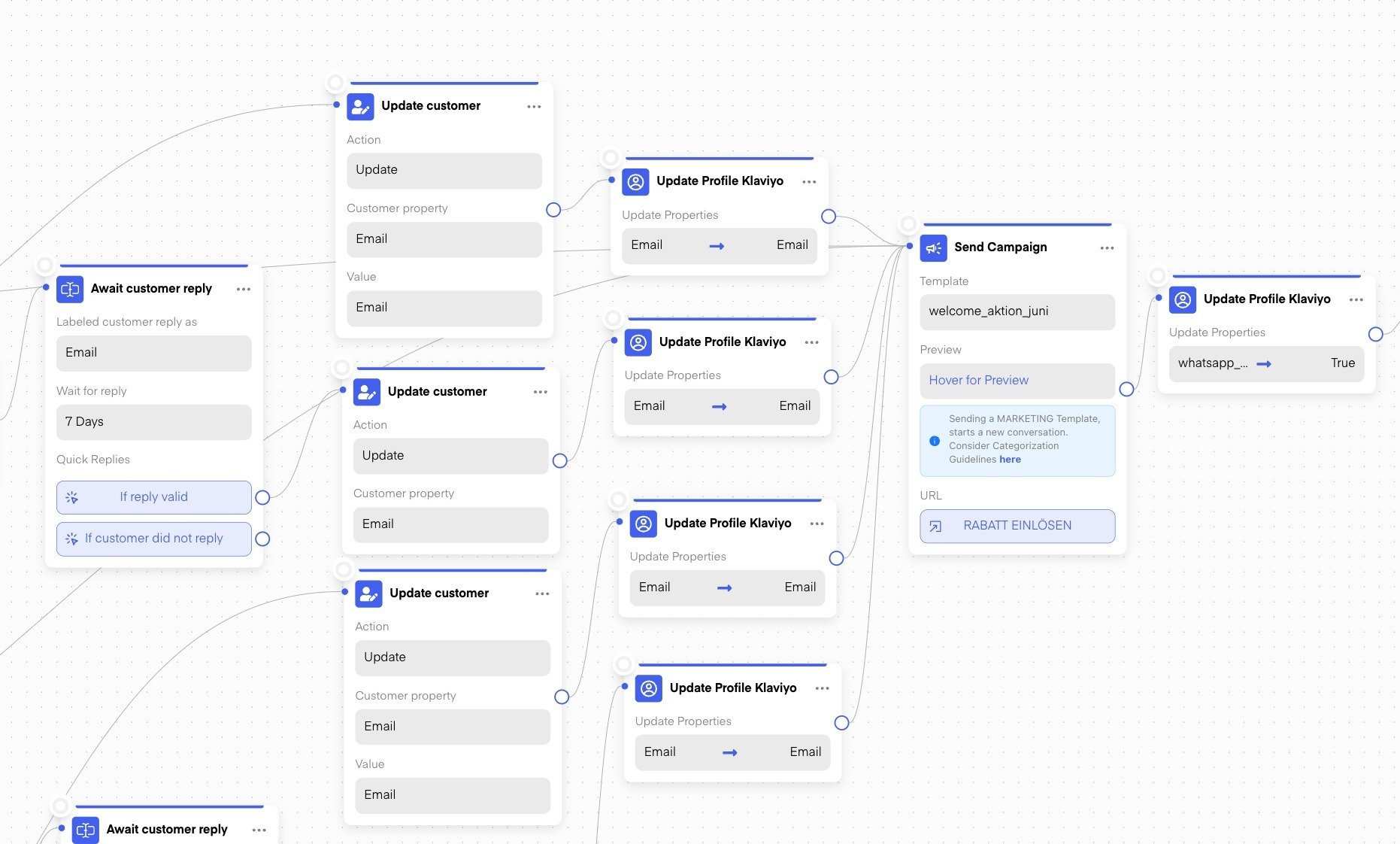 *Source, Chatarmin Q3 2024: 8-figure Shopify\&Klaviyo Ecom-brand syncing all lead-nurture-data from Chatarmin to Klaviyo, so that Email benefits from WA-leadgen and -enrichment*
Additionally, you can subscribe a user to a Klaviyo list depending on the user activity directly:
*Source, Chatarmin Q3 2024: 8-figure Shopify\&Klaviyo Ecom-brand syncing all lead-nurture-data from Chatarmin to Klaviyo, so that Email benefits from WA-leadgen and -enrichment*
Additionally, you can subscribe a user to a Klaviyo list depending on the user activity directly:
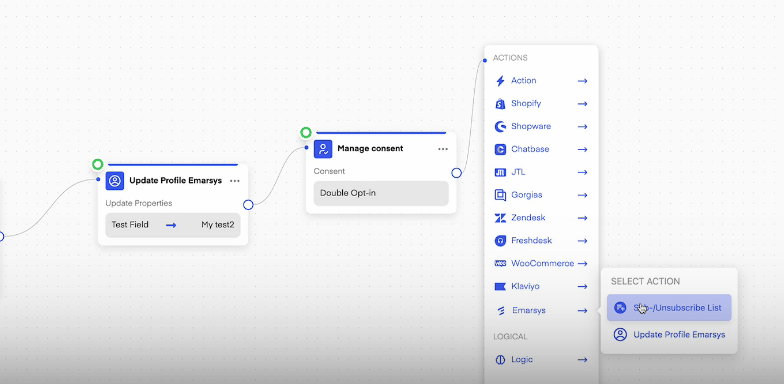 *Source: Chatarmin, Q2 2024*
***
## Automatic Chatarmin property-sync with Klaviyo
***
So that you also know in klaviyo who is opted in in whatsapp/chatarmin & many people forget to add that in their flow, it can be configured in the [Chatarmin-klaviyo-integration-settings](https://chatarmin.com/dashboard/klaviyo/connect):
*Source: Chatarmin, Q2 2024*
***
## Automatic Chatarmin property-sync with Klaviyo
***
So that you also know in klaviyo who is opted in in whatsapp/chatarmin & many people forget to add that in their flow, it can be configured in the [Chatarmin-klaviyo-integration-settings](https://chatarmin.com/dashboard/klaviyo/connect):
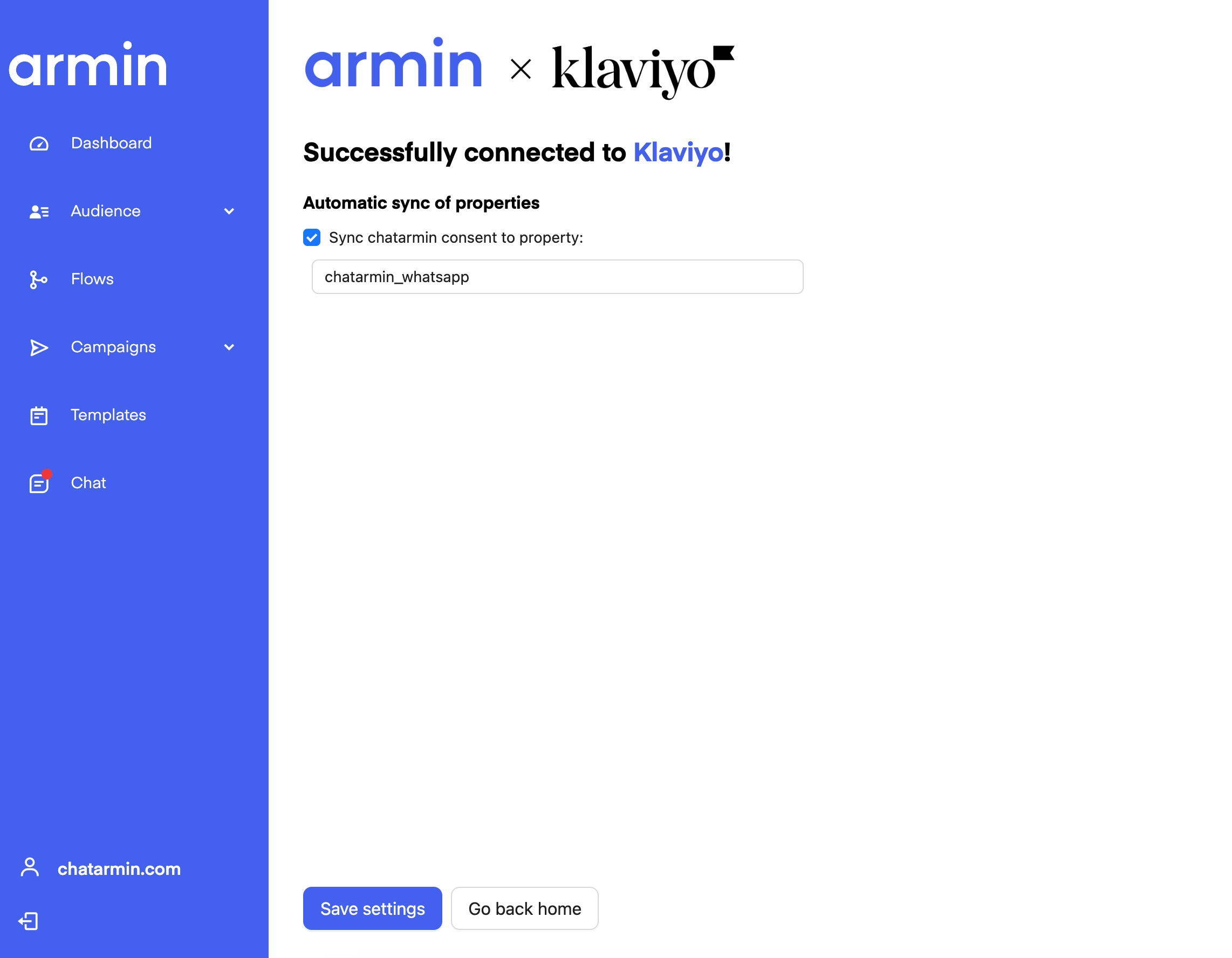 *Source: Chatarmin, Q3 2024*
***
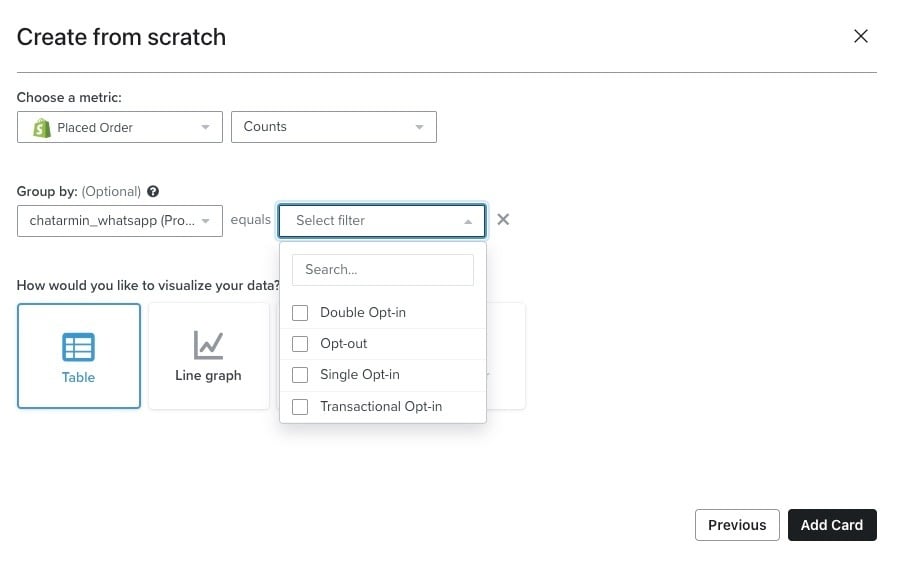
The following WhatsApp-optin-status-properties are automatically being synced between Chatarmin and Klaviyo:
* DOI: Double Optin
* SOI: Single Optin
* TOI: Transactional Optin
* Optout
***Klaviyo will let you create segments based on filters you set, for example:***
**Email & WhatsApp Property Optin:**
*Source: Chatarmin, Q3 2024*
***
The following WhatsApp-optin-status-properties are automatically being synced between Chatarmin and Klaviyo:
* DOI: Double Optin
* SOI: Single Optin
* TOI: Transactional Optin
* Optout
***Klaviyo will let you create segments based on filters you set, for example:***
**Email & WhatsApp Property Optin:**
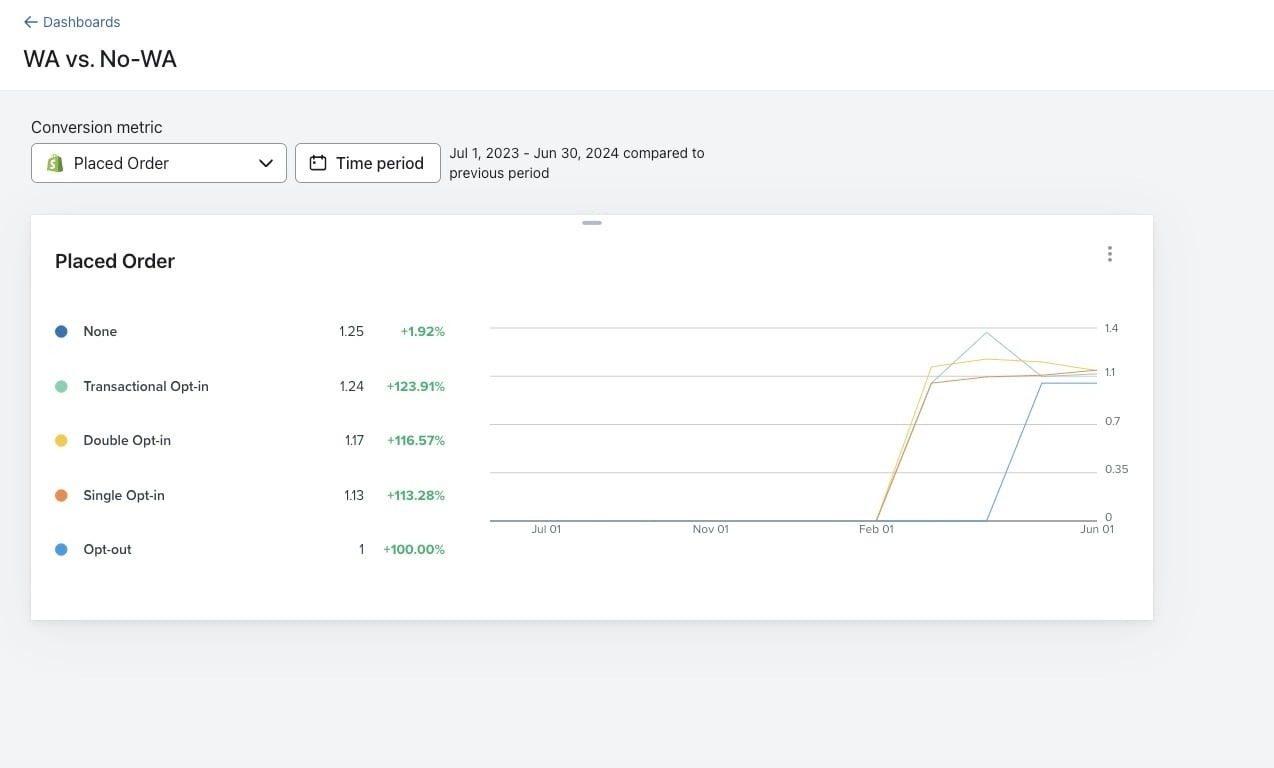
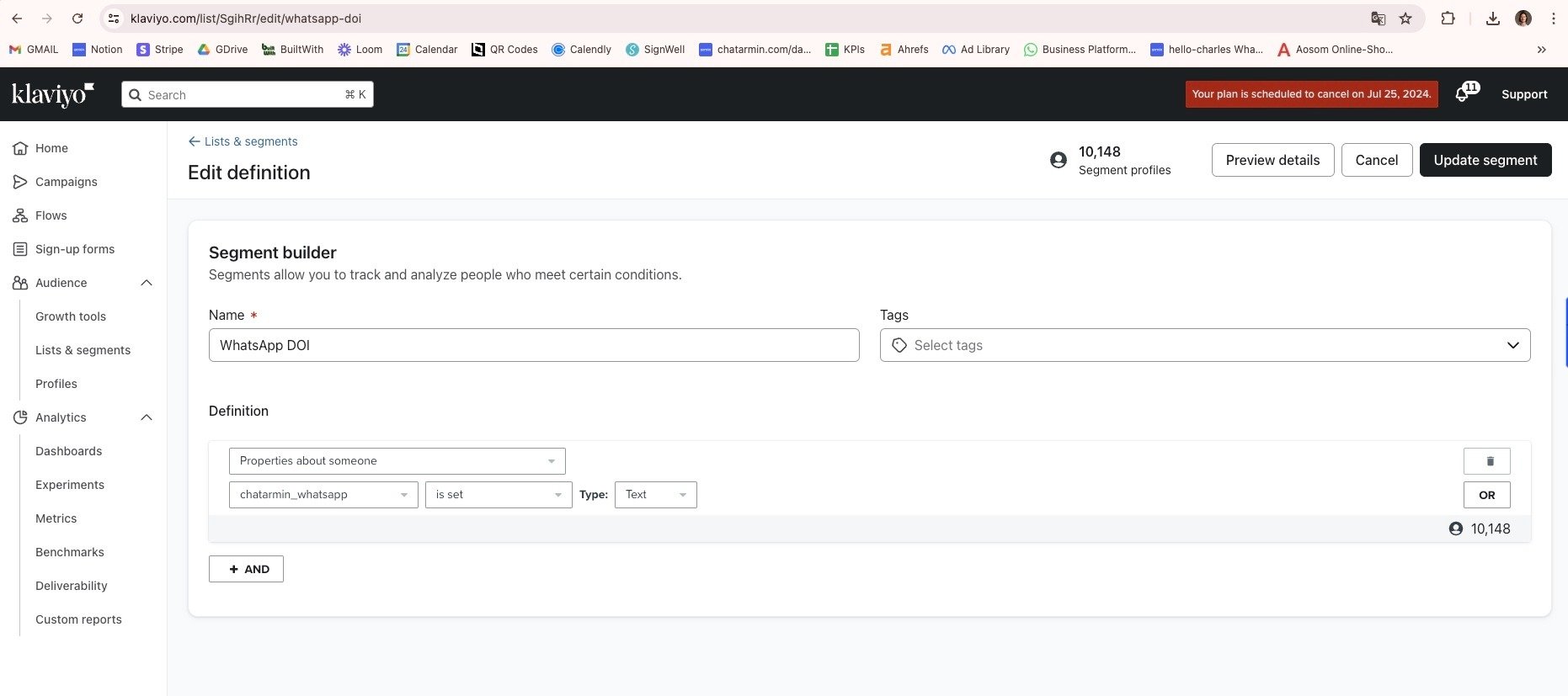 **Incrementality Analysis such as avg. placed order value between the different WhatsApp-Optin-Statusses:**
 **ANY WhatsApp Property, or specific WhatsApp-properties:**
 **CLTV Analysis to generate the incrementality uplift between WhatsApp-leads and Non-WhatsApp-leads:**
***
## Segmentation with Klaviyo
***
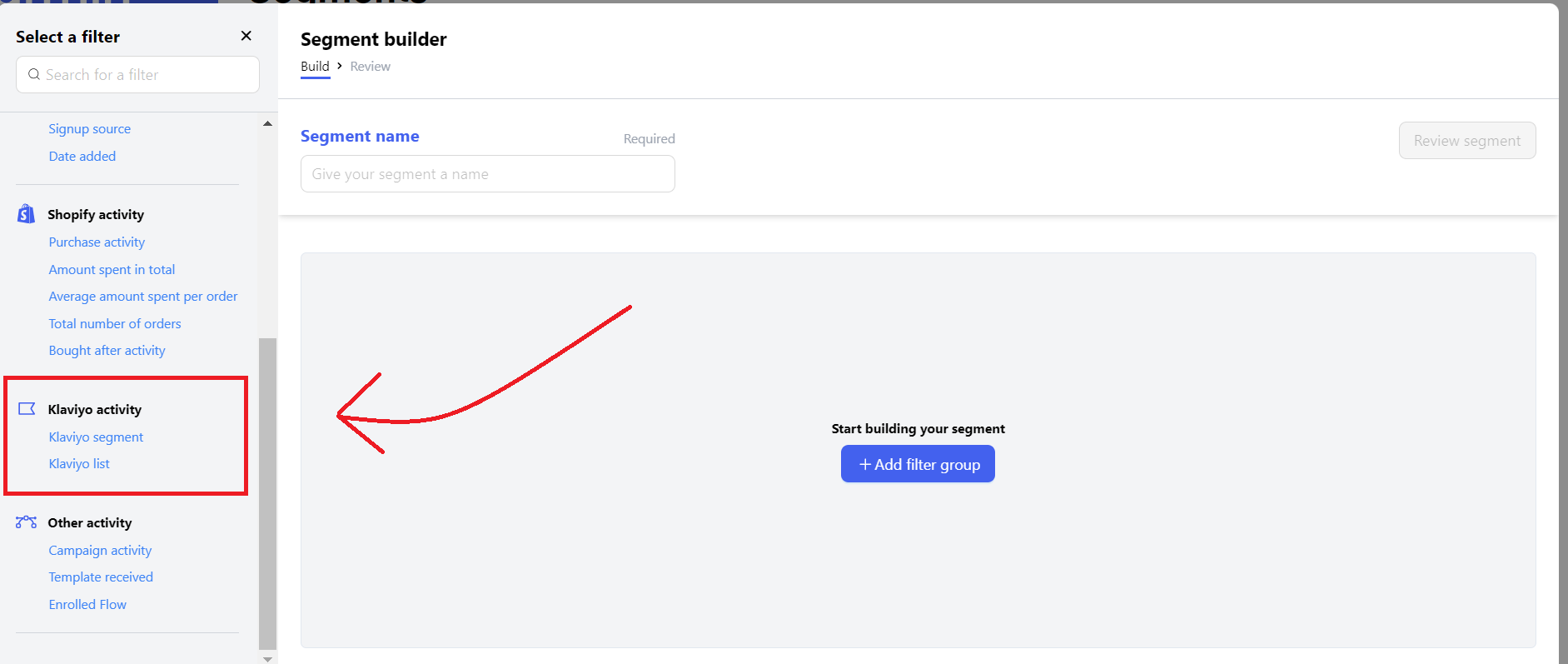
You can use the Klaviyo information you have on your clients to create specific segments. These segments can later be used to do splits in Flows via If/Else splits or to send campaigns to specific user cohorts.
**CLTV Analysis to generate the incrementality uplift between WhatsApp-leads and Non-WhatsApp-leads:**
***
## Segmentation with Klaviyo
***
You can use the Klaviyo information you have on your clients to create specific segments. These segments can later be used to do splits in Flows via If/Else splits or to send campaigns to specific user cohorts.
 ***
## Klaviyo within flows
***
You can also use your Klaviyo information inside of flows:
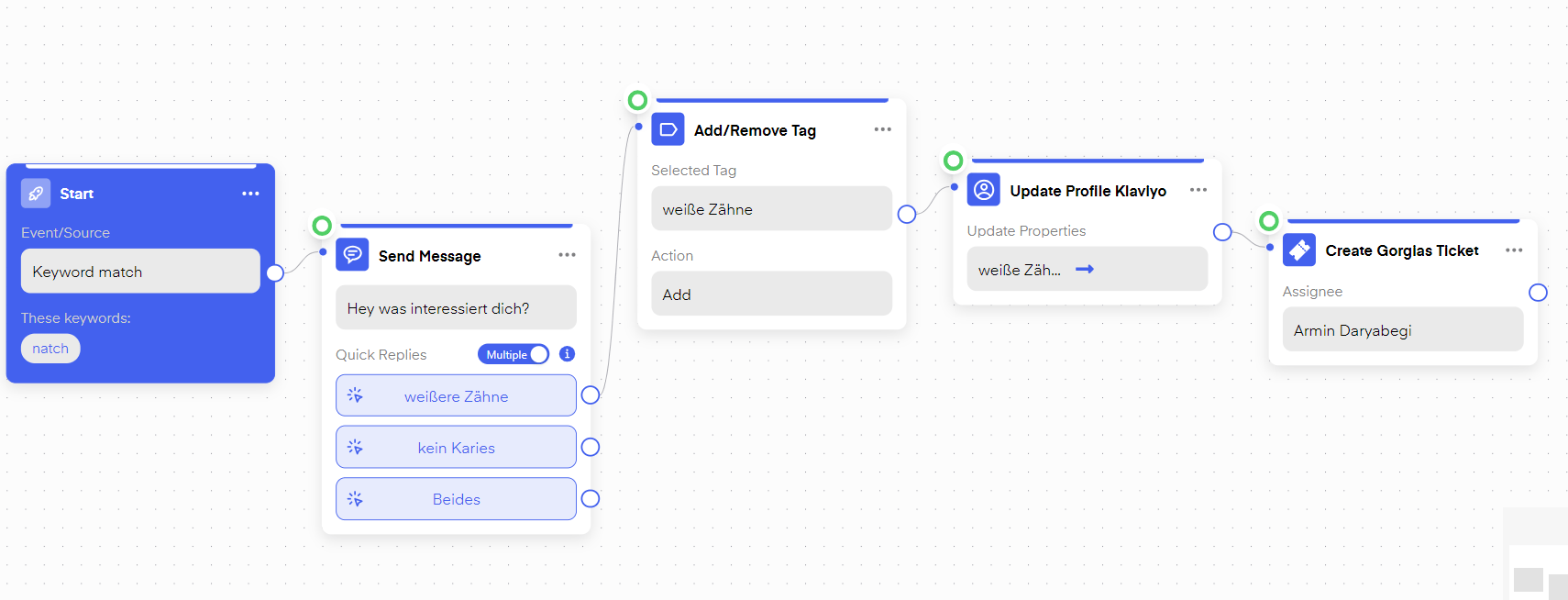
For instance, you can update Klaviyo Accounts with specific properties depending on user behavior inside of Chatarmin Flows.
***
## Klaviyo within flows
***
You can also use your Klaviyo information inside of flows:
For instance, you can update Klaviyo Accounts with specific properties depending on user behavior inside of Chatarmin Flows.
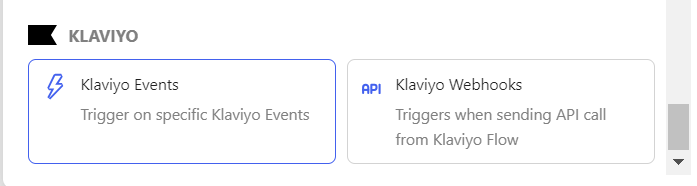
 You can also use Klaviyo Actions to trigger specific Flows. These triggers include:
***
## **Klaviyo Events and Klaviyo Webhooks**
***
##
You can also use Klaviyo Actions to trigger specific Flows. These triggers include:
***
## **Klaviyo Events and Klaviyo Webhooks**
***
##
 ***
### **Klaviyo Events:**
***
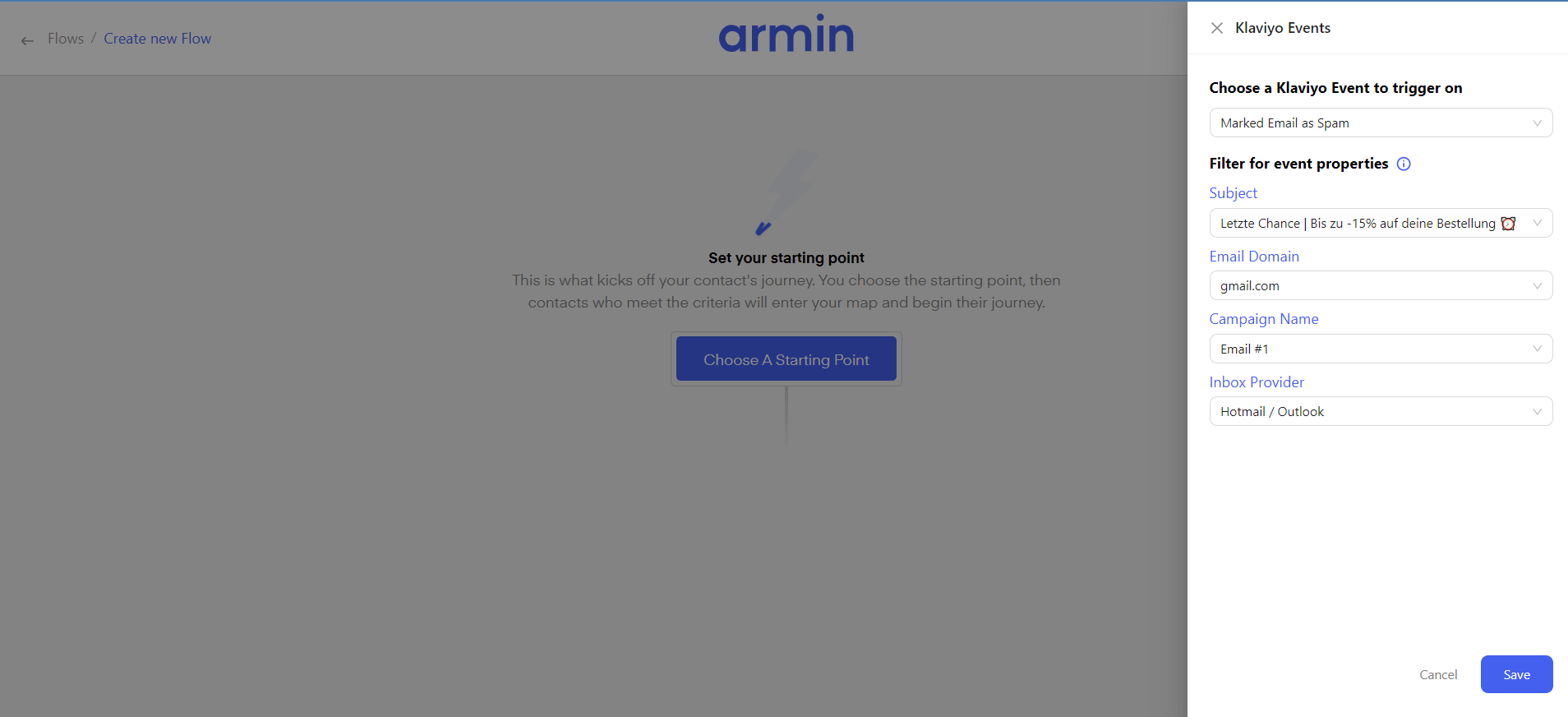
For example, you can trigger an automated Flow in Chatarmin if an E-Mail landed in a recipient's Spam-Inbox.
***
### **Klaviyo Events:**
***
For example, you can trigger an automated Flow in Chatarmin if an E-Mail landed in a recipient's Spam-Inbox.
 ***
### **Klaviyo Webhooks**
***
You can trigger a Chatarmin flow, within a Klaviyo Flow with a Webhook. This can be used to retarget customers you can not reach via E-Mail anymore, for example, you could trigger an automated WhatsApp Flows, when a buyer has 5 unopened E-Mails in a row.
To create a "Chatarmin-Klaviyo Webhook" Flow insert a Webhook inside of a "Klaviyo Flow".
***
### **Klaviyo Webhooks**
***
You can trigger a Chatarmin flow, within a Klaviyo Flow with a Webhook. This can be used to retarget customers you can not reach via E-Mail anymore, for example, you could trigger an automated WhatsApp Flows, when a buyer has 5 unopened E-Mails in a row.
To create a "Chatarmin-Klaviyo Webhook" Flow insert a Webhook inside of a "Klaviyo Flow".
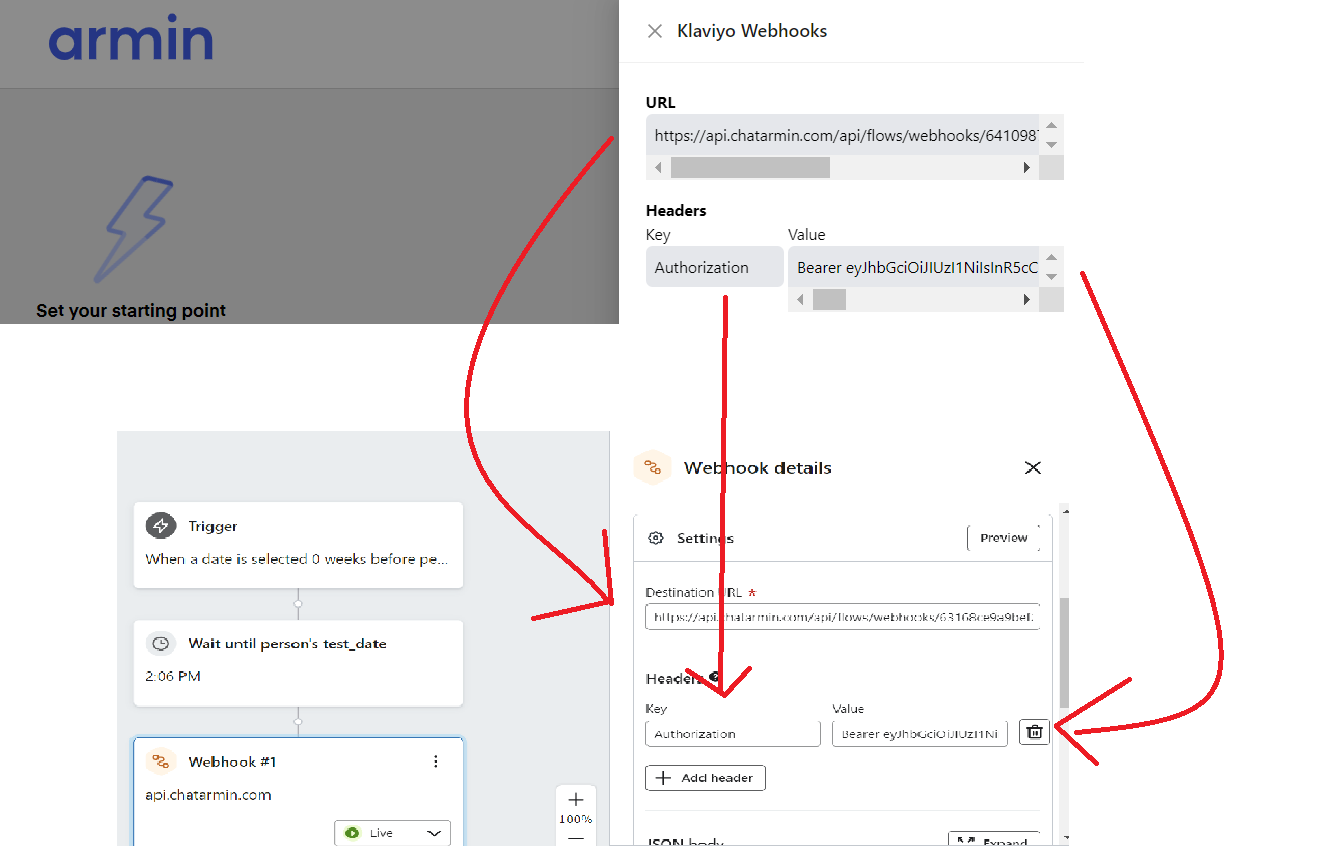
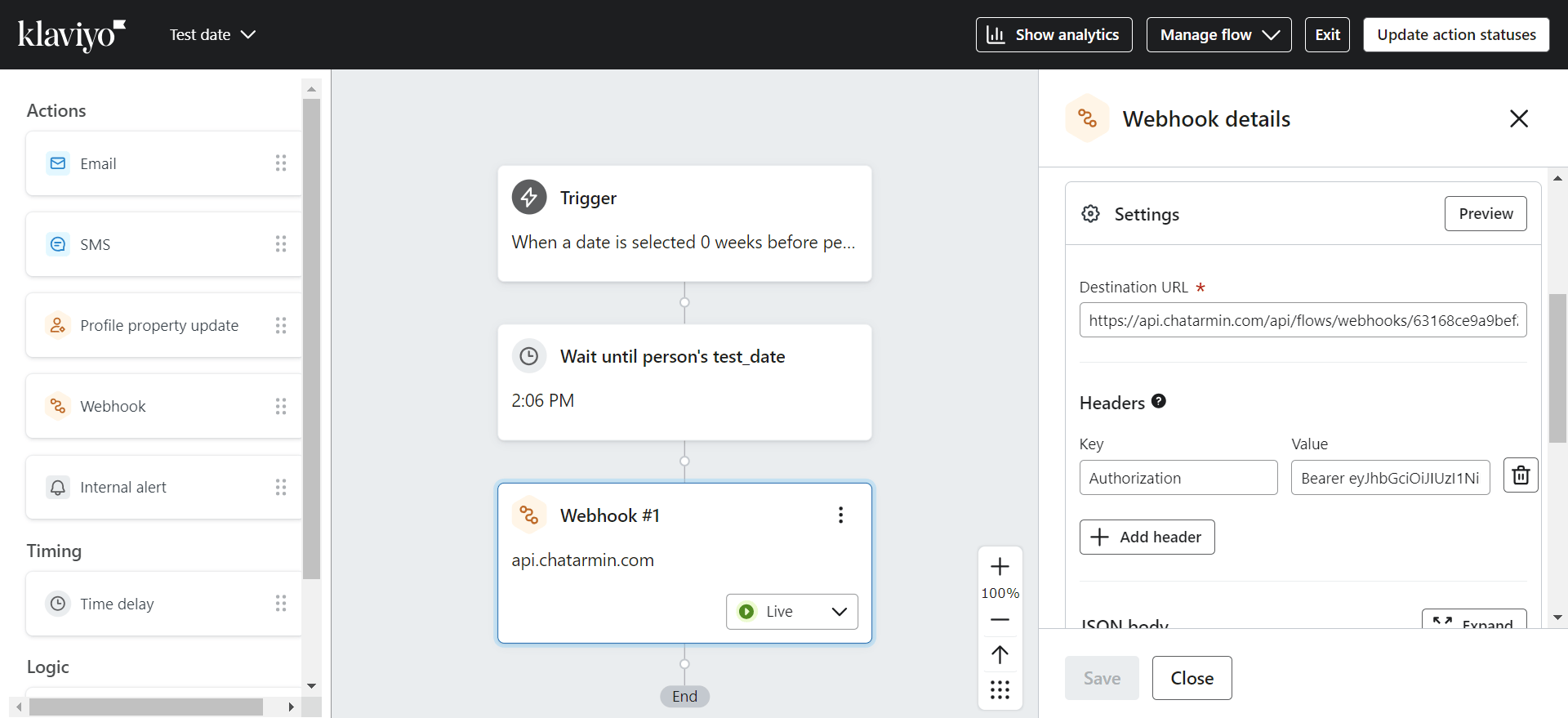 Go to chatarmin.com/flows and create a Flow with the trigger "Klaviyo Webhooks". Copy and paste the shown URL and Headers to your Klaviyo Webhook.
 Then paste the following payload into both JSON bodies:
`{`
`"email": "#{{ person.email }}",`
`"phone":"#{{person.phone_number}}"`
`}`
***
### **Klaviyo Forms to WhatsApp & Webhook triggers for WhatsApp flows**
***
**VIDEO:** Checkout how to enrich WhatsApp leads through klaviyo forms and trigger WhatsApp flows through klaviyo forms and enrich leads from the get-go, through klaviyo forms:
*Source: Chatarmin, Q2 2024*
***
***Bonus:*** Checkout Klaviyo's official documentation on Webhooks [here](https://help.klaviyo.com/hc/en-us/articles/4534329515931).
Then paste the following payload into both JSON bodies:
`{`
`"email": "#{{ person.email }}",`
`"phone":"#{{person.phone_number}}"`
`}`
***
### **Klaviyo Forms to WhatsApp & Webhook triggers for WhatsApp flows**
***
**VIDEO:** Checkout how to enrich WhatsApp leads through klaviyo forms and trigger WhatsApp flows through klaviyo forms and enrich leads from the get-go, through klaviyo forms:
*Source: Chatarmin, Q2 2024*
***
***Bonus:*** Checkout Klaviyo's official documentation on Webhooks [here](https://help.klaviyo.com/hc/en-us/articles/4534329515931).