> ## Documentation Index
> Fetch the complete documentation index at: https://help.chatarmin.com/llms.txt
> Use this file to discover all available pages before exploring further.
# Gorgias - Creating and Solving Tickets
> Chatarmin guide: Gorgias - Creating and Solving Tickets
***
# 🧳 Creating Gorgias Tickets
***
In Chatarmin, you can automatically create Gorgias tickets when customers send messages or certain buzzwords trigger the creation of a ticket. This ensures that support teams are promptly notified of any customer inquiries.
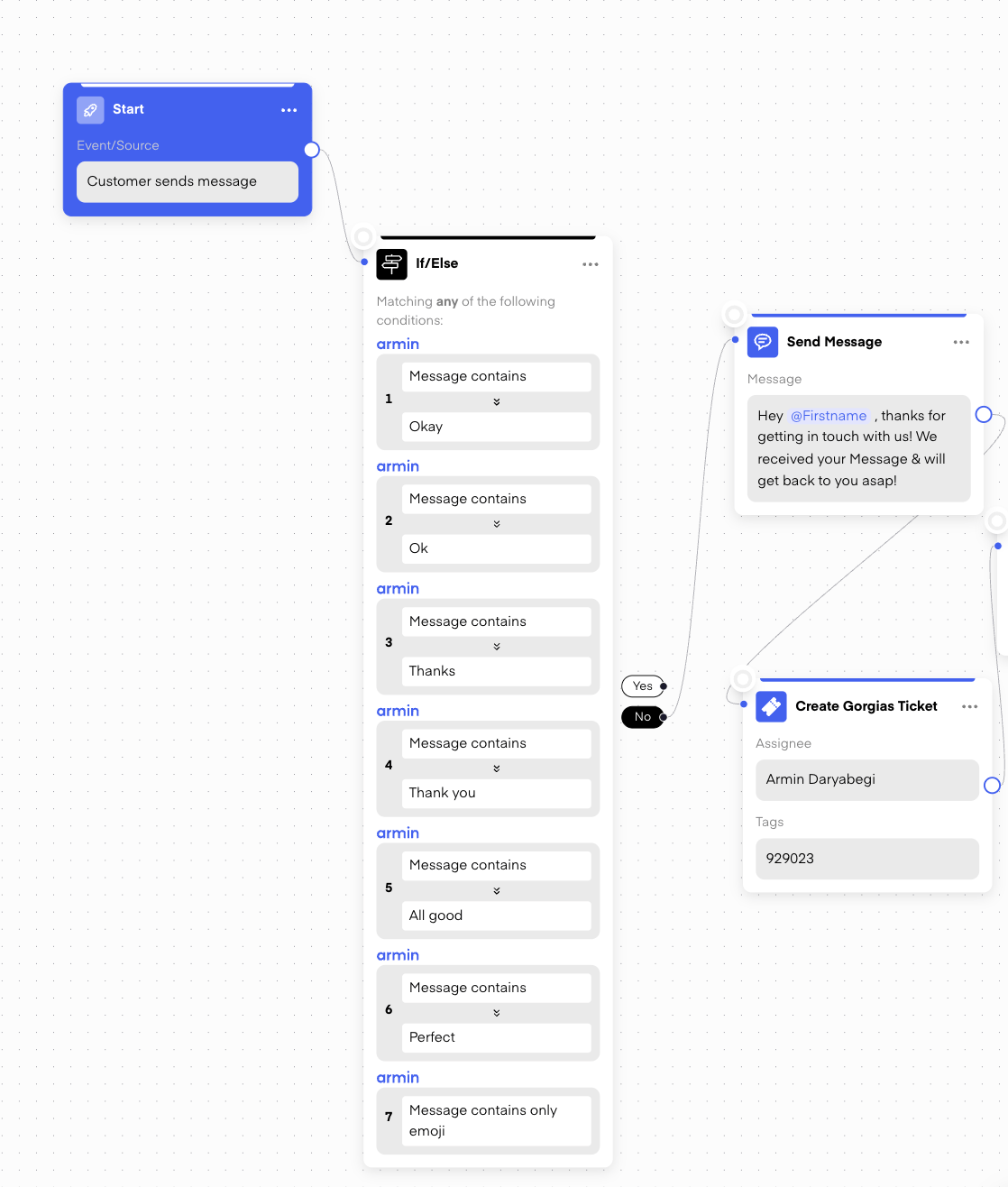
However, it’s crucial to **filter messages** properly to avoid unnecessary ticket creation. You don’t want every single message (like "Thank you" or "Okay") to create a ticket. By using **If/Else conditions**, you can exclude common responses like "Thank you," emojis, or simple acknowledgments.
 ## **Example:**
* **If message contains:** "Thank you" or "Okay" → **No ticket creation.**
* **If message contains:** “Where is my order?” or “I need help” → **Create Gorgias Ticket.**
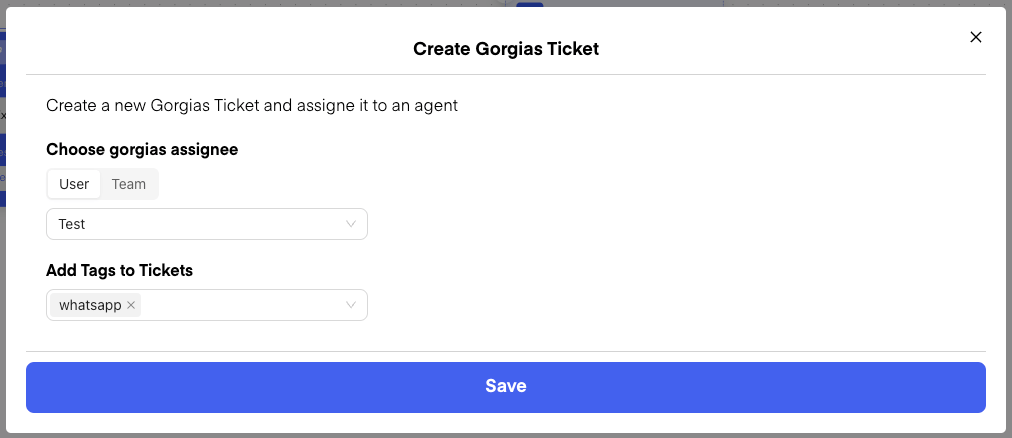
When a Gorgias ticket is created, you can assign it to specific **users** or a **team** for follow-up. This allows you to make sure that the right person or department handles the support request, streamlining the process and ensuring fast responses. To organize your support process, you can assign tags like "WhatsApp" to tickets, making it easy to identify and differentiate them from other channels.
You can also **automatically distribute tickets** across your team by using an A/B split, making sure that workload is evenly distributed.
## **Example:**
* **If message contains:** "Thank you" or "Okay" → **No ticket creation.**
* **If message contains:** “Where is my order?” or “I need help” → **Create Gorgias Ticket.**
When a Gorgias ticket is created, you can assign it to specific **users** or a **team** for follow-up. This allows you to make sure that the right person or department handles the support request, streamlining the process and ensuring fast responses. To organize your support process, you can assign tags like "WhatsApp" to tickets, making it easy to identify and differentiate them from other channels.
You can also **automatically distribute tickets** across your team by using an A/B split, making sure that workload is evenly distributed.
 Once a Gorgias ticket is created within Chatarmin, your ticket will enter your ticketing inbox in your Gorgias account. In Gorgias, you can then reply to the messages, but you can also start conversations using **Templates**.
***
## ⏳ Preventing Multiple Tickets for Multiple Messages
***
A common issue is that a customer might send several messages in a short span, which can result in multiple tickets being created for the same issue.
**Solution:**
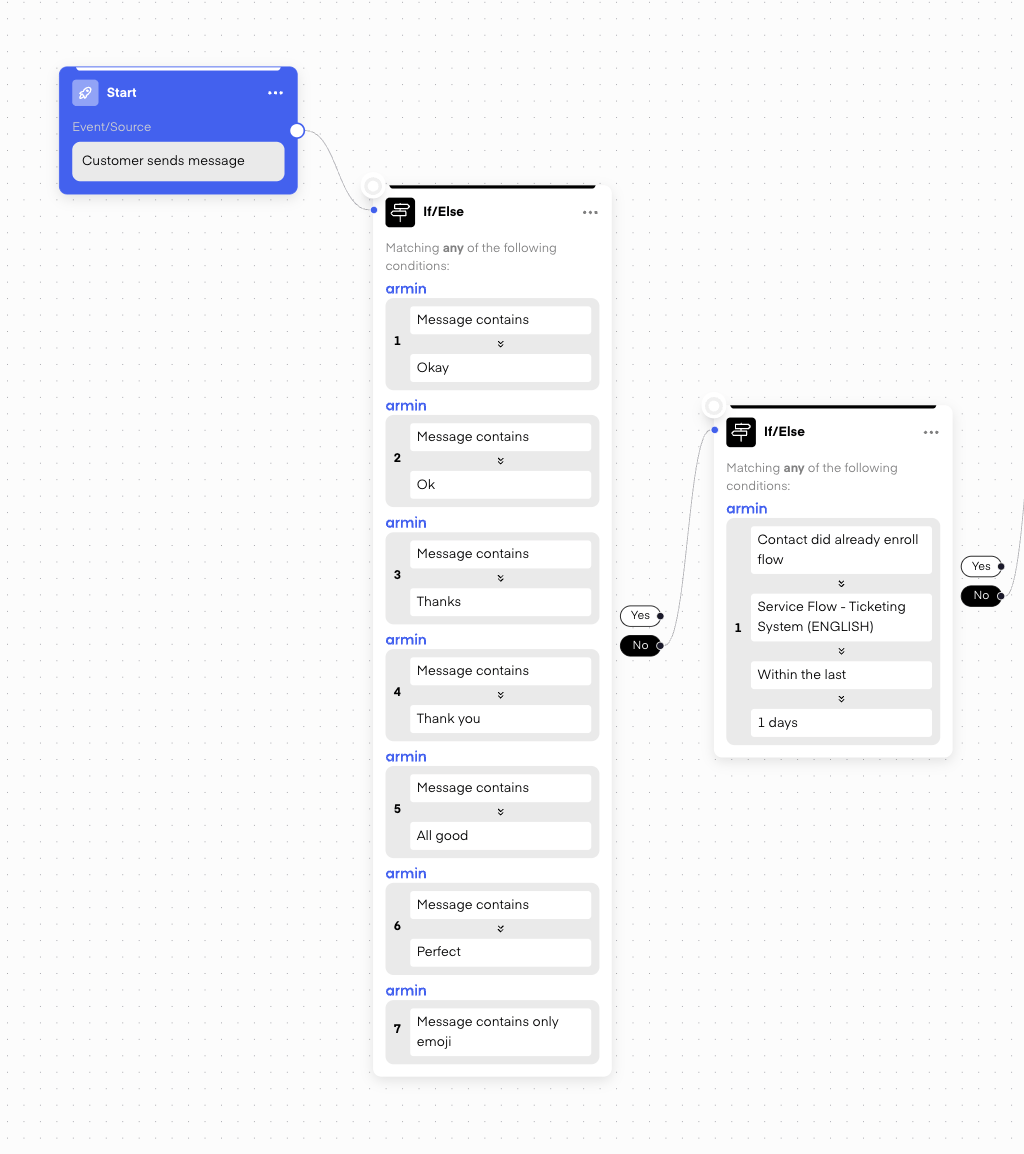
You can set up a **second filter** to check if the customer has already completed the flow within the last day. If the flow has already been completed and a ticket was created, no new ticket will be made. This ensures that only one ticket is created per flow, even if the customer sends multiple messages.
Once a Gorgias ticket is created within Chatarmin, your ticket will enter your ticketing inbox in your Gorgias account. In Gorgias, you can then reply to the messages, but you can also start conversations using **Templates**.
***
## ⏳ Preventing Multiple Tickets for Multiple Messages
***
A common issue is that a customer might send several messages in a short span, which can result in multiple tickets being created for the same issue.
**Solution:**
You can set up a **second filter** to check if the customer has already completed the flow within the last day. If the flow has already been completed and a ticket was created, no new ticket will be made. This ensures that only one ticket is created per flow, even if the customer sends multiple messages.
 Alternatively, you can opt to create a ticket **only when a customer sends an image/video**, especially when using an AI for automation, to better manage ticket creation and ensure it’s triggered by more significant actions.
***
## 🔄 Ticket Conditions
***
You can also set conditions to check whether a Gorgias ticket has already been **closed** or is still **open**.
### **Example Workflow:**
1. If the ticket is **closed**, send a message like:\
“Your request has been closed. If you need further assistance, feel free to reach out.”
2. If the ticket is **open**, send a message like:\
“Our team is taking care of your request and will get back to you as soon as possible.”
Alternatively, you can opt to create a ticket **only when a customer sends an image/video**, especially when using an AI for automation, to better manage ticket creation and ensure it’s triggered by more significant actions.
***
## 🔄 Ticket Conditions
***
You can also set conditions to check whether a Gorgias ticket has already been **closed** or is still **open**.
### **Example Workflow:**
1. If the ticket is **closed**, send a message like:\
“Your request has been closed. If you need further assistance, feel free to reach out.”
2. If the ticket is **open**, send a message like:\
“Our team is taking care of your request and will get back to you as soon as possible.”
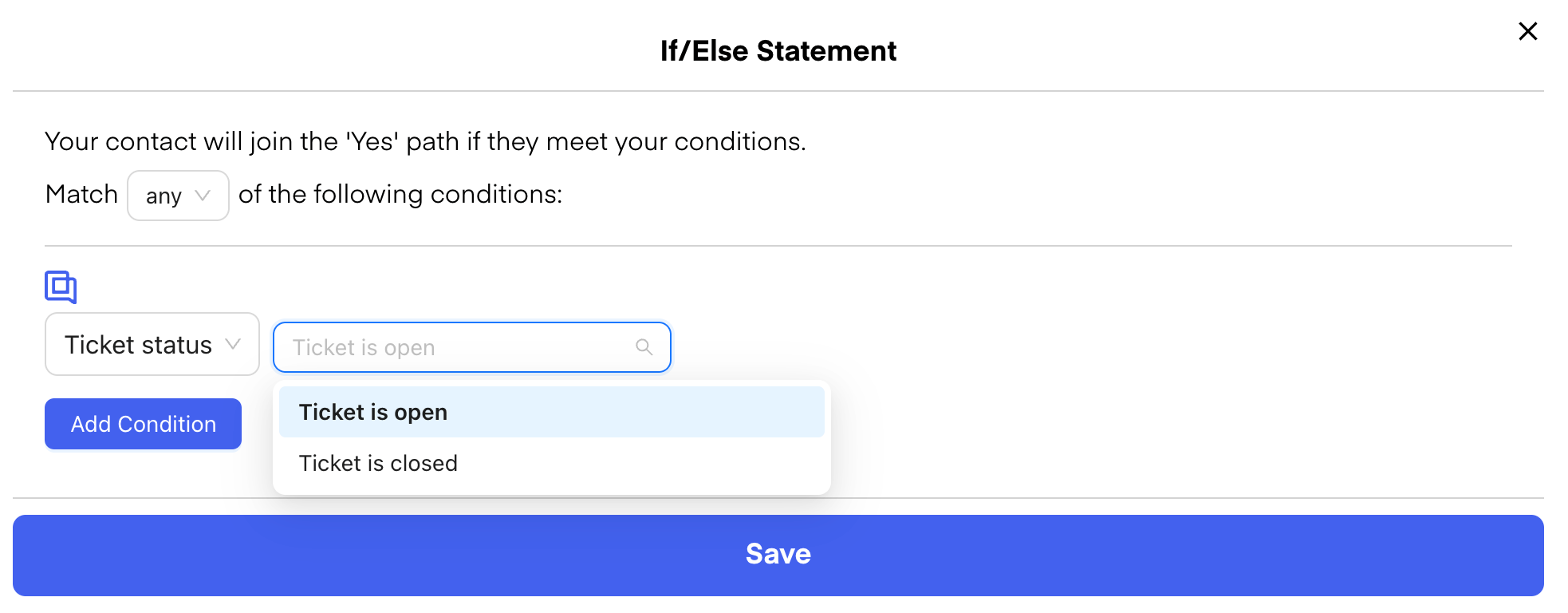 This helps keep customers informed about the status of their requests without manually checking ticket statuses in Gorgias.