> ## Documentation Index
> Fetch the complete documentation index at: https://help.chatarmin.com/llms.txt
> Use this file to discover all available pages before exploring further.
# Voucher Pools
> Chatarmin guide: Voucher Pools
## 🚨 For creating dynamic Discount Codes **with an expiration date** in Flows (Shopify only!), feel free to check out [this Guide](/integrations/shopify/shopify-creating-a-dynamic-discount-code-and-using-it-in-chatarmin)
***
# Voucher Pools
***
Feel free to watch this video guide on Chatarmin's WhatsApp Voucher Pools:
*Source: Chatarmin, Q1 2024*
***
## Creating your first Voucher Pool
***
Navigate to the [Voucher Pool Page](https://chatarmin.com/dashboard/audience/voucher-pools) and click on **Create Voucher Pool**
Now you will be asked to input certain fields. Lets go through them together:
1. **Pool Name:** Here you just give your Voucher Pool a **name** so you can distinguish it in the future
2. **Upload a File:** Here you will need to **upload a CSV File** with the Discount Codes. The Tool should work with **various formats**, but below are **two examples of CSV** Files / Structures:
```
<---- Seperated by line ---->
8113EVWGBGVF
81112394BGVF
1237SDKA8LKD
```
```
<---- With Headers ---->
Code,Create,Times Used In Total
8113EVXJNXS,2023-11-29 12:21:37 -0500,0
8113EVRGAKK,2023-11-29 12:21:37 -0500,0
8113EVOWWZL,2023-11-29 12:14:51 -0500,0
8113EEJWRBK,2023-11-29 11:38:08 -0500,0
```
3. **Reminder Threshold:** Here you can set, at what threshold, you will be notified when vouchers are getting empty
4. **Reminder Email Addresses:** Based on your [Notification Settings](https://chatarmin.com/dashboard/profile?page=notifications), the emails will be contacted when the Threshold was hit
5. **Fallback Options:** Here you can specify, if messages using that Voucher Pool should be still send, after **every Code was redeemed** and if so, what **"Fallback Code"** will be used
***
## Using Voucher Pools
***
Now we are going to show you, on where & how you can use the Voucher Pools
## Campaigns
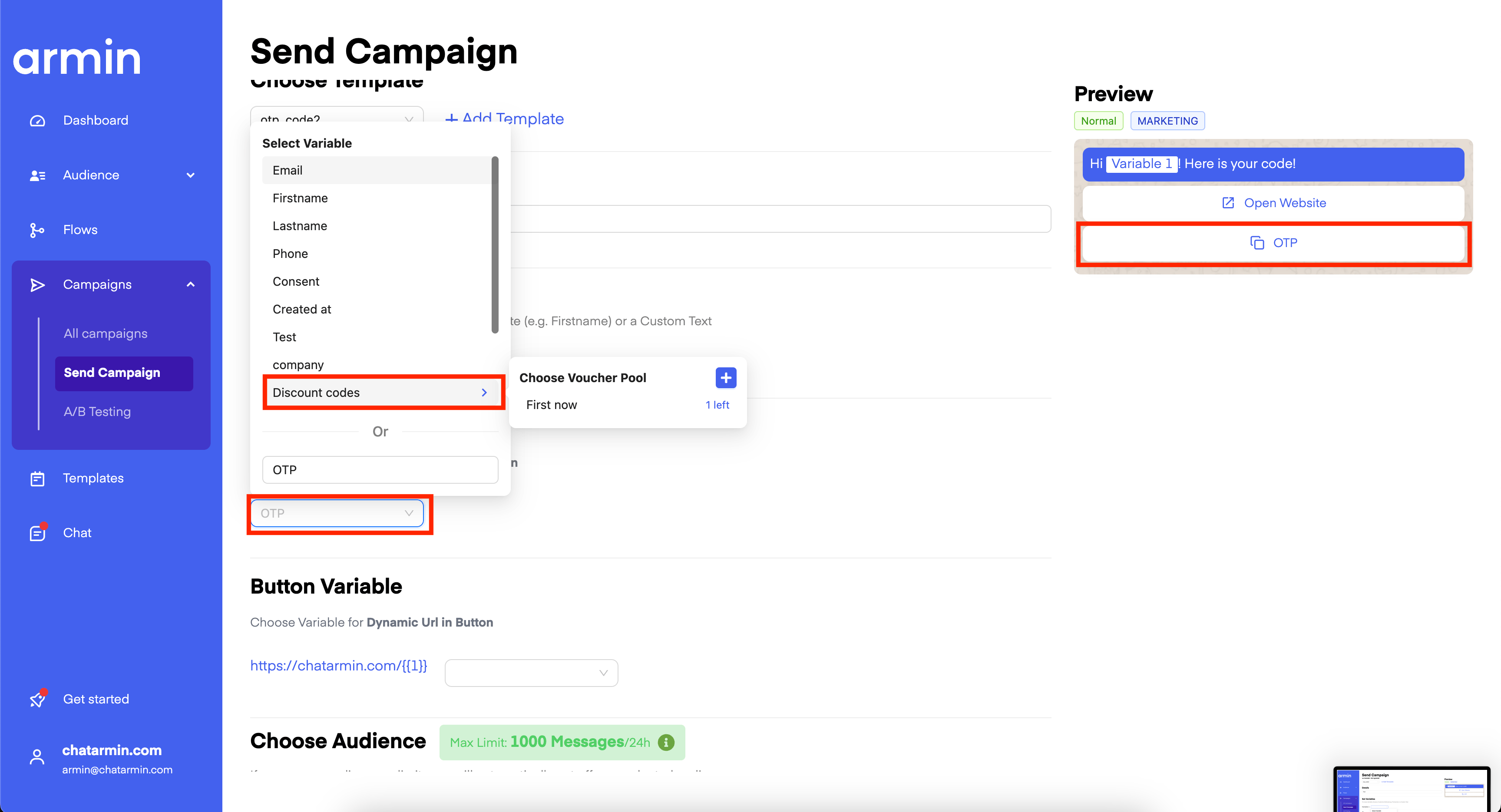
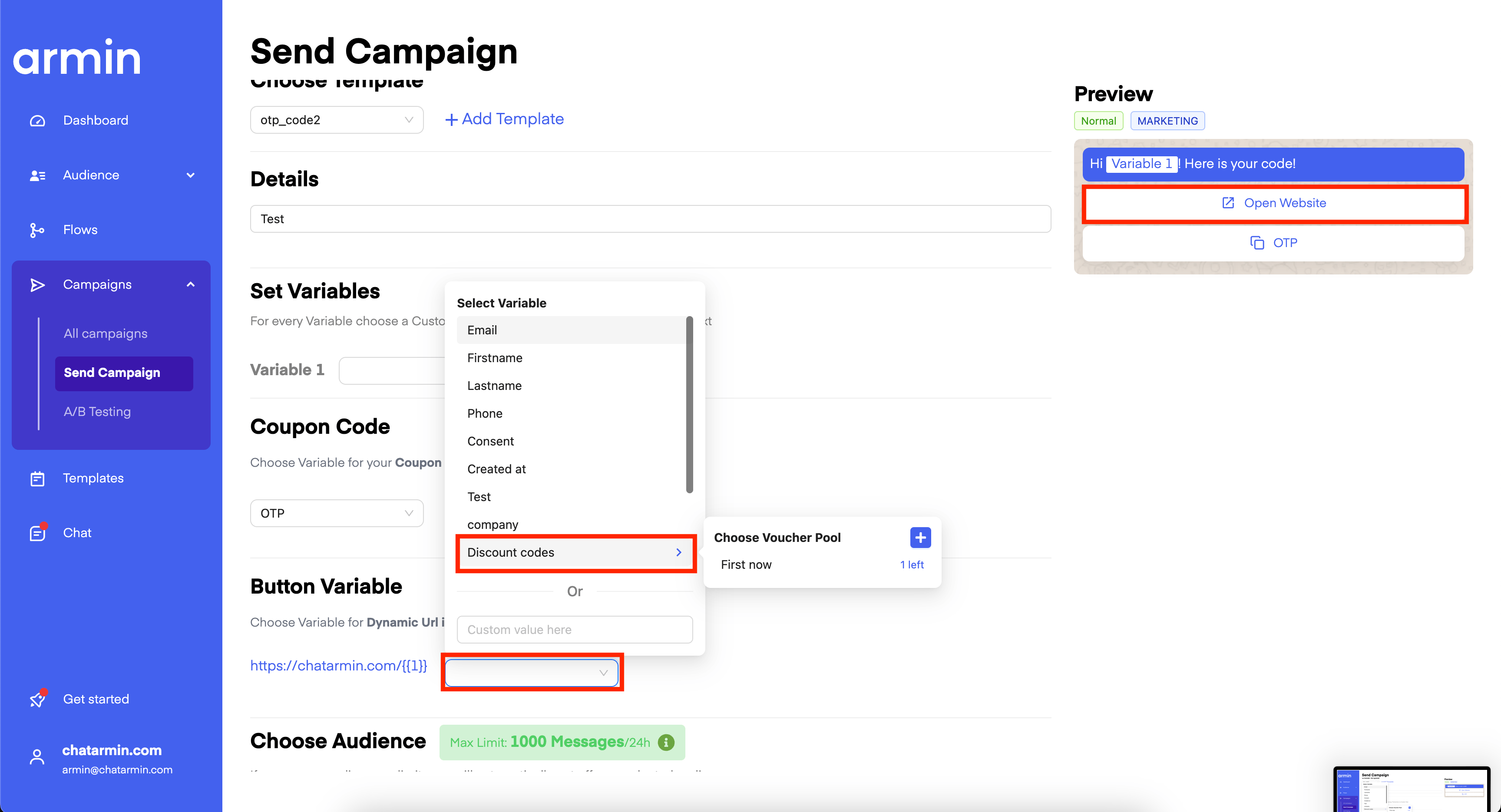
You can use the Voucher Pools with any **Template** that has:
* A **Variable** in the **Body**
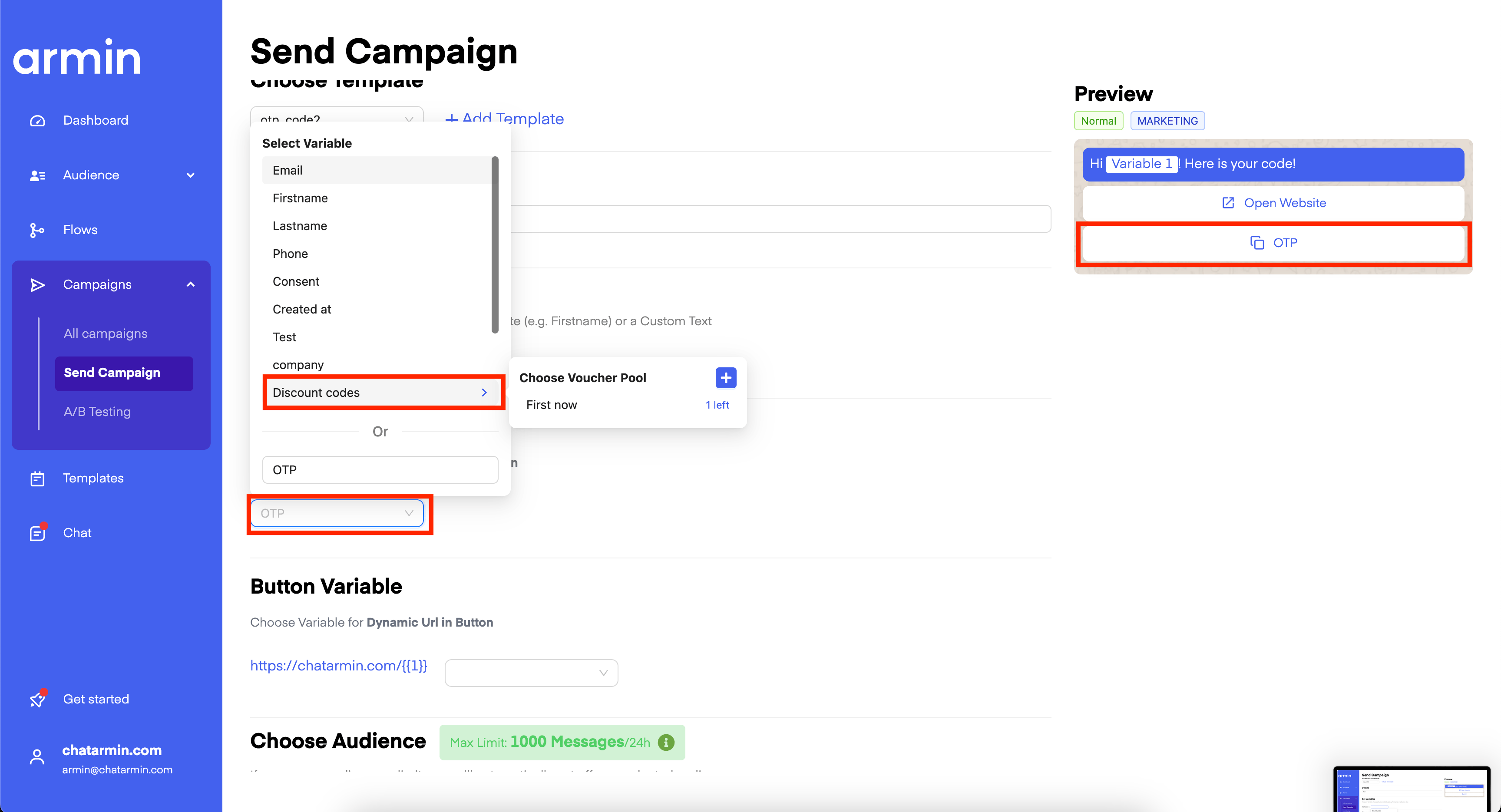 * A [Coupon Code Button](/features-in-depth/templates/coupon-code-button)
 * A **Dynamic Url** *(ending with* ***#\{\{1}}**\*\*)*
 ***
## Voucher Pools in Flows
***
This can also be used in the Flows using Templates, for example with a Coupon Code Button:
***
## Voucher Pools in Flows
***
This can also be used in the Flows using Templates, for example with a Coupon Code Button:
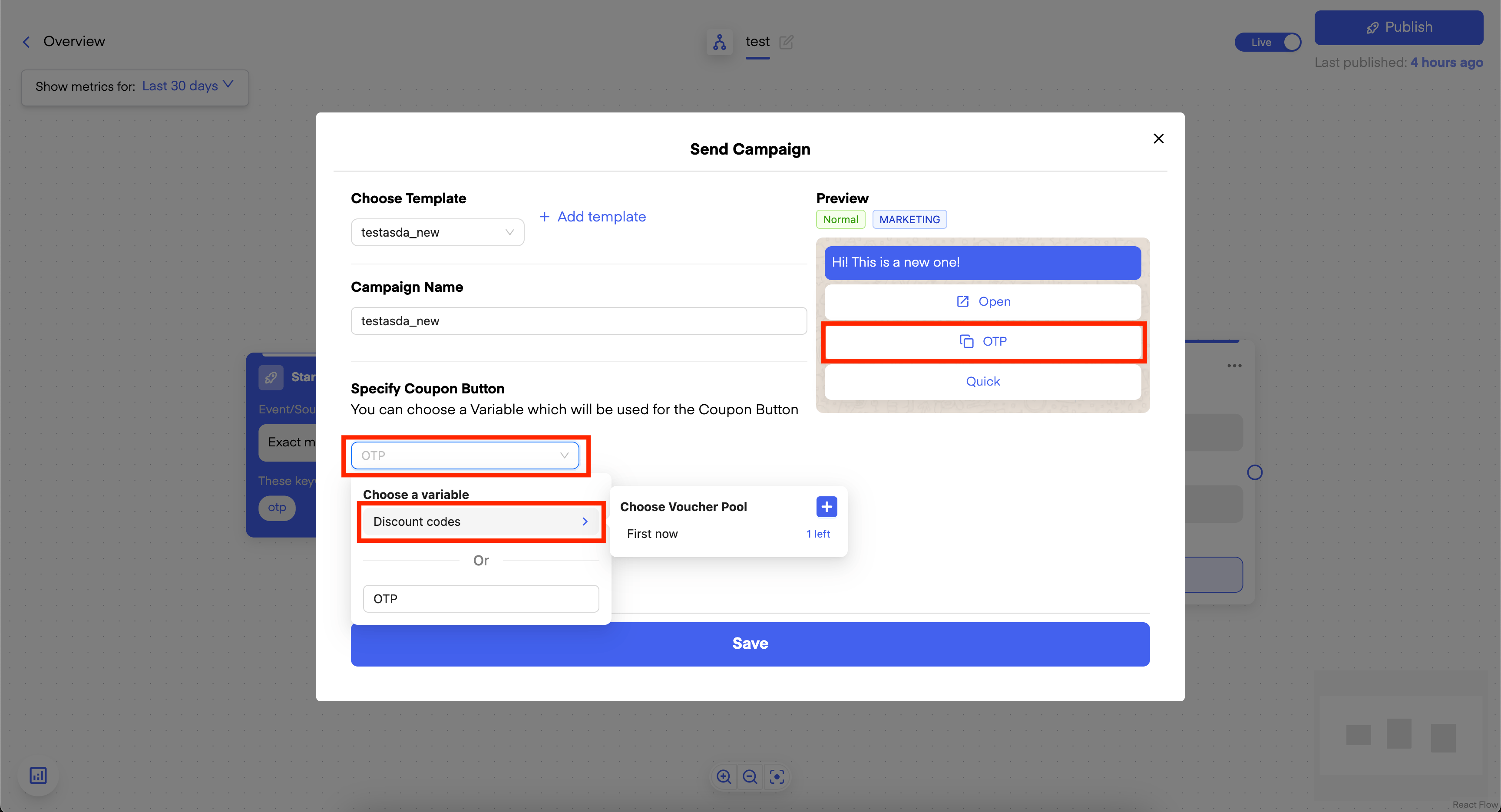 ***NOTE:*** *Whenever you use the Voucher Pool in multiple Variables, it will always be taken the same and only one Code*
Thats it! Congrats, you have created your first Voucher Pool! 🎉
***
***BONUS:*** Learn more about [Dynamic Buttons and Coupon Buttons in this article!](/features-in-depth/templates/coupon-code-button)
***NOTE:*** *Whenever you use the Voucher Pool in multiple Variables, it will always be taken the same and only one Code*
Thats it! Congrats, you have created your first Voucher Pool! 🎉
***
***BONUS:*** Learn more about [Dynamic Buttons and Coupon Buttons in this article!](/features-in-depth/templates/coupon-code-button)