> ## Documentation Index
> Fetch the complete documentation index at: https://help.chatarmin.com/llms.txt
> Use this file to discover all available pages before exploring further.
# Multi-Language Flow Setup
> Chatarmin guide: Multi-Language Flow Setup
## Introduction
If your audience speaks more than one language, Chatarmin makes it easy to communicate with each contact in their preferred language. The core idea is simple: **assign a language tag (e.g.** `DE` **or** `EN`**) to each contact at the earliest possible touchpoint**, and then use If/Else splits throughout your flows to send the right message in the right language.
***
## How It Works: Tags as Language Identifiers
The foundation of a multi-language setup in Chatarmin is the **Add/Remove Tag** node. Whenever a contact enters a flow, you assign them a language tag (`DE` or `EN`). From that point on, every flow can simply check for that tag using an **If/Else** node and route the contact to the correct language path - no need to ask again.
***
## Setting Up Language Detection at Each Touchpoint
### 1. Lead Generation Flows (Pop-ups, Landing Pages)
The best place to capture language is right at the entry point. The recommended approach:
* Create **separate pop-ups or landing pages per language** (e.g. a DE pop-up on your German store page, an EN pop-up on your English store page).
* Each pop-up triggers its own flow with its own language-specific keyword/opt-in.
* Immediately after the Start node, add an **Add/Remove Tag** node and assign the corresponding tag (`DE` or `EN`).
* If not possible to use separate pop-ups/widgets, then please ask the Client for the preferred language in the first message.
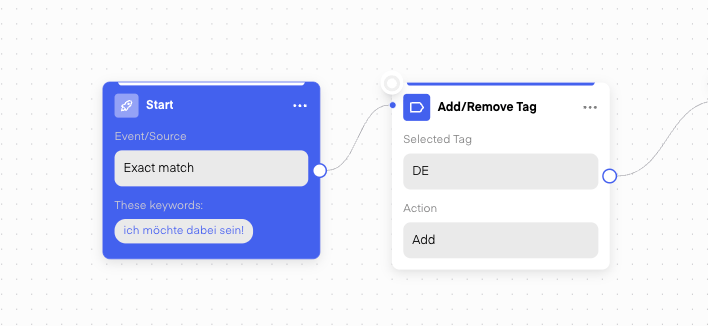
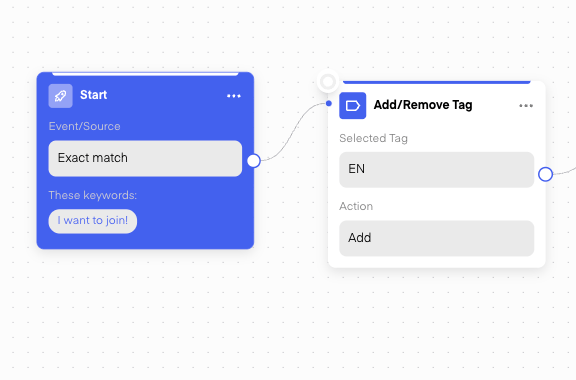 This way, contacts are tagged from the very first interaction and carry their language preference into every subsequent flow.
***
### 2. Thank You Page Widget
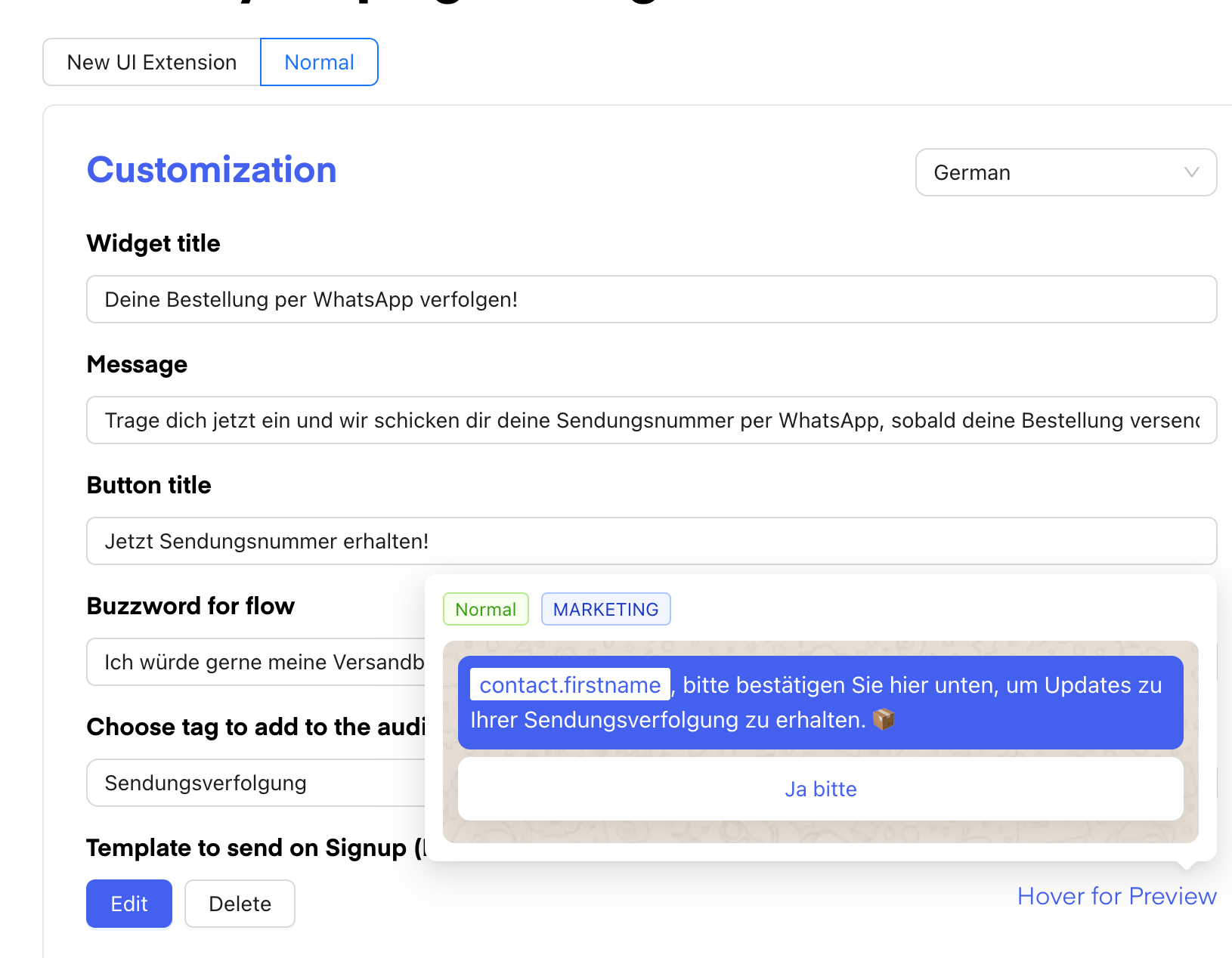
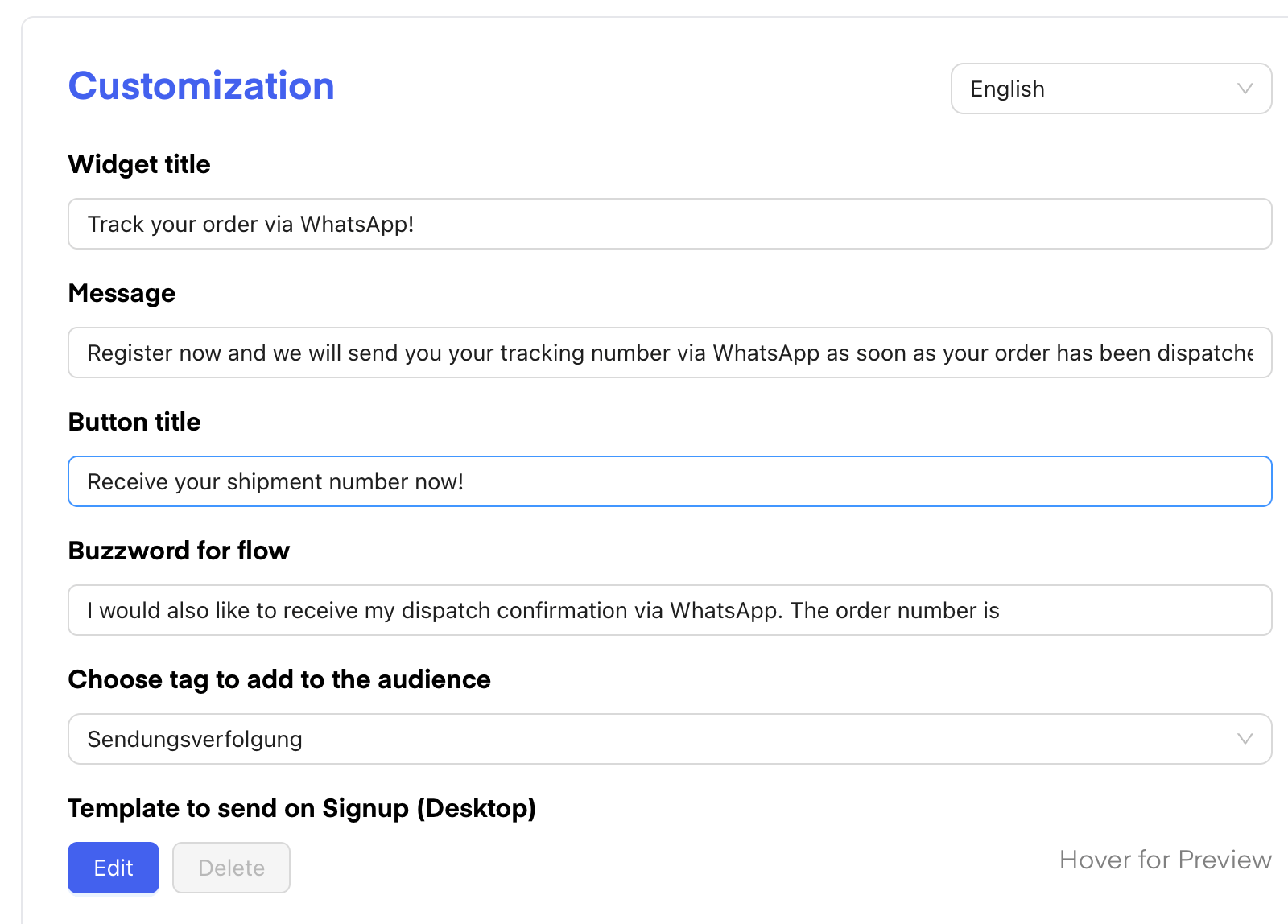
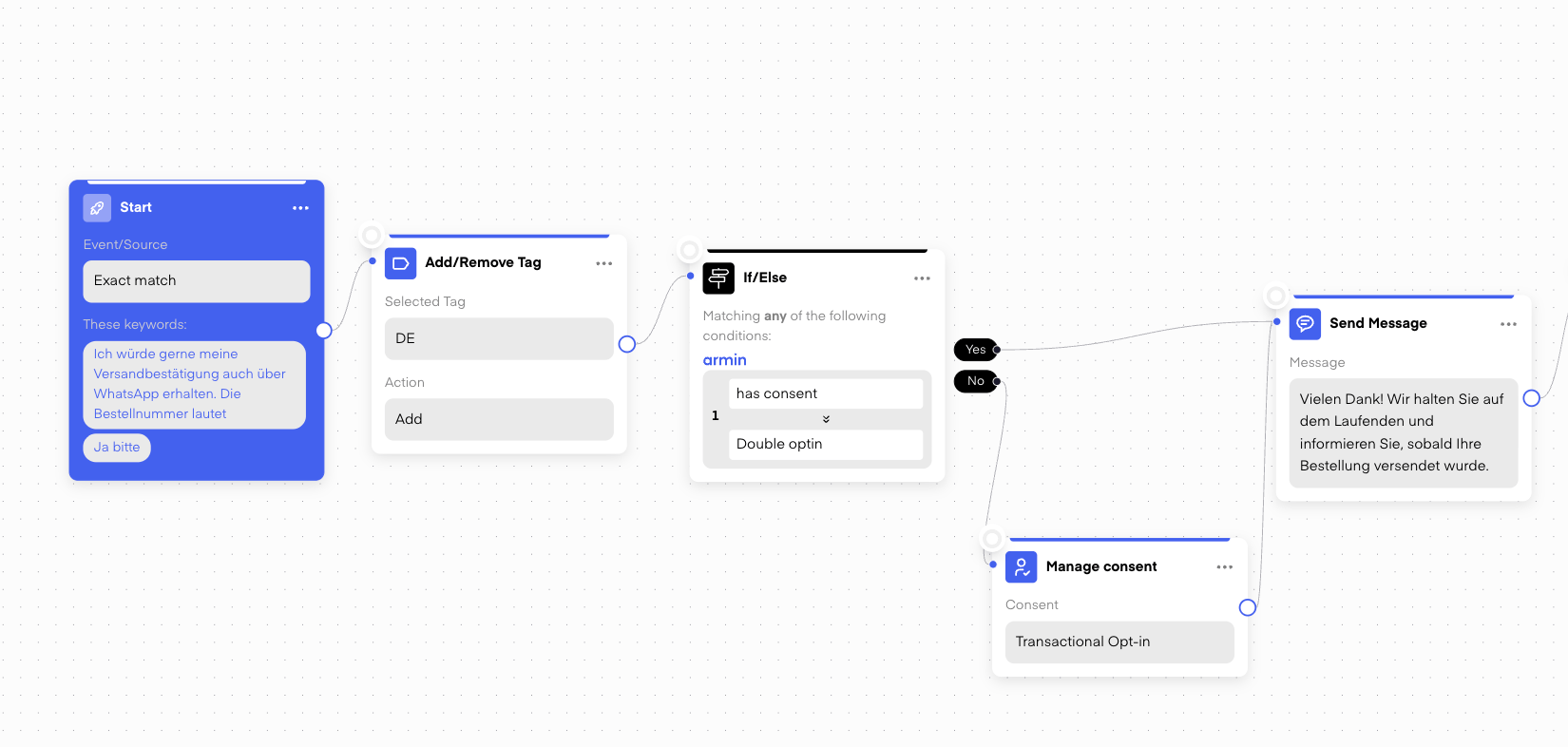
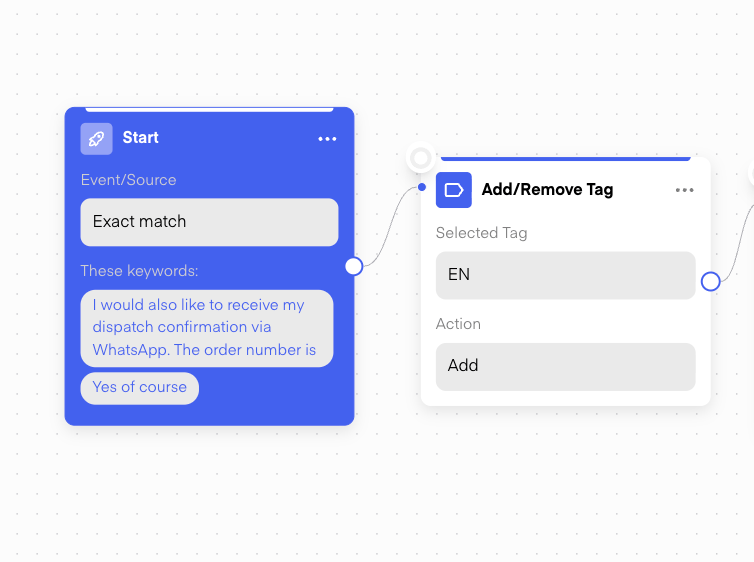
The Thank You Page Widget allows you to **switch between store languages**. Depending on the language of the shop the customer checked out from, they will automatically enter the corresponding flow and receive their language tag right away - no extra step needed.
This way, contacts are tagged from the very first interaction and carry their language preference into every subsequent flow.
***
### 2. Thank You Page Widget
The Thank You Page Widget allows you to **switch between store languages**. Depending on the language of the shop the customer checked out from, they will automatically enter the corresponding flow and receive their language tag right away - no extra step needed.
 ***
### 3. Service Flow
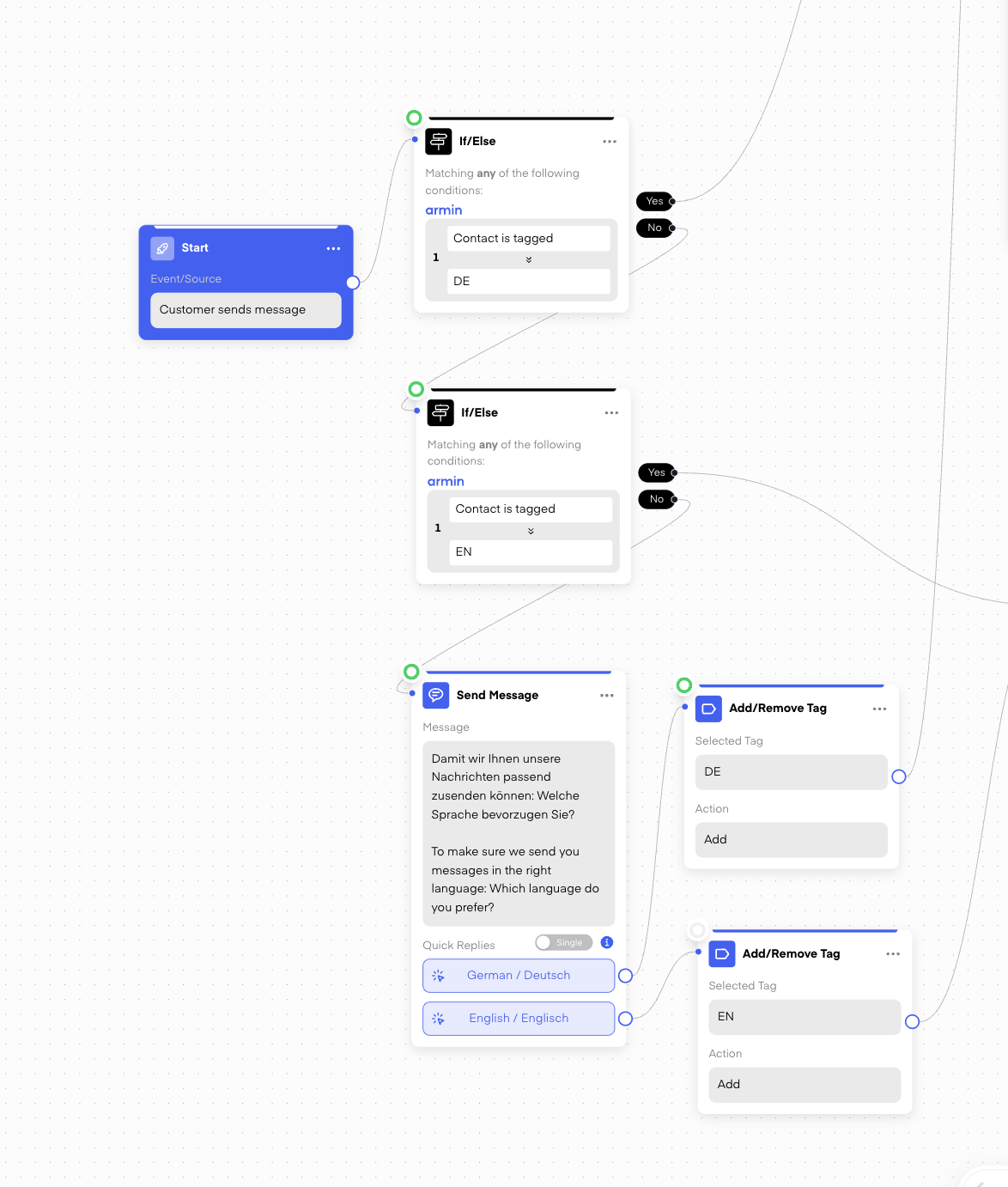
The Service Flow is the **only flow where customers can write in without having gone through another flow first** — meaning they may not have a language tag yet. This makes it especially important to handle language detection here.
At the start of the Service Flow:
1. Add an **If/Else** node checking whether the contact **is already tagged** with `DE` or `EN`.
2. If **Yes** → route them directly to the appropriate language path.
3. If **No** → send a language selection message (Quick Replies: "German / Deutsch" / "English / Englisch") and assign the tag before continuing.
***
### 3. Service Flow
The Service Flow is the **only flow where customers can write in without having gone through another flow first** — meaning they may not have a language tag yet. This makes it especially important to handle language detection here.
At the start of the Service Flow:
1. Add an **If/Else** node checking whether the contact **is already tagged** with `DE` or `EN`.
2. If **Yes** → route them directly to the appropriate language path.
3. If **No** → send a language selection message (Quick Replies: "German / Deutsch" / "English / Englisch") and assign the tag before continuing.
 ***
## Using Language Tags in Outbound Flows
Once contacts have a language tag, all outbound flows simply check for it using If/Else and split into two paths — no language question needed.
### 4. Shipping Updates
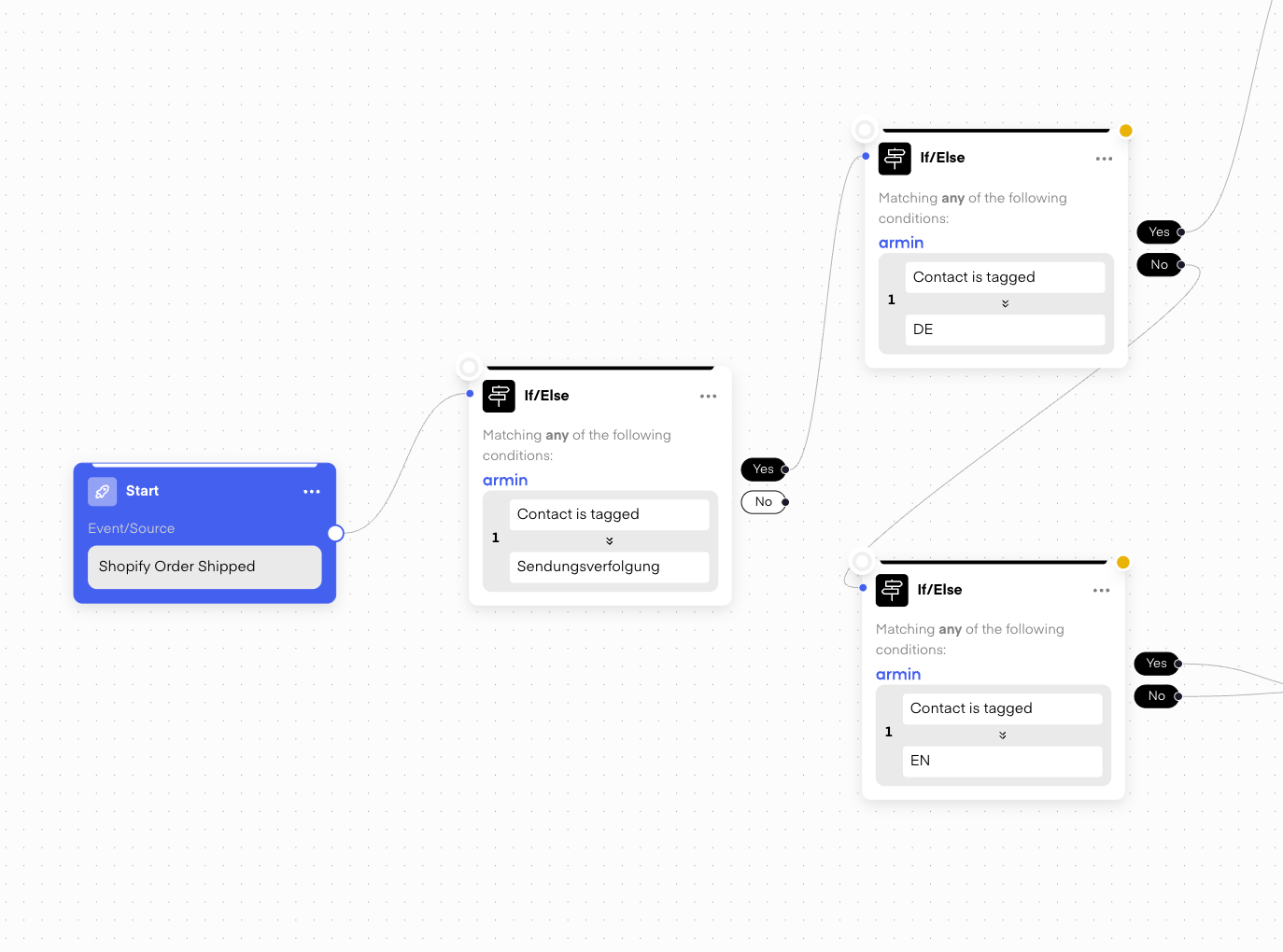
Since the language tag is already assigned via the Thank You Page, you can go straight to the If/Else split here:
* If/Else: **Contact is tagged → DE** → send German shipping message
* If/Else: **Contact is tagged → EN** → send English shipping message
***
## Using Language Tags in Outbound Flows
Once contacts have a language tag, all outbound flows simply check for it using If/Else and split into two paths — no language question needed.
### 4. Shipping Updates
Since the language tag is already assigned via the Thank You Page, you can go straight to the If/Else split here:
* If/Else: **Contact is tagged → DE** → send German shipping message
* If/Else: **Contact is tagged → EN** → send English shipping message
 ***
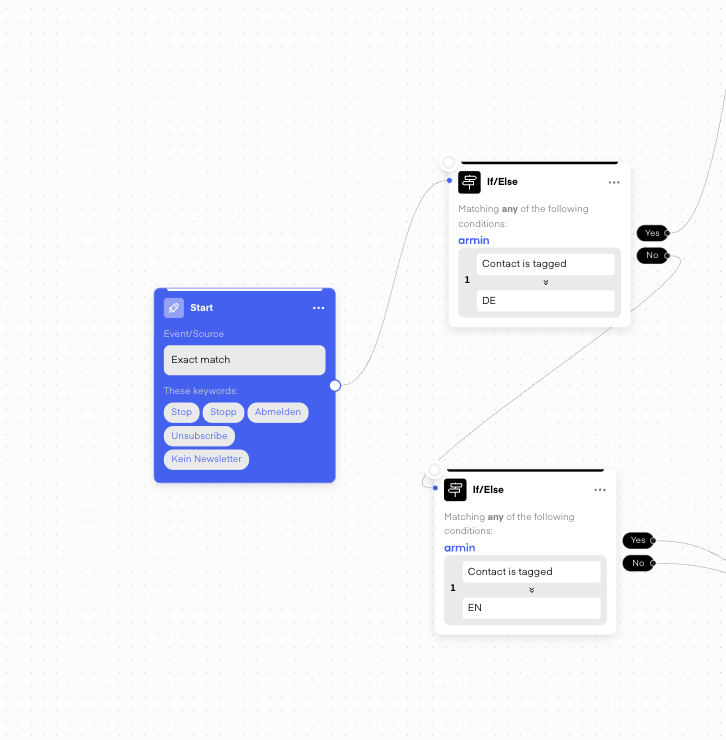
### 5. Opt-Out Flow
Same approach — just check for the language tag and serve the unsubscribe confirmation in the correct language.
***
### 5. Opt-Out Flow
Same approach — just check for the language tag and serve the unsubscribe confirmation in the correct language.
 ***
### 6. Abandoned Checkout & Post-Purchase Flow
If contacts have already gone through a SOI or DOI flow before reaching this point, they'll typically already have a language tag. Use If/Else to filter by tag and send the appropriate language version.
***
### 6. Abandoned Checkout & Post-Purchase Flow
If contacts have already gone through a SOI or DOI flow before reaching this point, they'll typically already have a language tag. Use If/Else to filter by tag and send the appropriate language version.