> ## Documentation Index
> Fetch the complete documentation index at: https://help.chatarmin.com/llms.txt
> Use this file to discover all available pages before exploring further.
# Meta Pricing
> Chatarmin guide: Meta Pricing
## What does the WhatsApp Business Platform cost?
 ***🚨 Find the official Meta WhatsApp-Business-Platform-pricing*** [***here***](https://developers.facebook.com/docs/whatsapp/pricing/updates-to-pricing) ***and*** [***here***](https://business.whatsapp.com/products/platform-pricing?country=Germany\¤cy=Euro%20\(EUR\)\&category=Authentication)***! 🚨***\
Unlike the [WhatsApp Business App, the WhatsApp Business Platform is not available free](https://chatarmin.com/en/blog/what-is-a-whats-app-business-account-all-the-options-and-features-of-your-whats-app-business-account) of charge due to its range of functions and focus on **data protection and GRDP-Compliance**. Furthermore, the pricing differs from the **WhatsApp Business Platform** due to the **"conversational billing"** of the **WhatsApp Business Platform**.
***
## 🟢 **User-Initiated (Free Service Conversations)**
***
These are conversations **started by the user** - for example, when a customer sends a message like: *“Where is my order?”*\
You can find all details about the User-Initiated 24-Hour Window [here](/meta-related/what-is-the-24-hour-window).
***🚨 Find the official Meta WhatsApp-Business-Platform-pricing*** [***here***](https://developers.facebook.com/docs/whatsapp/pricing/updates-to-pricing) ***and*** [***here***](https://business.whatsapp.com/products/platform-pricing?country=Germany\¤cy=Euro%20\(EUR\)\&category=Authentication)***! 🚨***\
Unlike the [WhatsApp Business App, the WhatsApp Business Platform is not available free](https://chatarmin.com/en/blog/what-is-a-whats-app-business-account-all-the-options-and-features-of-your-whats-app-business-account) of charge due to its range of functions and focus on **data protection and GRDP-Compliance**. Furthermore, the pricing differs from the **WhatsApp Business Platform** due to the **"conversational billing"** of the **WhatsApp Business Platform**.
***
## 🟢 **User-Initiated (Free Service Conversations)**
***
These are conversations **started by the user** - for example, when a customer sends a message like: *“Where is my order?”*\
You can find all details about the User-Initiated 24-Hour Window [here](/meta-related/what-is-the-24-hour-window).
 ## Key Details:
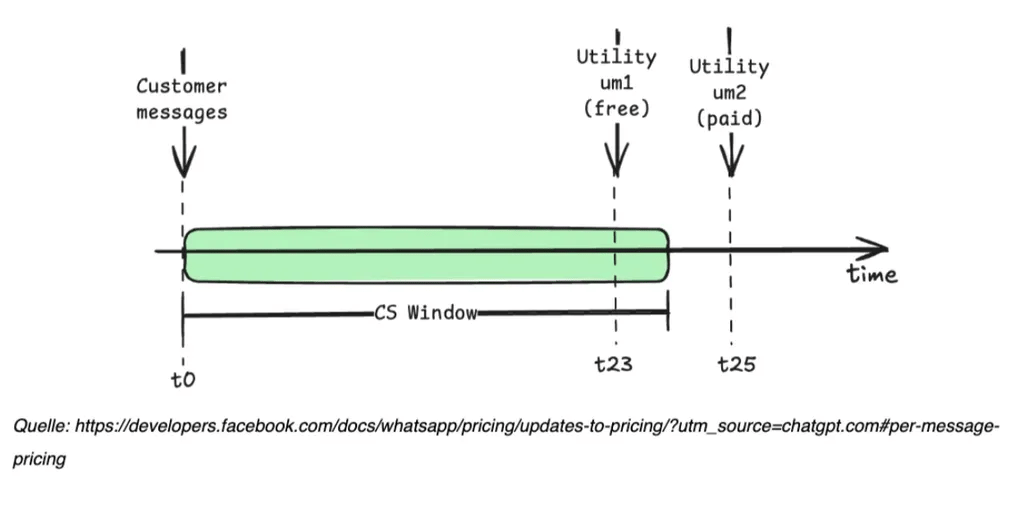
* A **24-hour support window** is opened from the moment the user sends the first message
* **Free of charge** - Meta does not bill for any messages sent within the 24-hour service window initiated by the user
* Within this window, your business can respond freely using **text, images and more**
* **No templates** are needed for replies within this window.
* Messages can be sent manually through the **chat** or automatically within a **flow** (via the “Send Message” step)
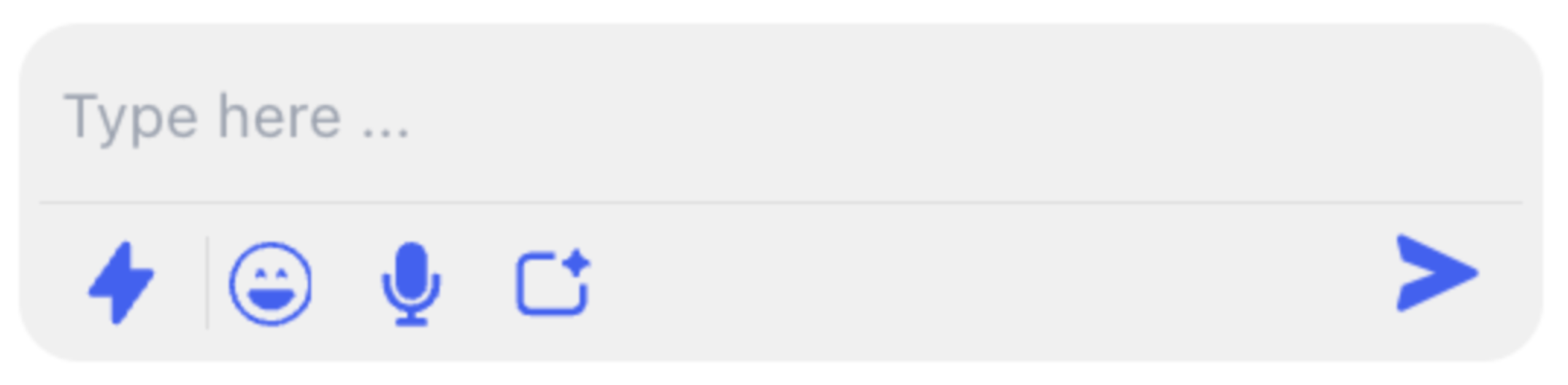
* During an open window, you'll see this indicator in your chat view:
## Key Details:
* A **24-hour support window** is opened from the moment the user sends the first message
* **Free of charge** - Meta does not bill for any messages sent within the 24-hour service window initiated by the user
* Within this window, your business can respond freely using **text, images and more**
* **No templates** are needed for replies within this window.
* Messages can be sent manually through the **chat** or automatically within a **flow** (via the “Send Message” step)
* During an open window, you'll see this indicator in your chat view:
 ***
## 🟡 **Business-Initiated Conversations (Template Required)**
***
These conversations are **started by the business**, typically for proactive updates like:
Shipping notifications, Promotional messages, etc.
## Key Details:
* **Pre-approved templates are required** to start a conversation outside the 24-hour window
* You can send templates through:
* Automated flows
* Chat replies (if outside the 24h window)
* Promo campaigns
* As of **July 1st, 2025**, **every sent template** incurs a charge - **even follow-ups** within the same category
* Before sending, all templates must be created and approved in the **Templates** section
* When the 24h window is closed, you’ll see this indicator in the chat view:
***
## 🟡 **Business-Initiated Conversations (Template Required)**
***
These conversations are **started by the business**, typically for proactive updates like:
Shipping notifications, Promotional messages, etc.
## Key Details:
* **Pre-approved templates are required** to start a conversation outside the 24-hour window
* You can send templates through:
* Automated flows
* Chat replies (if outside the 24h window)
* Promo campaigns
* As of **July 1st, 2025**, **every sent template** incurs a charge - **even follow-ups** within the same category
* Before sending, all templates must be created and approved in the **Templates** section
* When the 24h window is closed, you’ll see this indicator in the chat view:
 ***
## Understanding Meta Messaging Costs for WhatsApp
***
When using WhatsApp via Chatarmin, it's important to know that **Meta (WhatsApp’s parent company)** handles the billing for all message-related costs. Charges are **based on conversation type**, not individual messages, and are billed **directly by Meta**, **not** by Chatarmin.\
💸 Cost:
Each template message **is billed by Meta**, and pricing depends on the message type (e.g., marketing, utility) and the recipient’s country: [WhatsApp Pricing Calculator](https://business.whatsapp.com/products/platform-pricing?country=Germany\¤cy=Euro%20\(EUR\)\&category=Marketing)
***
## 💳 Transparent Billing with Chatarmin
***
At Chatarmin, we value **full transparency**:
* **All messaging costs are billed directly by Meta** to the credit card associated with your WhatsApp Business Account.
* You will **not be charged extra** by Chatarmin.
* You can review all your message costs anytime in your **Meta Business Manager**:\
[Go to Meta Business Manager](https://business.facebook.com/)
***
## Free Entry Point Window (72h)
***
If a customer starts a conversation from a **Click-to-WhatsApp Ad** or a **Facebook Page button**, Meta grants a **72-hour free messaging window**. Within this timeframe:
* You can send **template messages** and **free-form messages** without charges
* You must respond **within 24 hours** of the user’s first message to unlock the window
This feature is perfect for retargeting ad campaigns and lead generation.
***
## Where to find Meta Invoices
***
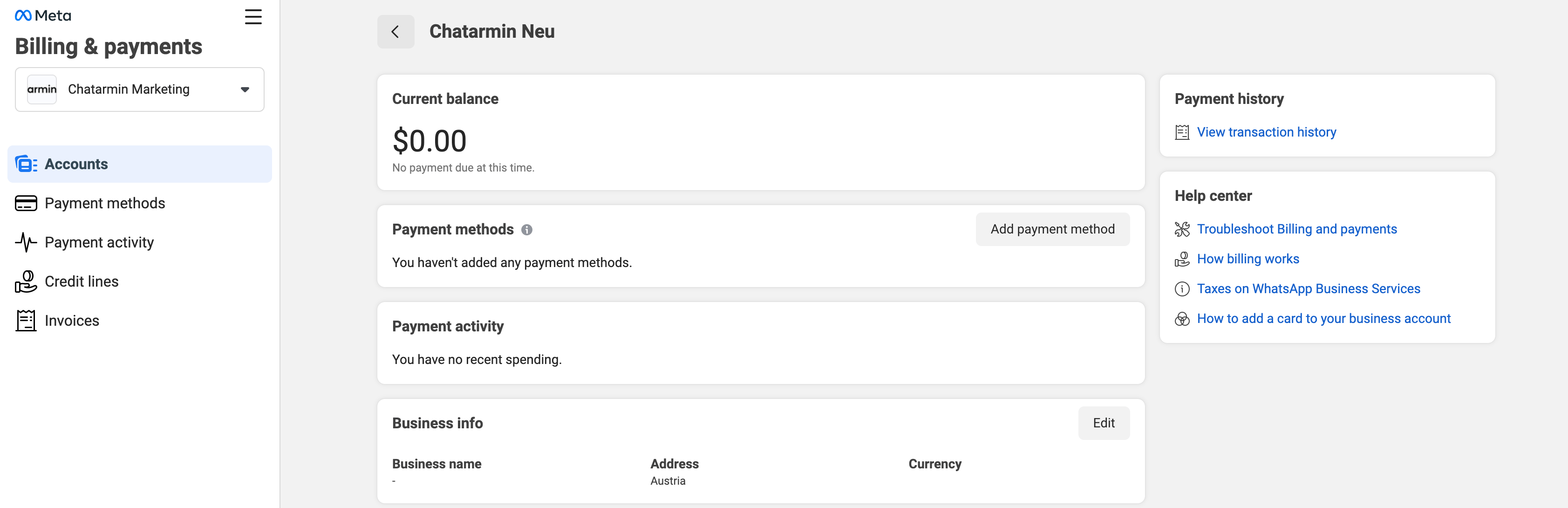
To view your Meta invoices, navigate to your [WhatsApp Accounts](https://business.facebook.com/latest/settings/whatsapp_account?business_id=906857774751217\&selected_asset_id=411504202053756\&selected_asset_type=whatsapp-business-account) and click on "Payment Settings".
***
## Understanding Meta Messaging Costs for WhatsApp
***
When using WhatsApp via Chatarmin, it's important to know that **Meta (WhatsApp’s parent company)** handles the billing for all message-related costs. Charges are **based on conversation type**, not individual messages, and are billed **directly by Meta**, **not** by Chatarmin.\
💸 Cost:
Each template message **is billed by Meta**, and pricing depends on the message type (e.g., marketing, utility) and the recipient’s country: [WhatsApp Pricing Calculator](https://business.whatsapp.com/products/platform-pricing?country=Germany\¤cy=Euro%20\(EUR\)\&category=Marketing)
***
## 💳 Transparent Billing with Chatarmin
***
At Chatarmin, we value **full transparency**:
* **All messaging costs are billed directly by Meta** to the credit card associated with your WhatsApp Business Account.
* You will **not be charged extra** by Chatarmin.
* You can review all your message costs anytime in your **Meta Business Manager**:\
[Go to Meta Business Manager](https://business.facebook.com/)
***
## Free Entry Point Window (72h)
***
If a customer starts a conversation from a **Click-to-WhatsApp Ad** or a **Facebook Page button**, Meta grants a **72-hour free messaging window**. Within this timeframe:
* You can send **template messages** and **free-form messages** without charges
* You must respond **within 24 hours** of the user’s first message to unlock the window
This feature is perfect for retargeting ad campaigns and lead generation.
***
## Where to find Meta Invoices
***
To view your Meta invoices, navigate to your [WhatsApp Accounts](https://business.facebook.com/latest/settings/whatsapp_account?business_id=906857774751217\&selected_asset_id=411504202053756\&selected_asset_type=whatsapp-business-account) and click on "Payment Settings".
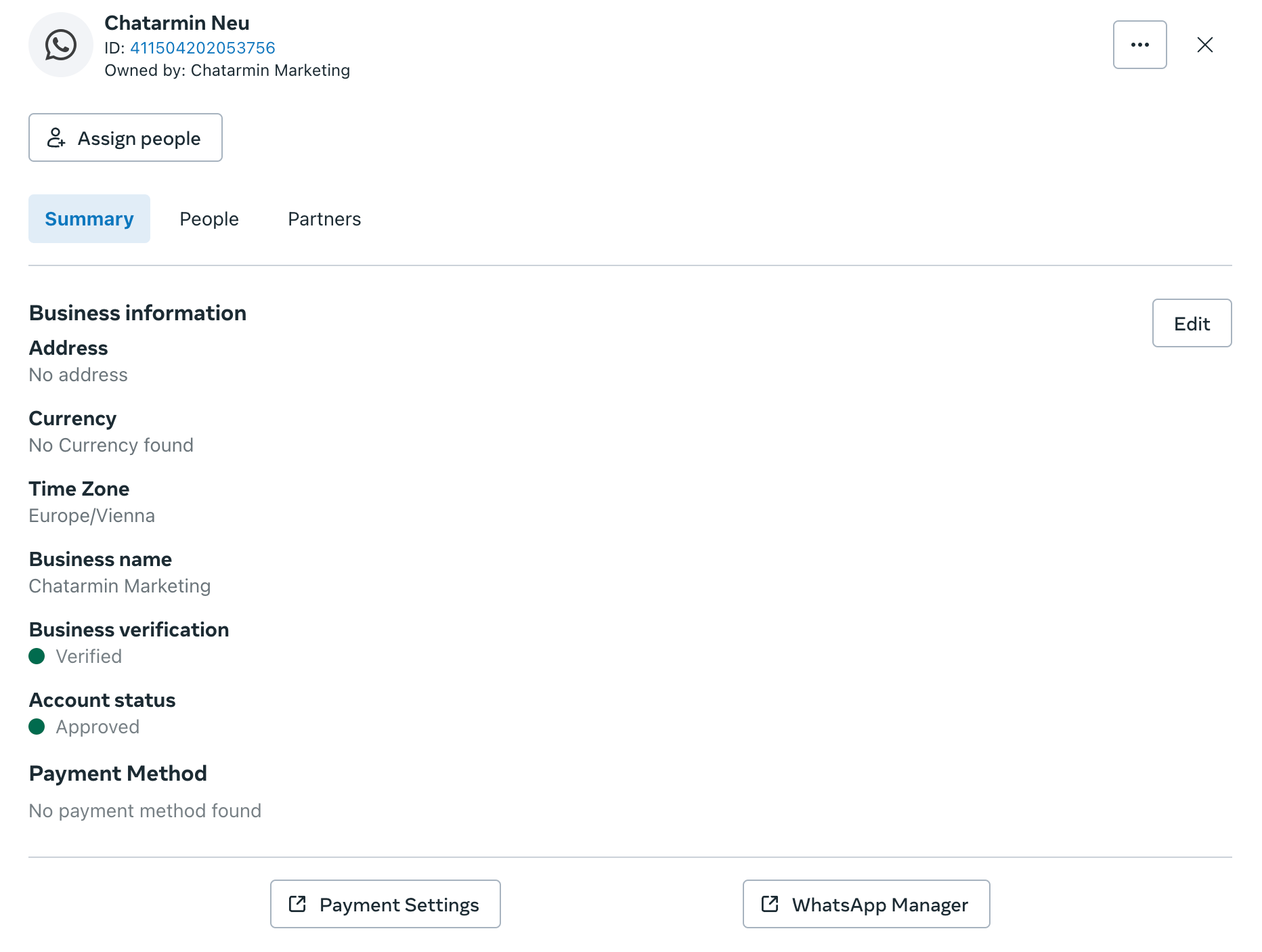 After opening the Payment Settings, you can access your invoice details by clicking on "Invoices" and "Payment History".